


Profile and account settings
Update your name and photo, change your password, and choose a light or dark look.
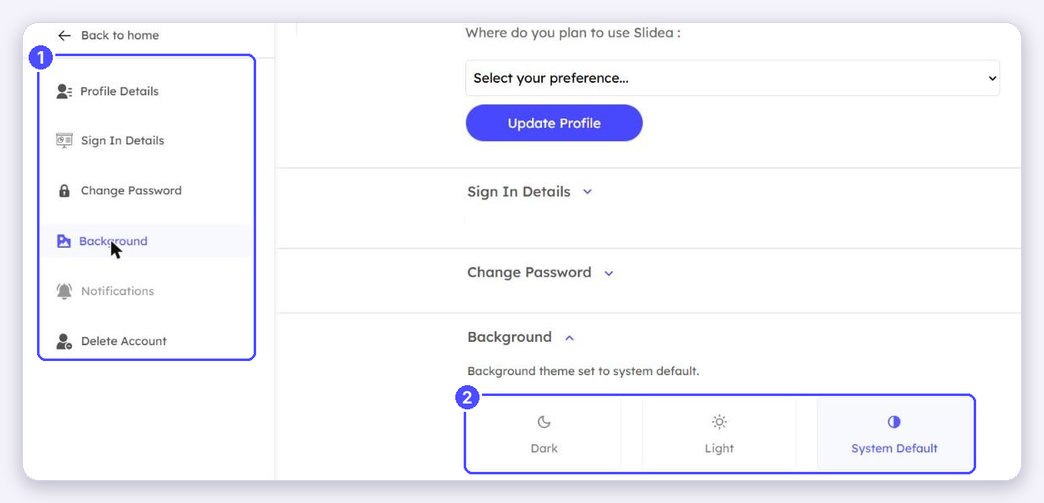
My Profile: 1 Settings menu, 2 Background.
Steps
- Open My ProfileSelect your picture at the top right, then My Profile.
- Edit profile detailsUnder Profile Details, upload a photo, change your name and choose where you plan to use Slidea, then select Update Profile.
- Check sign-in detailsSign In Details shows your email address. Use Edit to change it.
- Change your passwordOpen Change Password and follow the steps.
- Choose a backgroundUnder Background pick Dark, Light or System Default.
Other options
The menu also has Notifications and Delete Account. Read the message carefully before you confirm anything in Delete Account.
Frequently asked questions
Where is Sign Out?
In the same profile menu at the top right, below My Profile and My Subscription.