


Multiple Choice
Ask a question, give your audience a few options, and watch the votes build up live on screen.
- Add the slide
Click New Slide on the left. In the Brainstorming & Interactive Slides group, choose Multiple Choice.

- Write your question and options
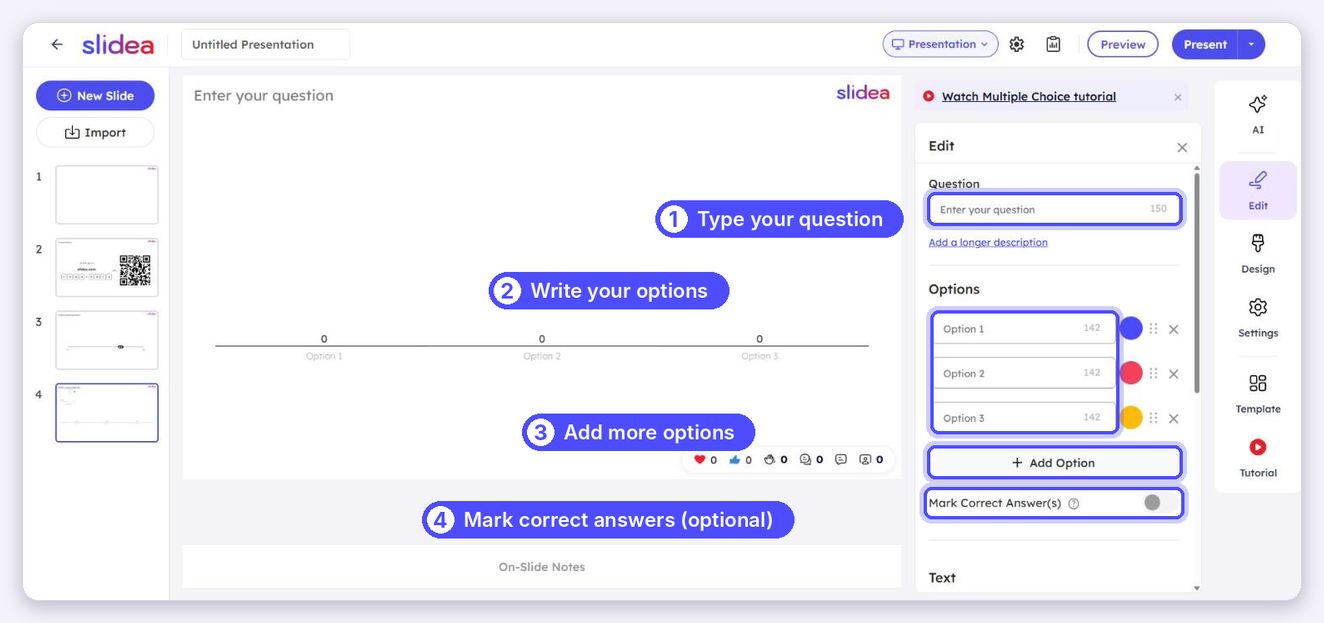
In the Edit tab, type your Question and fill in the options. A new slide starts with three. Click Add Option for more, or the x next to an option to remove it.
- Choose how people vote
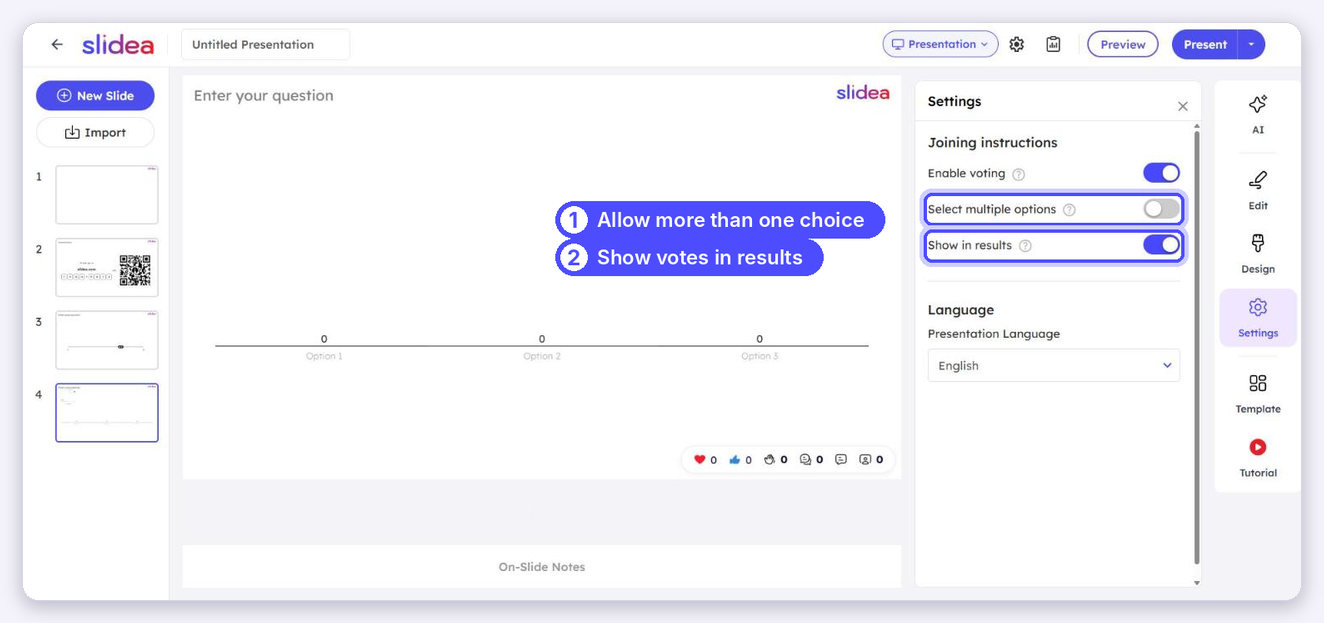
Open the Settings tab. Turn on Select multiple options to let people pick more than one answer. Use Show in results to control whether votes appear in the results.
Tip
Keep each option short so it is easy to read on the results chart.
Can people pick more than one option?
Yes. Turn on Select multiple options in the Settings tab.
What does Mark Correct Answer(s) do?
It is a switch in the Edit tab, under the options. Turn it on to mark which options are correct.