


Scales
Ask your audience to rate one or more statements on a scale and see the results as they come in.
- Add the slide
Click New Slide on the left. In the Brainstorming & Interactive Slides group, choose Scales.

- Write your question and statements
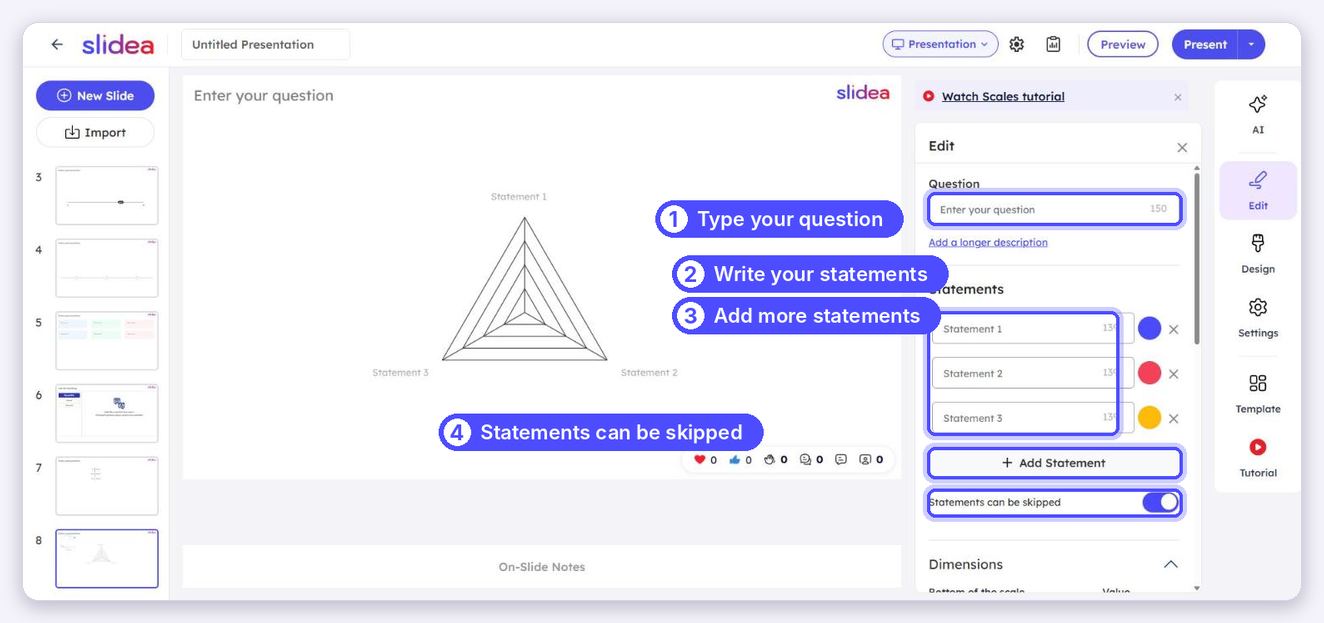
In the Edit tab, type your prompt in Question, then fill in the Statements. Click Add Statement to add more. Turn on Statements can be skipped if people may pass on a statement.
Tip
Write each statement so it can be rated on its own, one idea per line.
How many statements does a new slide start with?
A new Scales slide starts with three statements. Click Add Statement to add more.
Can people skip a statement?
Yes. Turn on Statements can be skipped in the Edit tab.