


This or That
Give your audience two options and let them pick one. The votes show up on the slide as they come in.
- Add the slide
Click New Slide on the left. In the Brainstorming & Interactive Slides group, choose This or That.

- Write your question and options
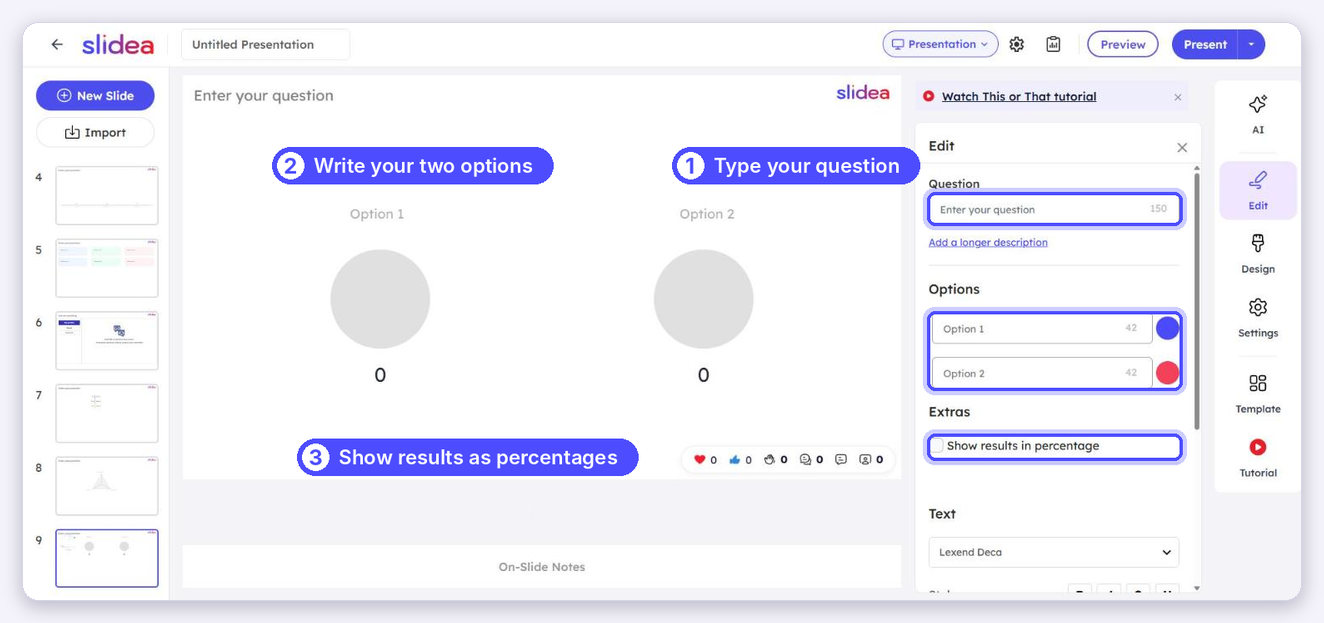
In the Edit tab, type your prompt in Question and fill in the two Options. Under Extras, tick Show results in percentage to display percentages.
Tip
Keep both options short and clearly different so the choice is quick.
How many options are there?
A This or That slide has two options.
Can I show results as percentages?
Yes. Tick Show results in percentage under Extras in the Edit tab.