


Word Cloud
Ask a question and let your audience answer in a word or short phrase. The answers build into a word cloud on the slide.
- Add the slide
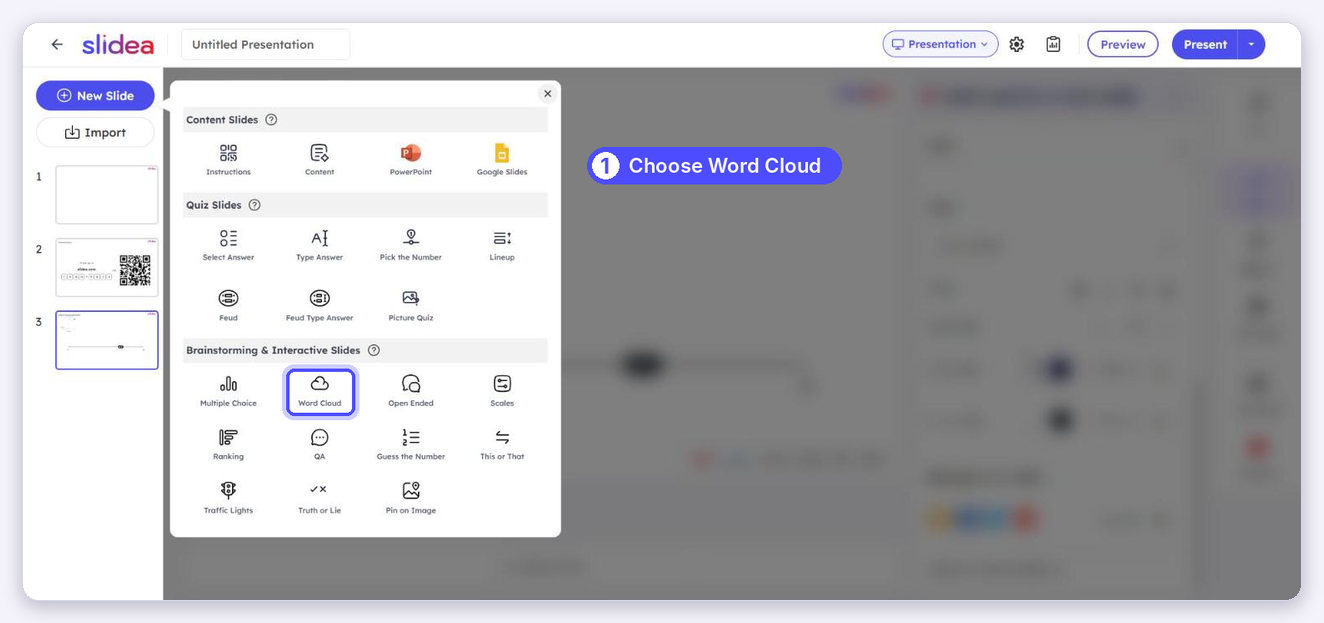
Click New Slide on the left. In the Brainstorming & Interactive Slides group, choose Word Cloud.
- Write your question
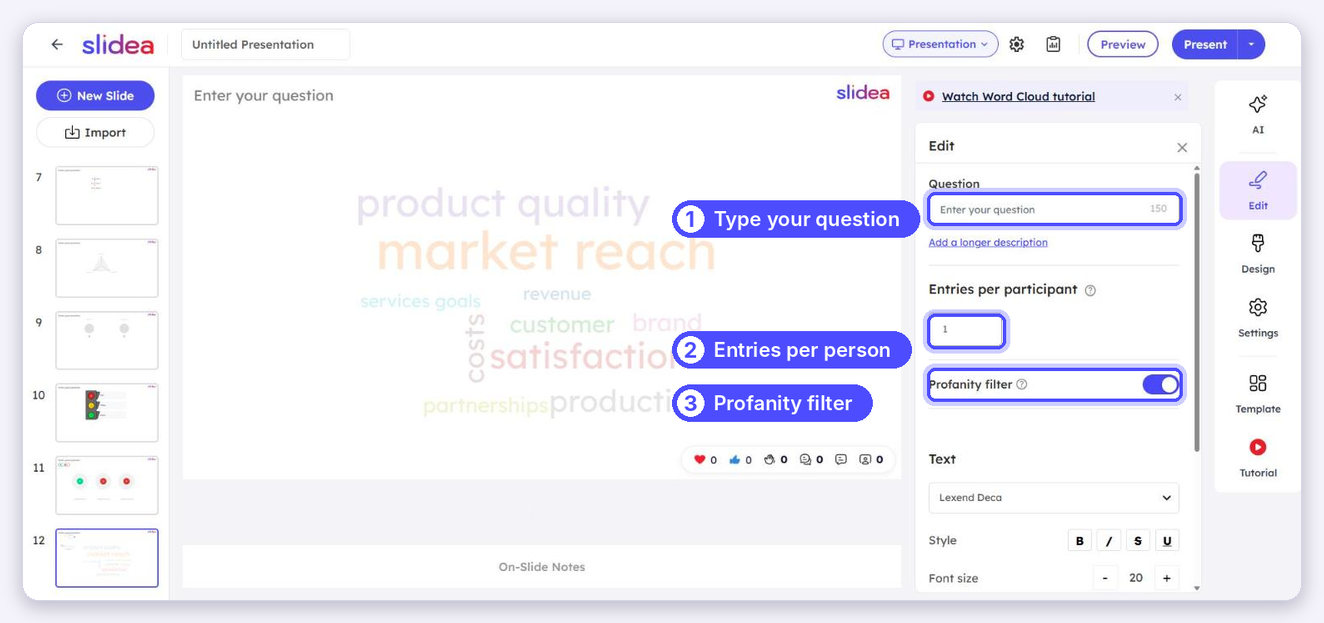
In the Edit tab, type your prompt in Question. Set Entries per participant to choose how many answers each person can send, and keep Profanity filter on to screen what appears.
Tip
Ask for one word or a short phrase, such as how people feel about a topic.
How many answers can each person send?
That is set by Entries per participant in the Edit tab. A new slide starts with 1.
Can I filter inappropriate answers?
Yes. Use the Profanity filter switch in the Edit tab.