


Type Answer
Ask a question and let your audience type their answer. You decide which answers count as correct.
- Add the slide
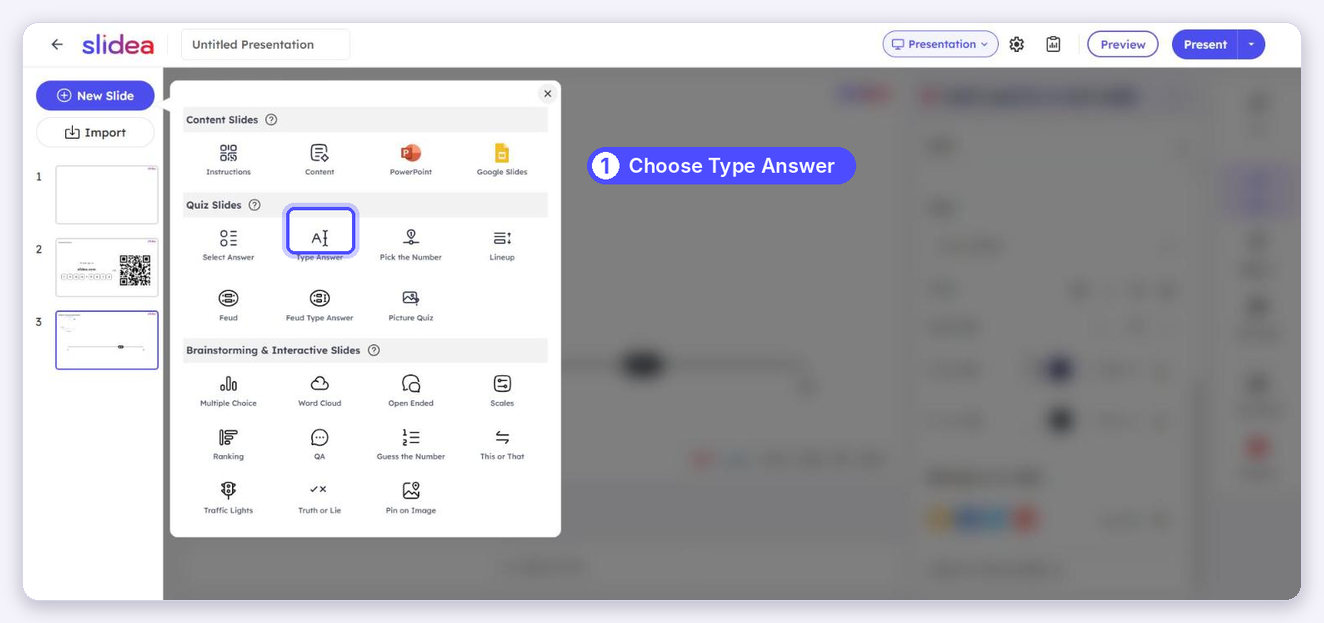
Click New Slide on the left. In the Quiz Slides group, choose Type Answer.
- Set the correct answers
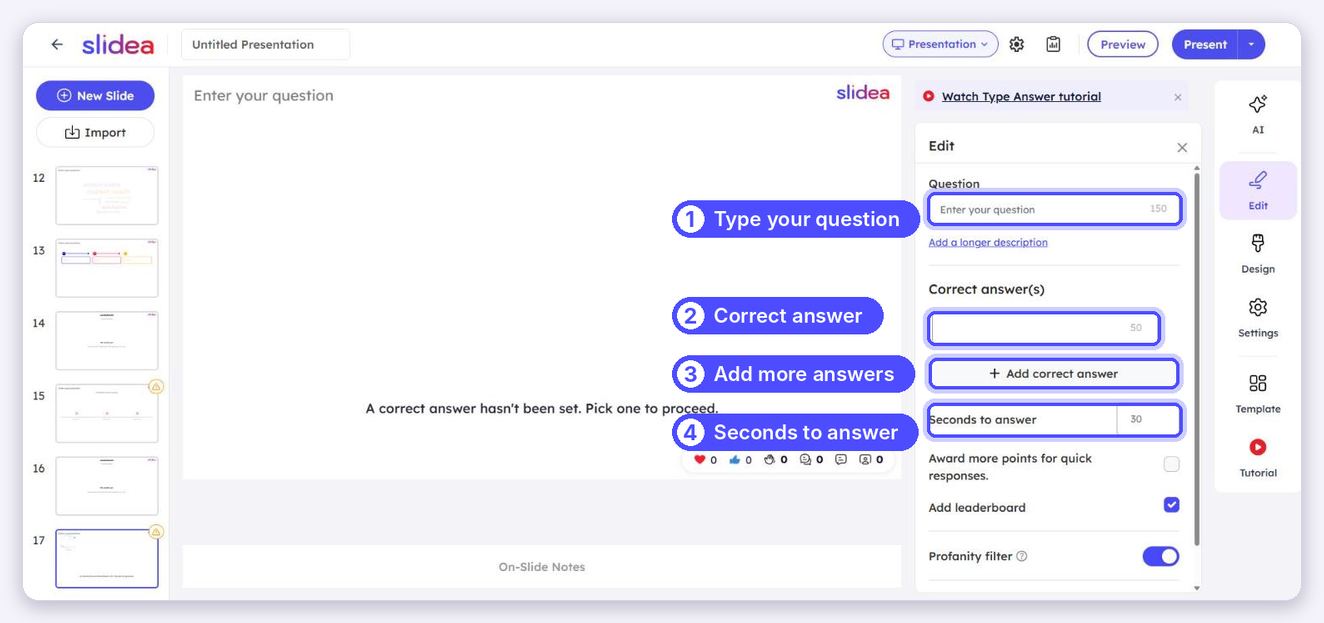
In the Edit tab, type your prompt in Question. Enter the accepted answer under Correct answer(s), and click Add correct answer to accept other spellings or answers. Set Seconds to answer for the time limit.
Tip
Add a few accepted spellings with Add correct answer, so a small typo does not cost someone the point.
Can I accept more than one answer?
Yes. Click Add correct answer in the Edit tab to add each accepted answer.
What other options are in the Edit tab?
You can turn on Award more points for quick responses and Add leaderboard, and use the Profanity filter.