


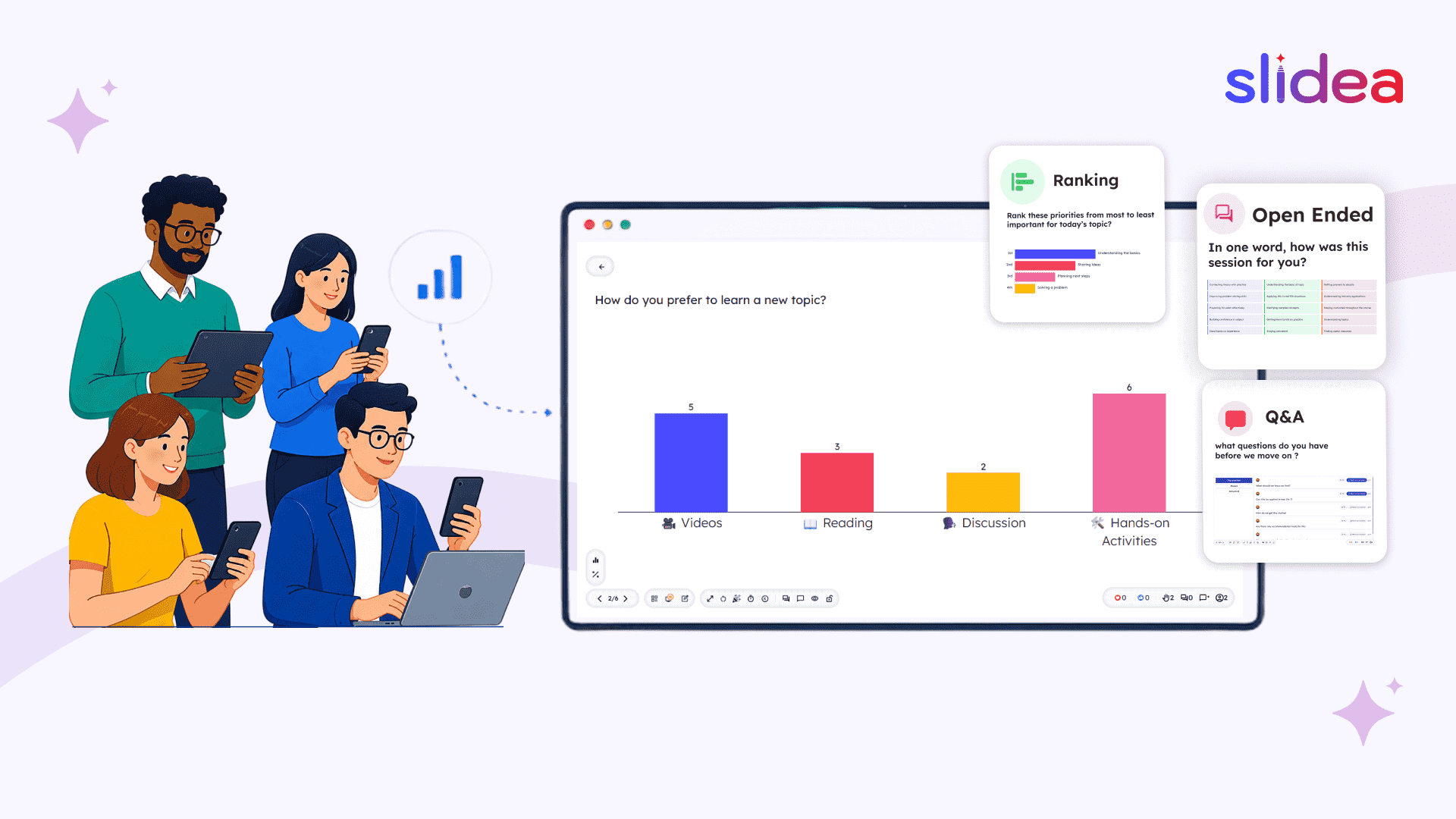
Definition: An interactive presentation is a presentation that invites audiences to actively participate during delivery through live polls, quizzes, Q&A, word clouds, reactions, and other real-time engagement tools rather than passively watching and listening.
“My students just stare at slides. How do I actually make them participate?”
If you have ever asked yourself that question, whether you are a teacher, a manager running team meetings, or a speaker presenting to a room of 300 people, you already understand the problem that interactive presentations solve.
Most presentations are one-way. You talk. They listen. Or at least, they try to. Research shows audiences begin losing focus within 10 minutes of a standard lecture-style presentation. By the 20-minute mark, attention has dropped significantly for most people in the room.
Interactive presentations change that dynamic completely. This guide covers everything you need to know about interactive presentations. When you’re ready to create one yourself, Slidea lets you build your first interactive presentation in minutes.
1. What Is an Interactive Presentation?
An interactive presentation is a presentation that actively involves the audience during delivery, rather than asking them to passively watch and listen.
Instead of a presenter talking at an audience, an interactive presentation creates a two-way conversation. Audience members respond to live polls, answer quiz questions, submit open-ended thoughts, vote on options, ask questions through a live Q&A feed, or react with emoji responses all in real time, from their own phones or laptops.
The key is that an interactive presentation is not a post-session survey. It is not a Q&A at the end when most people have already forgotten what they wanted to ask. Interaction happens inside the presentation itself, woven into the flow of the content.
The simplest way to think about it:
A traditional presentation is a monologue. An interactive presentation is a conversation.
2. Interactive Presentation vs Traditional Presentation
Here is how the two approaches differ in practice:
| Traditional | Interactive | |
| Audience role | Passive listener | Active participant |
| Feedback | After the session (if at all) | Live, during the session |
| Attention span | Drops after 10 minutes | Reset every time an interaction occurs |
| Shy participants | Often left out | Can participate anonymously |
| Data collected | None | Responses, scores, Q&A, participation rates |
| Adaptability | Fixed script | Adjust based on live audience responses |
The difference is not just cosmetic. When an audience member responds to a live poll, they make a micro-commitment to the session. Their brain shifts from passive observation to active processing the state in which people actually learn and retain information.
3. Why Interactive Presentations Work: The Science
The case for interactive presentations is not just intuitive it is backed by research.
- Attention resets with interaction. The human brain struggles to sustain focused attention for more than 10–15 minutes. Every interactive element creates a natural reset point that brings the audience back to full attention.
- Active recall improves retention. When someone answers a question about content they just heard, they process it more deeply than if they simply listened.
- Participation reduces the barrier to engagement. Anonymous digital Q&A and polls remove the social anxiety of speaking up in public, which means you hear from the whole room not just the most confident voices.
- Engagement compounds. Once a person responds to one interactive element, they are significantly more likely to participate again later. The first interaction is the hardest. After that, participation becomes the norm.
- You get data, not just applause. Interactive presentations give you post-session analytics who participated, what they answered, which questions got the most engagement. That data helps you improve every time.
4. Interactive Presentation Statistics (2025–2026)
Here is what the data says about the impact of making presentations interactive:
Key statistics 93.5% vs 79%: Active learners retain 93.5% of information after one month, compared to only 79% for passive learners, a 14.5% difference.
55% lower failure rate: Students in active learning classes have a 55% lower course failure rate than those in traditional lecture classes, across a meta-analysis of 225 STEM studies.
70% forgotten in 24 hours: Without reinforcement, 70% of learned information is forgotten within 24 hours making retrieval practice built into interactive presentations critical.
65% waste time in meetings: 65% of professionals say they regularly waste time in meetings, and 67% of executives say meetings they attend fail to achieve their intended outcomes.
130 poll responses per webinar: Live polls generate the most audience interaction in webinars on average, more than Q&A, surveys, or resource downloads combined.
49% cite engagement as the #1 factor: 49% of event professionals say audience engagement is the single biggest factor in whether a live event succeeds.
50% more engagement: Interactive sessions see 50% more engagement than static, non-interactive equivalents.
Nearly half of meetings fail without early engagement: Almost 50% of meeting attendees agree a meeting is likely to fail if people are not engaged from the very start.Key statistics 93.5% vs 79%: Active learners retain 93.5% of information after one month, compared to only 79% for passive learners, a 14.5% difference.
55% lower failure rate: Students in active learning classes have a 55% lower course failure rate than those in traditional lecture classes, across a meta-analysis of 225 STEM studies.
70% forgotten in 24 hours: Without reinforcement, 70% of learned information is forgotten within 24 hours making retrieval practice built into interactive presentations critical.
65% waste time in meetings: 65% of professionals say they regularly waste time in meetings, and 67% of executives say meetings they attend fail to achieve their intended outcomes.
130 poll responses per webinar: Live polls generate the most audience interaction in webinars on average, more than Q&A, surveys, or resource downloads combined.
49% cite engagement as the #1 factor: 49% of event professionals say audience engagement is the single biggest factor in whether a live event succeeds.
50% more engagement: Interactive sessions see 50% more engagement than static, non-interactive equivalents.
Nearly half of meetings fail without early engagement: Almost 50% of meeting attendees agree a meeting is likely to fail if people are not engaged from the very start. For a full breakdown of the research behind these numbers, see our interactive presentation statistics guide.”
5. What Makes a Presentation Truly Interactive?
Not every element labelled interactive creates meaningful engagement. Here are the components that genuinely work:
Live polls
A live poll invites every audience member to respond to a question in real time. Results appear on screen as they come in a bar chart filling up, a word cloud forming, a ranking shifting. The visual feedback is itself engaging.
Polls work best in three places: at the start (warm up, gauge existing knowledge), in the middle (check understanding before moving on), and at the end (consolidate learning or gather feedback).
Quiz slides
Quizzes introduce friendly competition. A leaderboard creates energy that no amount of good slides can replicate. Whether you are a teacher checking comprehension or a corporate trainer reinforcing key concepts, a well-placed quiz keeps the audience sharp and invested in what comes next.
Word clouds
Ask an open-ended question, “What is the first word that comes to mind when you think of [topic]?” and watch the room’s collective thinking appear on screen in real time. Word clouds are particularly powerful as icebreakers or when you want to surface the group’s existing assumptions before presenting new information.
Open-ended questions
Give your audience a text box and ask them something meaningful. Open-ended responses reveal nuance that multiple-choice polls cannot capture. They are valuable for understanding what the audience actually thinks, not just which pre-written option they pick.
Live Q&A
Rather than holding all questions until the end, a live Q&A feed lets audience members submit questions throughout the session. The best questions rise to the top through upvoting, and the presenter can address them at natural pause points. Nobody hijacks the session. Shy participants get heard. See our guide on how to make a presentation interactive with live polls and Q&A.
Reactions and emoji feedback
Low-effort micro-interactions, such as a thumbs-up, a heart, or a confused face, keep passive audience members connected. They do not require stopping the flow, but give people a way to signal their emotional response in real time.
Scales and ranking slides
“On a scale of 1 to 10, how confident are you in this skill?” or “Rank these priorities from most to least important.” Scales and ranking slides gather nuanced data that binary yes/no polls miss entirely. They are particularly powerful in training and corporate settings.
Traffic lights
A three-option check: green = I understand, amber = mostly, red = I am lost. Traffic lights let a presenter instantly see where the room stands without asking anyone to speak up publicly. Ideal for pacing long sessions.
Truth or Lie
A participant votes on whether a statement is true or false. Simple but powerful it creates immediate investment in the answer before the presenter reveals it. Works well in training, onboarding, and classroom lessons.
6. Interactive Presentation Examples
The following examples show how interactive presentations work in practice across different settings.
In a university lecture hall
A professor teaching economics opens with a word cloud: “In one word, what do you think drives inflation?” The responses appear live on the projector. She adjusts her opening based on what the room already believes. Halfway through, a live poll checks whether students understood the concept she just explained. Students who are confused can flag it anonymously, allowing her to address it before moving on.
In a corporate all-hands meeting
A company CEO presents quarterly results to 400 employees on Zoom. Instead of a one-hour broadcast, she pauses three times for live polls and closes with a word cloud. Post-session analytics show 87% participation. For more ideas like this, see Slidea for All-Hands Meetings.
In a sales demo
A SaaS company opens every product demo with a live poll: “What is your biggest frustration with your current solution?” The prospect’s answer shapes the next 40 minutes. The demo feels tailored. Conversion rates improve.
In employee onboarding
A trainer uses a Truth or Lie slide to introduce company history, a quiz to reinforce compliance policies, and an open-ended question to close: “What are you most excited about joining this team?” Responses are displayed live on screen, creating immediate belonging for new hires. See Slidea for Employee Training for more.
In a school classroom
A teacher uses a Guess the Number slide to teach estimation in maths. Students submit their guesses anonymously. The teacher reveals the correct answer and shows the distribution of all guesses. Students who were wrong are not embarrassed they are curious.
7. Interactive Presentation Ideas by Audience
The right interactive element depends on who you are presenting to. For a full breakdown with sample questions and slide types, see our dedicated guide to interactive presentation ideas. A quick overview by audience type:
For teachers and educators
- Start every lesson with a word cloud: “What do you already know about today’s topic?”
- Use a Scales slide mid-lesson to check confidence without anyone having to speak up
- End with a short quiz to consolidate learning and create energy in the final minutes
- Use Traffic Lights for an instant comprehension check before moving to the next concept
For business presenters
- Open all-hands meetings with a live poll instead of a traditional title slide
- Use Ranking slides to have the team vote on priorities replacing lengthy verbal discussion
- Close a quarterly review with an open-ended question: “What would you add to next quarter’s priorities?”
For trainers and L&D professionals
- Use quizzes at regular intervals every 10–15 minutes to reinforce learning through active recall
- Open sessions with a Guess the Number to gauge baseline knowledge
- Close with an open-ended commitment: “What is one thing you will apply this week?”
For event speakers
- Start your keynote with a live poll instead of a thank you instant energy in the room
- Replace a data-heavy slide with a live audience vote on the finding before you reveal it
- Use a word cloud to close: “In one word, what will you take away from today?”
8. How to Create an Interactive Presentation
Creating an interactive presentation does not require rebuilding your slides from scratch. Here is a practical step-by-step process:
- Start with your existing content. If you already have slides in PowerPoint or Google Slides, you do not need to start over. Slidea lets you import your existing deck directly and add interactive slides on top.
- Identify your interaction points. Mark three types of moments in your deck: an opening hook (word cloud or icebreaker poll), check-in moments (scales or quick quiz), and a closing action (final quiz or open-ended reflection).
- Choose the right slide type for each moment. Live polls gather opinions. Quizzes test knowledge. Word clouds surface assumptions. Open-ended questions gather free-form insights. Scales measure confidence. Match the slide type to the purpose.
- Set up audience access. Your audience joins by scanning a QR code displayed on the first slide or by visiting a link. No app download required. They are in within seconds.
- Present and adapt. If a poll reveals that 70% of your audience answered a comprehension question incorrectly, revisit that concept before moving forward. Interactive presentations make you a more responsive presenter.
- Review your analytics. After the session, your analytics report shows who participated, what they answered, which quiz questions caused the most confusion, and what the open-ended responses said. Use this to improve every future session.
Tip: Use Slidea’s AI Presentation Maker. If you’re starting from scratch, Slidea’s AI Presentation Maker lets you describe your topic in plain language and choose “Content + Interactive with Quizzes.” It builds a complete deck with interactive slides already woven into the presentation, rather than added afterward. Choose from Standard (10–12 slides), Detailed (15–20 slides), or Comprehensive (21–30 slides) deck sizes. Try the AI Presentation Maker to generate your first interactive presentation in minutes.
9. Interactive Presentation Templates
One of the fastest ways to create an interactive presentation is to start with a ready-made template. Slidea’s library of 200+ free interactive presentation templates is organised into categories so you can find exactly what you need for your next session without building anything from scratch.
Team Meeting & HR
Team Meeting & HR templates are built for weekly syncs, all-hands meetings, town halls, and retrospectives. Interactive elements like word cloud icebreakers, live polls, and Q&A slides are pre-built into the structure at exactly the right moments.
Education
Education templates are designed for classroom lessons, lectures, seminars, and student events. Slide types like Guess the Number, Traffic Lights, and Select Answer quizzes are already placed at the right points in the lesson flow, ready to use as-is or customise for your topic.
Icebreakers
Icebreaker templates are a dedicated category for warming up any room. This or That questions, word clouds, and open-ended openers are ready to drop in as your very first slide before any session begins.
Quizzes
Quiz templates offer full quiz decks with leaderboards, built for training assessments, classroom tests, team competitions, and events. Choose your topic, customise the questions, and you have a complete quiz presentation in minutes.
Polls
Poll templates are designed for gathering audience opinions, prioritising decisions, and running live votes during meetings, webinars, and workshops. Each template opens with a question rather than a title slide.
Training & L&D
Training & L&D templates are built specifically for employee training sessions, onboarding, and learning and development programmes. Interactive checkpoints are placed every 10–15 minutes to reinforce learning and measure comprehension in real time.
Workshops & Brainstorming
Workshop & Brainstorming templates are structured for collaborative sessions with ranking slides, word clouds, and open-ended questions that surface ideas from the whole group simultaneously rather than from the loudest voices in the room.
Business & Sales
Business & Sales templates cover demos, pitches, client presentations, and quarterly reviews with interactive checkpoints built in to keep prospects and stakeholders actively engaged throughout the presentation.
Fun & Games
Fun & Games templates are lighter templates for social sessions, team building events, and occasions where energy and participation matter as much as content.
Every template is free, fully customisable, and ready to run the moment you open it. You can also import your own PowerPoint or Google Slides deck and layer interactive slides from any category on top of your existing content. Browse 200+ Free Interactive Presentation Templates
10. Best Interactive Presentation Tools
Here is an honest comparison of the interactive presentation tools available and what each is best suited for:
| Feature | Slidea | Mentimeter | Slido | Kahoot | AhaSlides |
| Live polls | ✅ | ✅ | ✅ | ✅ | ✅ |
| Quizzes with leaderboard | ✅ | ✅ | ❌ | ✅ | ✅ |
| Word clouds | ✅ | ✅ | ✅ | ❌ | ✅ |
| Q&A with pinning | ✅ | ✅ | ✅ | ❌ | ✅ |
| Open-ended slides | ✅ | ✅ | ❌ | ❌ | ✅ |
| AI presentation builder | ✅ | ❌ | ❌ | ✅ | ❌ |
| PowerPoint import | ✅ | ✅ | ✅ | ❌ | ✅ |
| Google Slides import | ✅ | ✅ | ❌ | ❌ | ❌ |
| Post-session analytics | ✅ | ✅ | ✅ | ✅ | ✅ |
| No app needed for audience | ✅ | ✅ | ✅ | ❌ | ✅ |
| Traffic Lights slide | ✅ | ❌ | ❌ | ❌ | ❌ |
| Truth or Lie slide | ✅ | ❌ | ❌ | ❌ | ❌ |
| Remote presenter control | ✅ | ❌ | ❌ | ❌ | ❌ |
Slidea
Slidea is a complete interactive presentation platform with interactive slide types across polls, quizzes, brainstorming, and engagement categories. It includes a built-in AI presentation maker that generates complete decks from a text prompt, an AI Assistant inside the editor for real-time slide editing, a live Q&A panel with Top Question and Pin features, emoji reactions, speaker notes, and a post-session analytics dashboard exportable to Excel. Audience members join via QR code or link no app download required. Best for: teachers, trainers, business presenters, and event organisers who want a complete solution in one platform.
Mentimeter
Mentimeter is a well-established audience engagement platform strong on live polling and word clouds. Widely used in higher education. Best used when you already have slides and want to add polls as an overlay rather than building the full presentation in the tool.
Slido
Slido (by Cisco) is a Q&A and polling tool for large corporate events and enterprise meetings. Strong integrations with Zoom, Teams, and Webex. Best for large enterprise events where Q&A management is the primary need.
Kahoot!
Kahoot! is a game-based learning platform with a strong brand in K–12 education. Quiz-first with leaderboards and high energy. Less suitable for serious business presentations or sessions requiring nuanced interaction beyond quizzes.
AhaSlides
AhaSlides is a feature-rich interactive platform covering most slide types. The free plan has significant limitations on participant numbers and slide counts. Best for small teams or educators on tight budgets who can work within those restrictions.
11. Common Mistakes in Interactive Presentations
Avoid these Overloading with interaction. Five interactive elements in a 20-minute presentation is too many. Three to five well-placed moments is the right range.
Using quizzes to catch people out. Frame quizzes as curiosity ‘Let’s see where we all land on this’ not as examinations.
Saving all questions for the end. Build Q&A into the presentation at natural pause points, not in a rushed five-minute window at the end.
Picking the wrong slide type. A word cloud works for open-ended emotional questions. It does not work for structured data. Match the slide type to the purpose.
Not telling the audience how to join. Display the QR code clearly at the start. Give people 30 seconds to connect before moving on.
Ignoring the analytics. Your post-session data tells you exactly what worked. A presenter who reviews their analytics after every session improves measurably faster than one who does not.
12. Frequently Asked Questions
What is the difference between an interactive and an engaging presentation?
An engaging presentation holds attention through storytelling, visuals, and delivery style. An interactive presentation goes further, it requires the audience to actively respond. All interactive presentations should be engaging, but not all engaging presentations are interactive.
Do I need to install anything for an interactive presentation?
No. With Slidea, your audience joins by scanning a QR code or visiting a link on their phone. No app download required for participants.
How many interactive elements should I include?
For a 30-minute presentation, aim for 3–5 interactive moments. For a 60-minute session, 5–7 is appropriate. The goal is to reset attention at regular intervals roughly every 8–12 minutes.
Can interactive presentations work for large audiences?
Yes. Live polls and Q&A become more valuable at scale. In a room of 500 people, asking for a show of hands does not work. A live poll gives every person a voice simultaneously and shows results in seconds.
Can I use my existing PowerPoint or Google Slides?
Yes. Slidea lets you import existing PowerPoint or Google Slides decks directly and add interactive slides without rebuilding from scratch.
How do I make sure shy people participate?
Use anonymous participation modes. When people can respond without their name being attached, participation rates rise significantly. This is especially important in educational settings and large corporate meetings.
What happens to the data after my presentation?
Slidea’s analytics dashboard gives you a post-session report covering participation rates, quiz scores, Q&A responses, and open-ended answers all exportable to Excel.
Is using AI to build an interactive presentation considered cheating?
No. Using AI to generate a presentation structure is the same as using a template. The ideas, content, and delivery are still yours. AI removes the time spent on formatting and slide structure so you can focus on the content that matters.
What makes Slidea different from Mentimeter or AhaSlides?
Slidea offers a wider range of interactive slide types including unique options like Traffic Lights, Truth or Lie, Lineup, and Pick the Number combined with a full AI presentation maker, an AI Assistant inside the editor, Remote presenter control via QR, and post-session analytics exportable to Excel. Unlike tools that act purely as polling overlays, Slidea is a complete end-to-end interactive presentation platform. See what Slidea offers.
The Bottom Line
An interactive presentation is not a gimmick. It is a fundamentally better way to communicate with an audience of any size.
When people respond, they pay attention. When they pay attention, they retain information. When they retain information, your presentation achieves its purpose whether that is teaching a concept, aligning a team, or converting a prospect.
The barrier to creating interactive presentations has never been lower. You do not need a new skill set. You do not need to rebuild your slides. You need a tool that makes interaction feel effortless for you and invisible to your audience.


Leave a Comment
Your email address will not be published. Required fields are marked *