


Slidea makes it easy for your audience to join your presentation and start participating in real time. There are three simple ways participants can connect to your presentation:
- Scanning a QR code
- Entering a join code at slidea.com
- Clicking a join link
1. Join via QR Code
Participants can instantly join your presentation by scanning a QR code.
Steps to join using QR code:
- Ask participants to open the scanner on their device
- Scan the QR code displayed on your presentation screen
- They will be redirected to the participation page automatically
This is the fastest and most convenient way for participants to join.
2. Join via Number Code
When you start your presentation, a join code is automatically generated.
The join code appears:
- Below the QR code on the join screen
How participants join using the code:
- Ask participants to open www.slidea.com on their device
- Let them enter the 8-digit join code shown on your screen
- Tap to join the presentation
3. Join via Session Link
You can also share a direct link for participants to join instantly.
Steps to join using the link:
- Share the join link with participants
- Participants click the link
- They will be taken directly to the presentation
How to access the join link:
- Click the QR code icon in the bottom-left corner of the presentation view
- Or access it from the top of the editor page
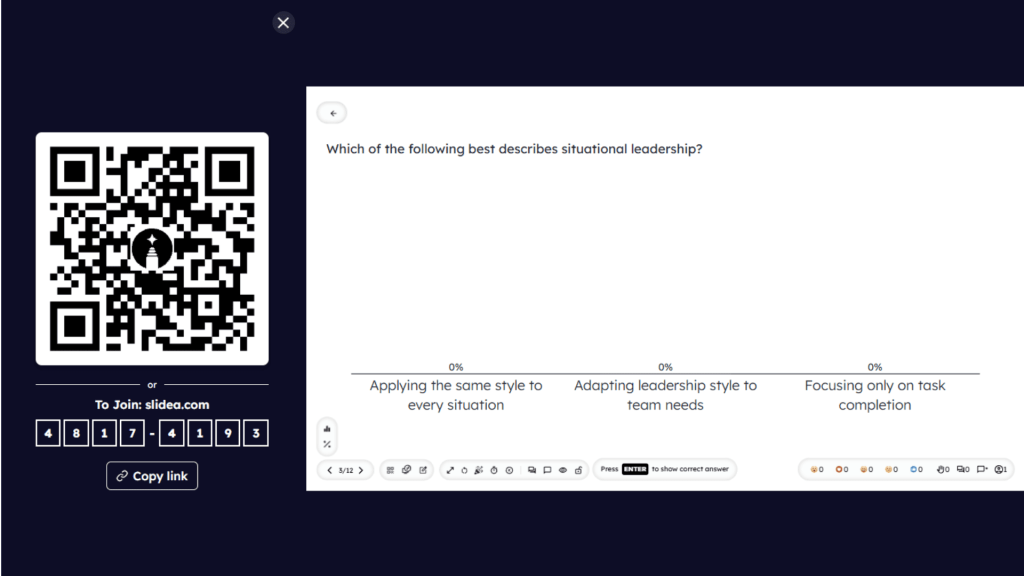
Show Joining Instructions Using an Instruction Slide
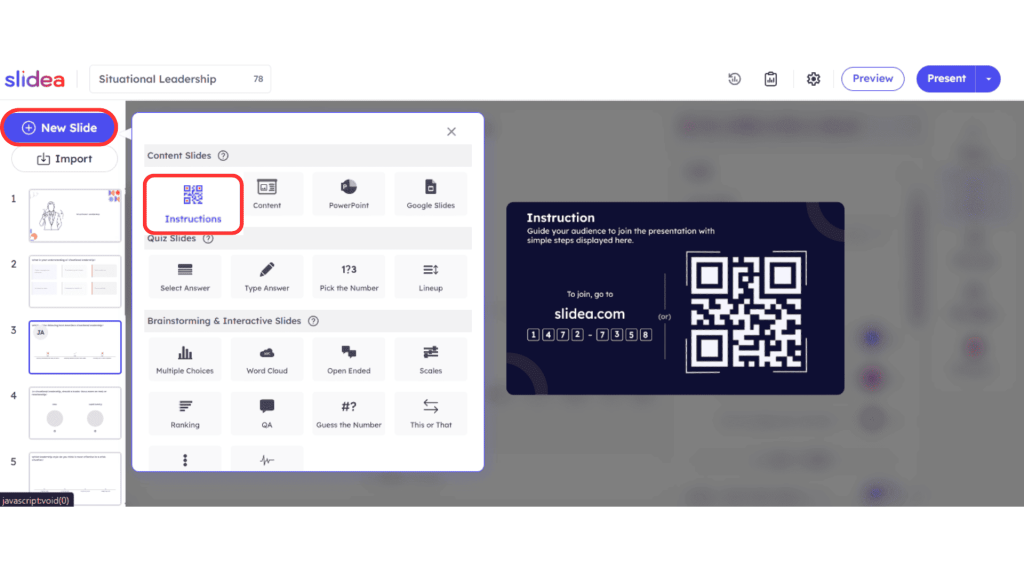
You can display joining details as a dedicated slide during your presentation.
How to add an instruction slide:
- In the editor page, click + New Slide.
- Select Instructions under the Content Slides.
- The slide will automatically show:
- The QR code
- The join code
- The joining URL
This is helpful when you want participants to join before the presentation begins or between sections.
Using these options ensures that participants can quickly connect and start engaging with your slides without any confusion.


Leave a Comment
Your email address will not be published. Required fields are marked *