


Some slides allow participants to rate statements using a scoring scale. In Slidea, the Scales slide allows participants to evaluate statements by assigning a score.
Participants simply select the score that best represents their opinion for each statement.
This slide type is useful for surveys, feedback sessions, and measuring audience agreement or satisfaction.
How Scale Responses Work
Participants see a list of statements along with a scale of values.
To rate a statement, participants simply select the score on the scale that reflects their opinion.
Each statement is rated individually, allowing presenters to collect feedback on multiple topics within the same slide.
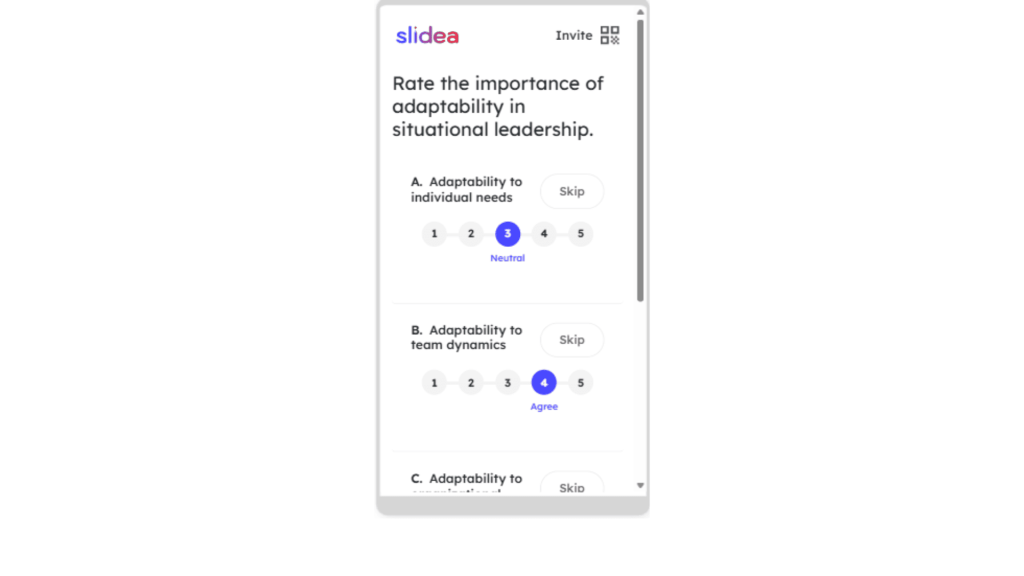
Skipping a Statement
A Skip button appears next to every statement on the participant screen.
Participants can click Skip if they prefer not to answer a particular statement.
However, this option is available only when the presenter enables it.
To allow skipping:
- Select the Scales slide in the editor.
- Open the Edit panel on the right side.
- Enable the “Statements can be skipped” option.
When this option is enabled, participants can skip statements that are not relevant to them or that they prefer not to answer.
This helps presenters collect more accurate feedback, as participants are not forced to rate statements that do not apply to them.


Leave a Comment
Your email address will not be published. Required fields are marked *