


Reactions help you quickly understand how your audience is responding during a presentation. They provide instant feedback and allow you to measure engagement in real time without interrupting the flow of your session.
In Slidea, reactions are available across all slide types, including content, quiz, and interactive slides.
Available Reaction Types
Slidea supports five different reaction types:
- Heart – Shows appreciation or strong agreement
- Like (Thumbs up) – Indicates approval or agreement
- Wow – Expresses surprise or interest
- Laugh – Shows something is funny or enjoyable
- Sad – Indicates confusion or disagreement
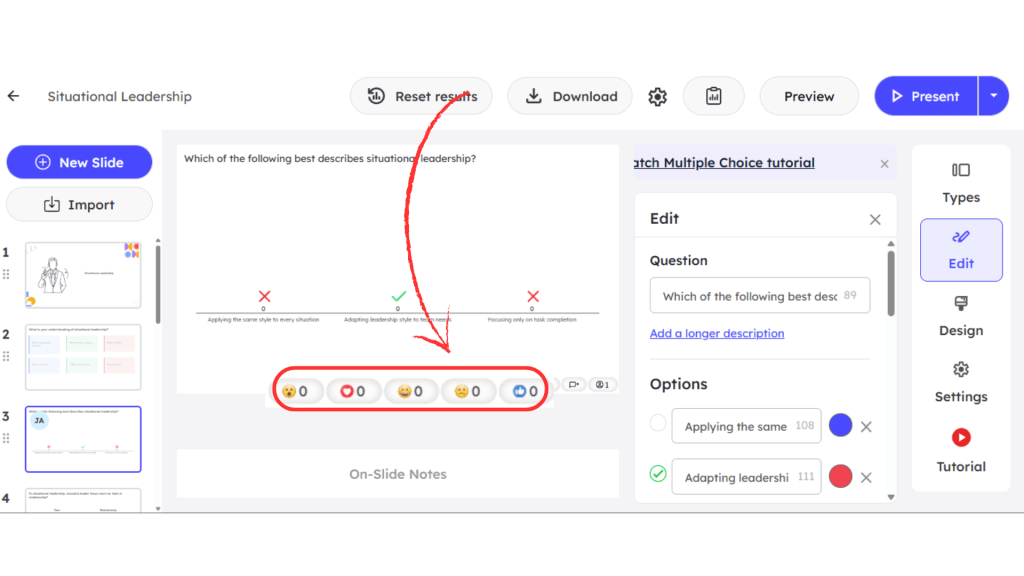
These reactions appear in the bottom-right corner of the main slide area. It helps presenters gauge audience sentiment instantly.
How Participants Send Reactions
Participants can react directly from their devices:
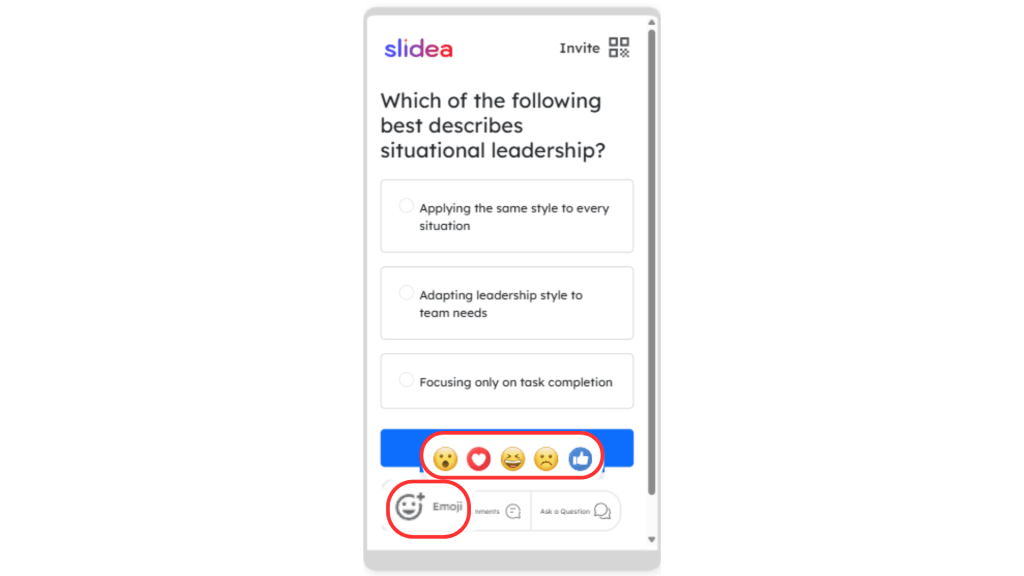
- Tap the emoji icon on their device
- Choose a reaction such as Heart, Like, Wow, Laugh, or Sad
Once selected, the reaction is instantly recorded and reflected on the presenter’s screen.
How Reactions Work During a Presentation
When you start presenting:
- Participants can tap on any reaction from their device
- Each reaction is counted in real time
- The total number of reactions appears on the bottom-right corner of the presentation screen
This allows you to continuously monitor how your audience is feeling without stopping the presentation.
Note:
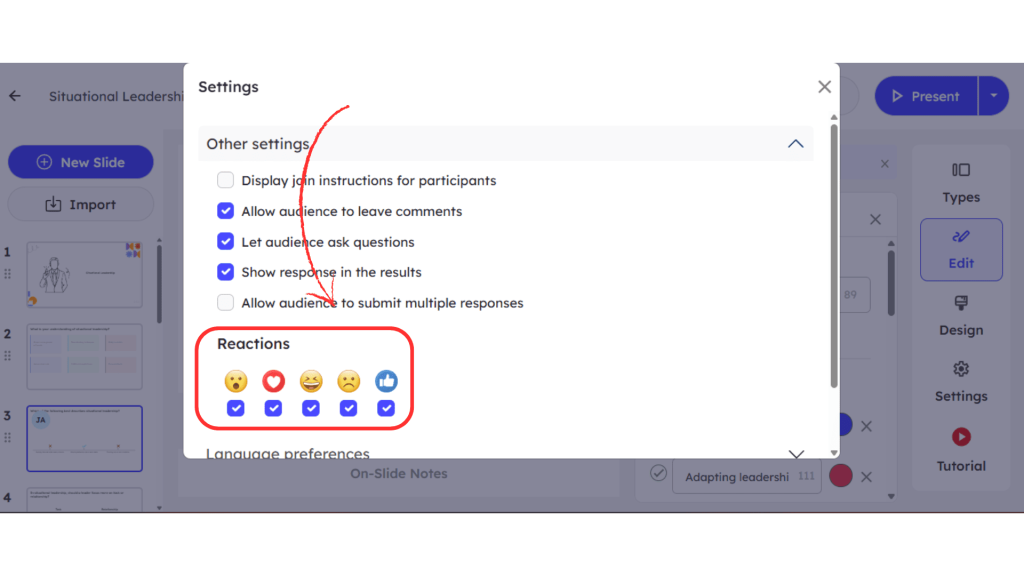
By default, Heart and Like reactions are enabled.
If you want to enable more reactions:
- Click the Settings icon at the top of the editor
- Find the reactions section
- Select additional emojis by clicking the checkbox below each reaction
This allows you to customize how your audience can respond during the presentation.
Reactions provide a simple way to capture audience sentiment instantly. By allowing participants to respond with just a tap, you can make your presentations more interactive while gaining valuable real-time feedback.


Leave a Comment
Your email address will not be published. Required fields are marked *