



Team meetings often start the same way. Someone shares their screen, asks the group to “throw out a few ideas,” and waits for responses. A couple of people speak up, but most keep their microphones muted. The conversation never really picks up, and the meeting ends feeling flat and forgettable.
Now imagine the same meeting with a different start. The moment people join, a live poll appears on the screen. Responses begin showing up instantly. Everyone can participate at the same time, and the room feels active before the presenter even moves to the next slide.
That is what interactive presentation platforms are designed to do. They turn passive meetings into conversations where everyone feels involved. Slido introduced many teams to this style of presenting, but in 2026, more teams are looking for tools that offer greater flexibility, more interactive features, and better value for growing groups.
If you are searching for a platform that keeps your team engaged from start to finish, here are the 3 best Slido alternatives for interactive team presentations.
Why Teams Are Choosing Alternatives to Slido
Slido is a good tool for simple interactive presentations. It works well for basic polls, is easy to set up, and is useful for small team meetings or quick check-ins.
However, teams often start facing problems as meetings grow larger. The free plan supports only a small number of participants, so bigger team meetings, company updates, or client workshops can quickly reach the limit. While paid plans allow more participants, the pricing can feel expensive for the features offered.
Another challenge is the limited variety of interactive tools. Slido mainly focuses on basic polling, but many teams now need more advanced collaboration features. For example, it does not offer built-in brainstorming tools, live ranking activities, collaborative whiteboards, or moderated Q&A features inside presentations.
In 2026, many presentation platforms will offer everything Slido offers while adding better teamwork tools, greater presentation flexibility, and stronger audience engagement features. These platforms help make meetings more interactive, collaborative, and productive from beginning to end.
1. Slidea Is the Best Slido Alternative for Team Presentations
Complete presentation builder with live interaction and team collaboration in one place.
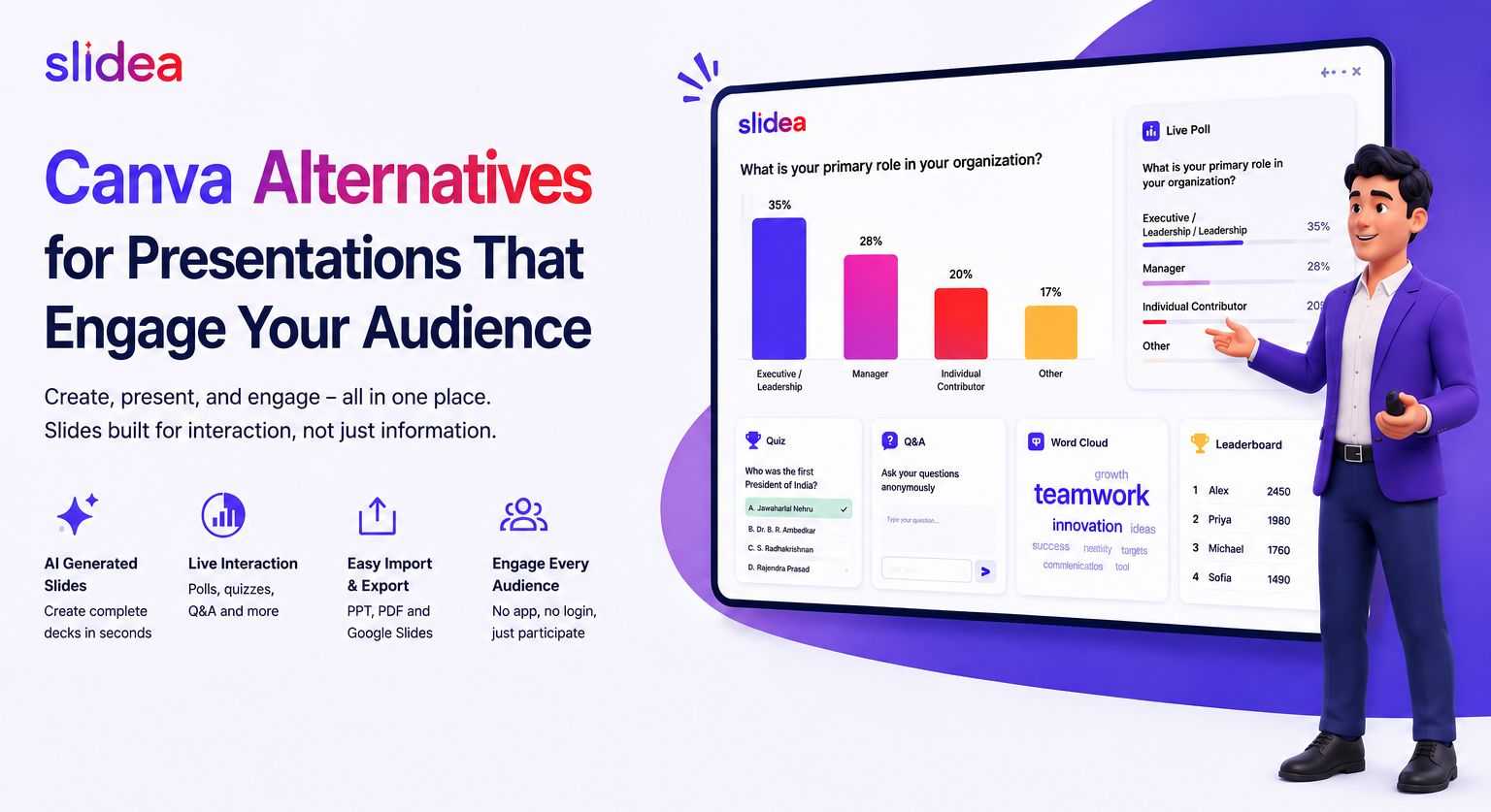
Slidea stands out because it is more than just a slide tool with polls added to it. It is built to make presentations interactive from start to finish. Teams can create presentations, collect live responses, and manage discussions without switching between different apps or tools.
Interactive Features Made for Team Meetings
Most presentation tools only offer simple polls. Slidea gives teams many different ways to interact, depending on the type of meeting or discussion.
Word Clouds
Word Clouds help teams share ideas quickly. Ask one question, and everyone can submit answers at the same time. The most common answers appear larger on the screen, helping presenters instantly understand what the team is thinking.
This or That
This format helps teams make quick decisions. Two options appear on the screen, and participants choose one. Results show immediately, giving every team member an equal chance to vote, especially useful for hybrid and remote teams.
Traffic Light
Traffic Light slides are useful for checking team confidence during a meeting.
- Green = ready to move forward
- Yellow = needs more discussion
- Red = not ready or not aligned
This allows presenters to understand team opinions honestly without putting anyone on the spot.
Scales
Scale questions let teams rate ideas, projects, or processes using a sliding scale. These are useful for feedback sessions, project reviews, and team evaluations because they turn opinions into clear data.
Guess the Number
This activity makes presentations more fun and engaging. Presenters ask the team to guess a number or statistic before showing the real answer. It creates curiosity and keeps attention high.
Truth or Lie
Present a statement about the company, project, or industry and ask the team if it is true or false. This activity encourages discussion and helps identify misunderstandings within the team.
A Complete Presentation Platform
Unlike Slido, where interaction feels separate from the presentation, Slidea builds interaction directly into the presentation flow.
Polls, word clouds, brainstorming activities, and Q&A sessions all stay inside the same presentation. Presenters do not need to switch between multiple tools or tabs during the meeting.
AI-Powered Presentation Creation
Slidea also includes AI-powered slide creation. Managers and facilitators can simply enter the meeting topic, audience size, and presentation goal. Slidea then creates a full interactive presentation with suggested polls, questions, and activities in minutes.
This saves a lot of preparation time for team meetings, project updates, workshops, and company reviews.
Remote Control Feature
Presenters can control slides directly from their phone while moving around the room. This creates a more natural and energetic presentation style instead of staying next to a laptop the whole time.
Moderated Q&A
At the end of a session, participants can submit questions from their devices. Team members can upvote the questions they want answered most. This helps presenters focus on the most important questions instead of only hearing from the loudest people in the room.
Annotation Tools
Presenters can also highlight and draw directly on live results during the presentation. They can circle important answers in a word cloud, point out surprising poll results, or visually explain team feedback in real time.
These tools help teams clearly connect audience responses with the discussion happening on screen.
Slidea vs Slido — Simple Feature Comparison
| Feature | Slidea | Slido |
| Word Clouds | ✅ Available | ✅ Available |
| This or That Polls | ✅ Available | ❌ Not Available |
| Traffic Light Feedback | ✅ Available | ❌ Not Available |
| Truth or Lie Activities | ✅ Available | ❌ Not Available |
| Rating Scales & Sentiment Tools | ✅ Available | ✅ Available |
| Guess the Number Games | ✅ Available | ❌ Not Available |
| Full Presentation Builder | ✅ Yes | ✅ Yes |
| AI Slide Creation | ✅ Advanced AI Features | Basic AI Features |
| Remote Control for Presenters | ✅ Available | ❌ Not Available |
| Moderated Q&A | ✅ Available | ✅ Available |
| Annotation Tools | ✅ Available | ❌ Not Available |
| Free Participant Limit | 250 Participants | 50 Participants |
| Starting Price | $4/month | $10/month |
Slidea offers more interactive activities, better collaboration tools, and a higher participant limit at a lower starting price compared to Slidone.
Slidea Pricing
| Plan | Price | Participant Limit |
| Free | $0 | 250 participants per month |
| Basic | $4/month | 1,000 participants per month |
| Pro | $6/month | Unlimited participants |
| Organization | Custom Pricing | Unlimited participants |
You can check the full Slidea pricing page to see all features included in each plan.
Best For:
Teams of all sizes that want an interactive presentation platform with live audience participation, collaboration tools, AI-powered presentation creation, and a large free participant limit in one simple platform.
2. AhaSlides — An Affordable Option for Small Teams
Simple interactive presentation features at a low price.
AhaSlides is one of the most affordable interactive presentation tools in 2026, with plans starting at just $3 per month. It offers useful features like word clouds, live polls, quizzes, open-text questions, and rating scales for both online and in-person meetings.
For small teams or managers who only run presentations occasionally, AhaSlides provides a simple and budget-friendly way to make meetings more interactive without spending too much.
However, it offers fewer interaction formats compared to Slidea. Features like Traffic Light, Truth or Lie, and This or That are not included in the same way. The free plan also supports only up to 50 participants, which can be limiting for larger meetings or workshops.
AhaSlides also does not include some advanced features, such as:
- Remote control for presenters
- Annotation tools during presentations
- Advanced AI-powered presentation creation
Key Features
- Live polls and word clouds for quick team feedback and brainstorming
- Open-text questions where participants can submit live answers
- Quiz features that add fun competition to meetings or training sessions
- Rating scales to collect team opinions and feedback
- Easy setup and simple interface with little learning required
Best For
Small teams, educators, and managers who want affordable interactive presentation features for smaller meetings or presentations with fewer than 50 participants.
3. Mentimeter — A Professional Choice for Important Presentations
Great visual design for teams that care about presentation quality.
Mentimeter is known for its clean design and professional-looking presentations. Its word clouds, charts, and slide layouts look very polished, making it a popular choice for leadership meetings, client presentations, conferences, and company-wide sessions where appearance matters.
The platform is also easy for participants to join and use, even for people who are not very comfortable with technology.
However, there are some limitations. The free plan only supports up to 50 participants, similar to Slidone. This can become a problem for larger meetings or workshops. Mentimeter is also the most expensive option on this list, with plans starting at $11 per month.
Even with paid plans, the range of interaction formats is still limited compared to Slidea. Features like:
- Traffic Light
- Truth or Lie
- This or That
Are not available.
For teams that only need occasional professional presentations with strong visual quality, Mentimeter can be a good option. But for teams that run interactive sessions regularly and need more engagement formats, the price may feel high for the features included.
Key Features
- Beautiful word clouds and charts that look great on large screens and recorded presentations
- Smooth and simple joining process for participants
- Reliable quizzes and live polls for audience interaction
- Rating scales and ranking slides for collecting feedback from teams
- Q&A feature that allows participants to submit questions during live sessions
Best For
Teams running important client meetings, leadership presentations, or company events where visual presentation quality is more important than having many different interaction formats. It works best for smaller groups of under 50 participants on the free plan.
Final Thoughts
Interactive presentations are now very important for modern teams. When people work from different locations, time zones, or join meetings online, good interaction tools help make meetings more useful and engaging.
Slido still works well for simple polls and basic audience interaction. But as teams grow and meetings require more collaboration and discussion, their limitations become more noticeable.
That is why many teams are exploring other presentation platforms. Some tools focus on lower pricing. Some focus on beautiful presentation design. Others, like Slidea, focus on creating a complete interactive experience with more engagement formats, flexible presentation tools, and better support for larger groups.
If your goal is not only to add a poll to a presentation but also to make every team member feel involved and connected during the session, choosing the right interactive presentation platform can significantly improve how your meetings feel and work.
FAQs
Q1. What is the best Slido alternative for interactive team presentations in 2026?
Slidea is one of the best alternatives to Slido because it offers more interactive features, supports up to 250 free participants, includes a full presentation builder, and provides advanced AI tools. Paid plans start at $4 per month.
Q2. Are there free tools better than Slido for team presentations?
Yes. Slidea allows up to 250 participants on its free plan, which is much higher than Slido's limit of 50 participants. AhaSlides and Mentimeter also offer free plans, but both are limited to 50 participants.
Q3. Which platform is best for hybrid teams with online and in-person participants?
Slidea works very well for hybrid meetings. Features like This or That polls, Traffic Light feedback, and moderated Q&A help both remote and in-person participants join the discussion equally. Everyone can respond from their own device at the same time.
Q4. Can these tools be used for large company meetings or all-hands sessions?
Yes. Slidea’s Pro plan supports unlimited participants, making it a strong option for large meetings and company-wide presentations. AhaSlides and Mentimeter also support larger groups, but teams usually need more expensive paid plans as participant numbers grow.
Q5. What should I look for in a Slido alternative?
Look for a platform that offers:
- Different types of interactive activities, not just basic polls
- A participant limit that matches your team size
- A presentation builder with interaction built directly into the slides
- Helpful features like Q&A, annotation tools, and remote control for presenters
These features make presentations more interactive and easier to manage for both presenters and participants.





Your email address will not be published. Required fields are marked *