



Slido made audience interaction feel simple and effective. Live polls, Q&A moderation, and word clouds gave speakers and facilitators an easy way to keep people engaged during presentations, meetings, and events.
However, many users start noticing limitations once their sessions grow beyond simple polls. The free plan allows only 100 participants and offers very limited quiz features. There are no AI tools for creating content quickly, and it lacks gamified quiz formats that make sessions more interactive. For teams looking for a complete interactive presentation software experience, these limits can become restrictive. When you need more features, the paid plans start at about $7 per month and can go up to $12 per month depending on your needs.
The good news is that several tools now provide everything Slido offers and much more. Many modern platforms include larger participant limits, full quiz formats, AI-assisted slide creation, and features designed for training sessions, classrooms, workshops, and live events. These tools help presenters turn ordinary slides into engaging and interactive experiences.
In this blog, you will discover the five best alternatives to Slido for live polls, quizzes, and interactive presentations. These tools can help you create more engaging sessions while avoiding the limitations of basic polling platforms.
Why People Are Looking Beyond Slido
Before exploring the alternatives, it is helpful to understand what makes a good audience engagement tool. Knowing this makes it easier to choose a platform that fits your needs.
A tool worth switching to should:
- Allow enough free participants for real classrooms, meetings, or events
- Offer proper quiz and assessment options, not just simple polls
- Work easily on any device without requiring app downloads or account sign-ups
- Show real-time results so you can quickly see how the audience is responding
- Be affordable if you need to upgrade or host larger sessions later
Free Plan Comparison: Participants, Quizzes & AI Features
| Tool | Free Plan | Free Participants | Starting Price | Quizzes | AI Creation |
| Slidea | ✅ | 250 | $4/month | ✅ | ✅ |
| Mentimeter | ✅ | 50 | $11/month | Limited | Basic |
| AhaSlides | ✅ | 50 | $3/month | ✅ | Basic |
| Kahoot | ✅ | 3 | $3/month | ✅ | Basic |
| Slido | ✅ | 100 | $7/month | ❌ | ❌ |
1. Slidea
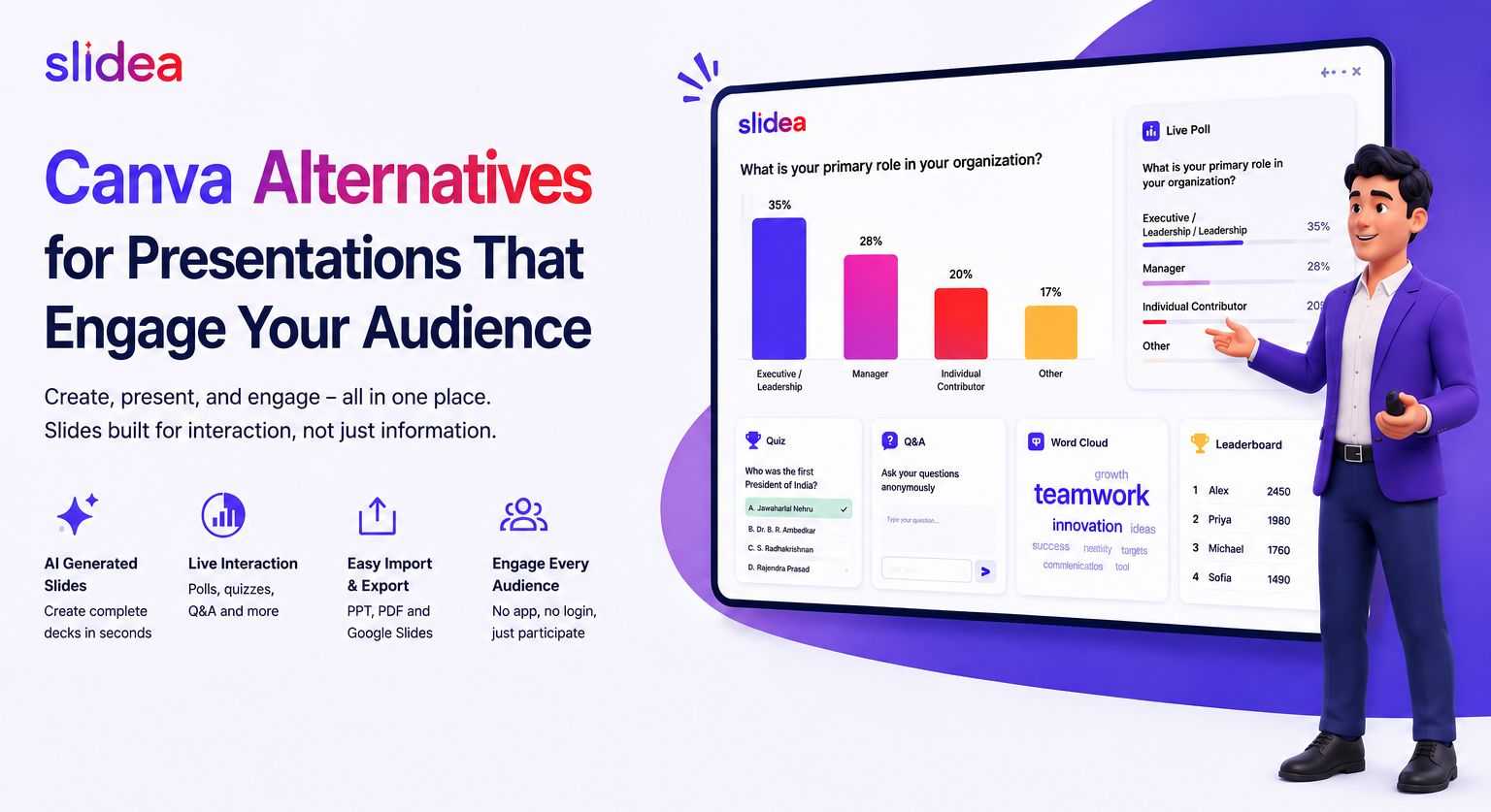
If Slido feels limited on the free plan, Slidea offers a stronger option. It supports up to 250 free participants, which is more than double Slido’s limit. Along with polls, it also includes quizzes, AI slide creation, and several interactive slide formats designed to keep audiences involved.
For users who started with Slido but need more flexibility, Slidea works as a practical upgrade rather than just a simple replacement.
What Makes Slidea a Good Choice
Easy for participants to join
People can join a session in seconds using a QR code, a link, or a simple join code. It works on any device and does not require an app download or account sign-up. This makes it simple for both small meetings and large events.
Multiple quiz formats
Instead of only basic polls, Slidea provides different quiz styles that help presenters test understanding. These include multiple-choice questions, typed answers, number-based questions, and ordering activities. This allows presenters to run both quick polls and structured quizzes.
AI helps create presentations faster
With Slidea’s AI tools, you can describe your topic and quickly generate slides with content and questions. This saves preparation time and helps presenters build a session much faster.
Interactive slide formats for engagement
Slidea includes formats that make sessions more interactive. For example, the Traffic Light slide helps presenters see if participants are following along, while Truth or Lie lets the audience guess whether a statement is true or false. Formats like This or That encourage quick decisions and discussion.
Anonymous responses encourage participation
Participants can submit answers anonymously. This helps people feel more comfortable sharing opinions or asking questions, which often leads to higher participation.
Clear insights after the session
Slidea provides analytics that show how participants responded and where engagement was strong or weak. This helps presenters understand how their audience interacted with the session.
Control slides from your phone
Presenters can manage slides using a remote control feature on their phone. This allows them to move around the room and interact with the audience instead of staying next to a computer.
Works well for hybrid sessions
Both in-person and remote participants can join the same polls and quizzes at the same time. Everyone sees the results together, creating a shared experience during hybrid meetings or events.
Slidea Pricing
| Plan | Price | Participants | Best For |
| Free | $0 | 250/month | Events, classrooms, training sessions |
| Basic | $4/month | 1,000/month | Regular sessions, unlimited quizzes |
| Pro | $6/month | Unlimited | Large events, branded presentations |
| Organization | Custom | Unlimited | Enterprises, institutions |
2. Mentimeter
Mentimeter is a well-known tool for adding audience interaction to presentations. It offers features like live polls, word clouds, Q&A, scales, and ranking questions in a simple and clean interface. Many presenters like it because it is easy to learn and works well for basic audience engagement.
The free plan allows up to 50 participants in a session. Paid plans start at about $11 per month and can go up to $14 per month, depending on the features you need. Compared to some other tools, the quiz options are limited, and it does not include a remote control feature for managing slides from your phone.
Mentimeter works best for presentations that focus mainly on polls and audience feedback. However, if you need deeper quiz features or want to host larger audiences without upgrading, the limitations may appear quickly.
Best for: Presenters and speakers who want simple and reliable polls or word clouds to engage audiences during talks and events.
3. AhaSlides
AhaSlides provides a simple and affordable way to add interaction to presentations. It includes features like multiple-choice quizzes, word clouds, open-ended questions, rating scales, and ranking slides. Paid plans start at around $3 per month, which makes it one of the more budget-friendly tools.
The platform is easy to use, and participants can join sessions quickly using a link or code without downloading any app. It works well for both in-person and online presentations, making it useful for small meetings, workshops, or classes.
The free plan allows up to 50 participants, which is lower than the limit offered by Slido. It also does not include advanced AI tools, remote control options, or special interactive slide formats. Because of this, users planning larger events or more structured learning sessions may find the features limited.
Best for: Individuals or small teams who need a simple and affordable tool for basic polls and quizzes during presentations.
4. Kahoot!
Kahoot is widely known for its fun and competitive quiz style. With features like countdown timers, leaderboards, and background music, it creates an exciting atmosphere during quizzes. Because of this, it is often used for games, icebreakers, and team activities where friendly competition keeps participants engaged.
Paid plans start at around $3 per month, making it one of the more affordable options for quiz-based sessions. The platform is especially popular in classrooms, training sessions, and team events where quick quiz games help energize the audience.
The free version allows a small number of participants, so larger groups usually require a paid plan. Kahoot mainly focuses on gamified quizzes, and it offers fewer options for building full presentations or running different types of polls.
Best for: Teams, teachers, and presenters who want an energetic quiz experience for games, icebreakers, and interactive challenges.
5. Poll Everywhere
Poll Everywhere is known for its strong integration with presentation tools like Microsoft PowerPoint and Google Slides. This means presenters can add polls directly inside their slides and collect responses without switching to another platform.
Participants can join from any device and answer questions instantly during the presentation. The platform also supports anonymous responses and moderated Q&A, which makes it useful in professional and academic settings.
The free plan allows up to 25 participants, so larger sessions usually require a paid plan. The platform mainly focuses on polling, and it offers fewer quiz or gamified interaction options compared to some other tools.
Best for: Corporate presenters, trainers, and university lecturers who regularly use PowerPoint or Google Slides and want to add simple polls directly into their existing presentations.
Final Thoughts
Slido is a useful tool for simple meeting polls and Q&A sessions. It works well when you only need basic audience interaction during presentations or events.
However, many presenters now look for tools that offer more features. Some platforms provide quiz formats, AI tools to help create slides, higher participant limits, and different ways to interact with the audience. These features can make sessions more engaging for classrooms, training programs, workshops, and events.
The best tool depends on what you need for your sessions. If you want a platform that supports larger audiences, includes quiz features, and offers more ways to interact with participants, Slidea is one option to consider. It also offers affordable pricing, starting at around $4 per month, compared to Slido’s $7 per month starting plan.
FAQs
Q1. What are the best free alternatives to Slido for polls and quizzes?
Some popular options include Slidea, Mentimeter, AhaSlides, Kahoot!, and Poll Everywhere. Each tool offers different features like quizzes, polls, or slide integrations.
Q2. Which Slido alternative allows the most free participants?
Slidea supports up to 250 participants on its free plan, which is higher than many other tools.
Q3. Does Slido support quizzes?
Slido mainly focuses on polls and Q&A. Its quiz features are limited compared to some other tools.
Q4. What features should I look for in a Slido alternative?
Look for tools with higher participant limits, quiz options, real-time results, and easy joining without app downloads.
Q5. Can these tools be used for hybrid or remote sessions?
Yes. Most of these platforms allow both in-person and remote participants to join the same polls or quizzes at the same time.






Leave a Comment
Your email address will not be published. Required fields are marked *