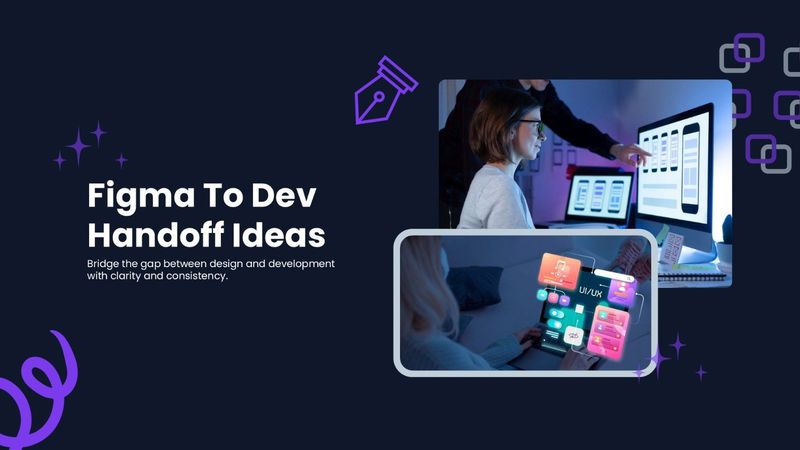
Figma To Dev Handoff with UI mockups, designer collaboration, purple accents, and a navy background.

Figma to Dev Handoff Ideas

1 - Content
2 - Content
3 - Multiple Choice
What is the main goal of a Figma to Dev handoff?
  • 1. Redraw designs manually
  • 2. Turn designs into dev specs
  • 3. Create more design slides
  • 4. Launch a marketing campaign
4 - Content
5 - Multiple Choice
Which element must be correctly included in a handoff?
  • 1. Team travel plans
  • 2. Marketing emails
  • 3. Company slogans
  • 4. Component naming and properties
6 - Word Cloud
What’s one word that describes a successful design handoff?
7 - Scales
How well does your team prepare designs for development?
  • 1. File organization
  • 2. Component consistency
  • 3. Specification clarity
  • 4. Asset preparation
  • 5. Documentation quality
8 - Open Ended
What information is most often missing when designs are handed to developers?
9 - Content
10 - Multiple Choice
Why is clear layer naming important in Figma?
  • 1. It improves visual decoration
  • 2. It helps developers identify elements quickly
  • 3. It automatically writes application code
  • 4. It replaces design specifications
11 - Ranking
Rank these tasks by priority before handing off a Figma file
  • 1. Organize frames and layers
  • 2. Check component consistency
  • 3. Prepare exportable assets
  • 4. Document interaction states
  • 5. Review specifications
12 - Word Cloud
What’s one feature that makes a Figma file developer-friendly?
13 - Traffic Lights
How ready are your current Figma files for development?
  • 1. Significant cleanup needed
  • 2. Some preparation required
  • 3. Ready for handoff
14 - Open Ended
Which part of preparing a Figma file takes your team the most time?
15 - Content
16 - Multiple Choice
What should a team do when a design specification is unclear?
  • 1. Make assumptions without asking
  • 2. Clarify the requirement with the designer
  • 3. Skip the feature
  • 4. Change the design independently
17 - Scales
How confident are you in managing the handoff collaboration process?
  • 1. Communicating design intent
  • 2. Explaining responsive behavior
  • 3. Resolving implementation questions
  • 4. Reviewing visual accuracy
  • 5. Coordinating design revisions
18 - This or That
Best timing for handoff discussions:
  • 1. Before final sprint
  • 2. After development starts
19 - Ranking
Rank these activities for a reliable design-to-development delivery
  • 1. Clarify requirements
  • 2. Review implementation
  • 3. Record discrepancies
  • 4. Resolve design questions
  • 5. Verify final changes
20 - QA
What would you improve first in your current Figma-to-development handoff process?
21 - Content

Explore similar interactive templates

Explore all Product Management Templates →
Word Clouds in Personal Projects Presentation Templates

Word Clouds in Personal Projects Presentation...

This Word Clouds in Personal Projects template gives you a ready-made, interactive starting point for your next session. Ready to use instantly on Slidea — no downloads or installs required. Sensibly — local, timely, casual, formal, playful.
by Muthulakshimi

11 6
Online Feedback for Product Launch Poll Template

Online Feedback for Product Launch Poll Templ...

Gather quick, honest feedback in real time with this Online Feedback for Product Launch poll. Fully interactive and ready to use instantly on Slidea — no downloads or installs required. Newly — swift, agile, crisp, vivid, lively, catchy, snappy.
by SANTHIYA

13 3
Product Roadmap Presentation Template

Product Roadmap Presentation Template

Explore Product Roadmap through an interactive presentation that keeps your audience engaged. Ready to use instantly on Slidea — no downloads or installs required. Sharply — flexible, seamless, intuitive, powerful, stylish, elegant, vibrant.
by Kavithalaya

6 3
Product Feature Voting Presentation Template

Product Feature Voting Presentation Template

This Product Feature Voting interactive presentation helps you engage your audience and bring the topic to life. Ready to use instantly on Slidea — no downloads or installs required. Aptly — casual, formal, playful, simple, basic, broad, rich.
by Kavithalaya

8 6
Product Feature Familiarity Quiz with bold text, colorful accents, CTA, and abstract shapes.

Product Feature Familiarity Quiz

Put your product knowledge to the test! Product Feature Familiarity Quiz includes interactive select answer questions that help learners review key features, product benefits, functions, and important details. Create an engaging way to build product familiarity. Great for sales professionals, marketing teams, trainers, employees, students, and product learners.
by SANTHIYA

16 1
UX Persona Builder Presentation Template

UX Persona Builder Presentation Template

This UX Persona Builder interactive presentation helps you engage your audience and bring the topic to life. Ready to use instantly on Slidea — no downloads or installs required. Purely — fitting, keen, eager, brisk, spry, chic, zesty, bubbly.

by Kavithalaya

10 4

Ready to create your own templates?

Get Started Free