Tip: Google may show results for “Slides” instead of “Slidea”.
Ask your audience to search “Slidea App”.

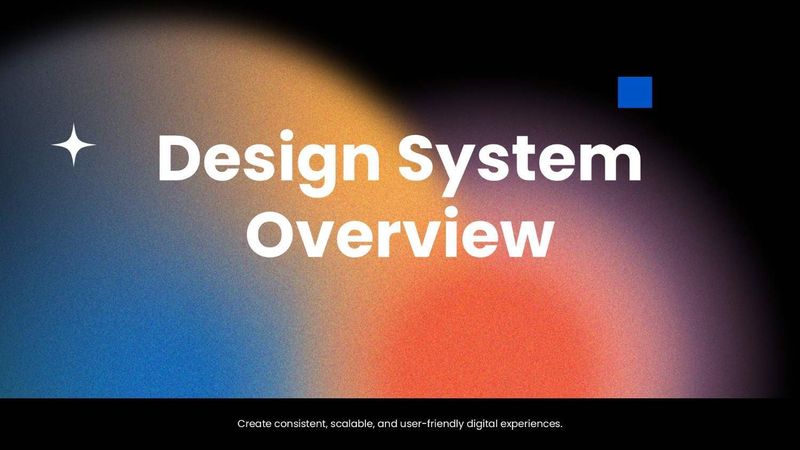
This template with a dark black backdrop, vibrant gradient lighting, and clean modern typography.

Design System Overview

Make design systems easier to understand and explore! Design System Overview combines multiple-choice, word cloud, open-ended, ranking, spider scale, traffic light, and Q&A activities to discuss components, evaluate consistency, share ideas, and identify areas for improvement.
1 - Content
2 - Content
3 - Content
4 - Word Cloud
What word comes to mind when you think of a consistent user interface?
5 - Multiple Choice
What is the main purpose of a design system?
  • 1. Standardize design across all products
  • 2. Change logos frequently
  • 3. Add random visual elements
  • 4. Increase marketing spend
6 - Multiple Choice
Who benefits most from a design system?
  • 1. Designers and developers
  • 2. Only HR teams
  • 3. Only C-level executives
  • 4. Customer support staff only
7 - Word Cloud
One word that defines a good design system?
8 - Scales
How would you rate your current design system across these areas?
  • 1. Visual consistency
  • 2. Component usability
  • 3. Documentation
  • 4. Accessibility
  • 5. Team adoption
9 - This or That
Which approach would you prefer when designing a new interface?
  • 1. Reuse an existing component
  • 2. Create a new component
10 - Ranking
Rank these design system elements by importance:
  • 1. UI components
  • 2. Design guidelines
  • 3. Documentation
  • 4. Design tokens
  • 5. Accessibility standards
11 - Multiple Choice
Which resource helps designers and developers understand how a component should be used?
  • 1. Sales report
  • 2. Project invoice
  • 3. Component documentation
  • 4. Employee directory
12 - Open Ended
How does a design system improve cross-team collaboration?
13 - Scales
Rate importance of these features in a design system:
  • 1. Component Reusability
  • 2. Clear Documentation
  • 3. Consistent Branding
  • 4. Responsive Guidelines
  • 5. Version Control
14 - Ranking
Rank the most important components of a design system:
  • 1. Typography
  • 2. Colors
  • 3. Buttons
  • 4. Spacing Rules
  • 5. Form Inputs
15 - Traffic Lights
Is there a feedback loop for improving the design system?
  • 1. No feedback
  • 2. Occasional feedback
  • 3. Regular feedback
16 - Content

Explore similar interactive templates

Explore all Product Management Templates →

Word Clouds in Personal Projects Presentation Templates

Word Clouds in Personal Projects Presentation...

This Word Clouds in Personal Projects template gives you a ready-made, interactive starting point for your next session. Ready to use instantly on Slidea — no downloads or installs required. Sensibly — local, timely, casual, formal, playful.
by Muthulakshimi

11 5
Online Feedback for Product Launch Poll Template

Online Feedback for Product Launch Poll Templ...

Gather quick, honest feedback in real time with this Online Feedback for Product Launch poll. Fully interactive and ready to use instantly on Slidea — no downloads or installs required. Newly — swift, agile, crisp, vivid, lively, catchy, snappy.
by SANTHIYA

13 3
Product Roadmap Presentation Template

Product Roadmap Presentation Template

Explore Product Roadmap through an interactive presentation that keeps your audience engaged. Ready to use instantly on Slidea — no downloads or installs required. Sharply — flexible, seamless, intuitive, powerful, stylish, elegant, vibrant.
by Kavithalaya

6 3
Product Feature Voting Presentation Template

Product Feature Voting Presentation Template

This Product Feature Voting interactive presentation helps you engage your audience and bring the topic to life. Ready to use instantly on Slidea — no downloads or installs required. Aptly — casual, formal, playful, simple, basic, broad, rich.
by Kavithalaya

8 4
Product Feature Familiarity Quiz with bold text, colorful accents, CTA, and abstract shapes.

Product Feature Familiarity Quiz

Put your product knowledge to the test! Product Feature Familiarity Quiz includes interactive select answer questions that help learners review key features, product benefits, functions, and important details. Create an engaging way to build product familiarity. Great for sales professionals, marketing teams, trainers, employees, students, and product learners.
by SANTHIYA

16 1
UX Persona Builder Presentation Template

UX Persona Builder Presentation Template

This UX Persona Builder interactive presentation helps you engage your audience and bring the topic to life. Ready to use instantly on Slidea — no downloads or installs required. Purely — fitting, keen, eager, brisk, spry, chic, zesty, bubbly.

by Kavithalaya

10 4

Ready to create your own templates?

Get Started Free