



Key takeaways
- Family Feud in one line: two teams guess the most popular answers
- Play it live: answer on phones, race for speed points and finish with a bonus round
- Playing at a party? Rotate players each round so everyone gets a turn
Wanna know how to play Family Feud? You can play Family Feud at home with two teams, a host and a stack of questions. This Family Feud-style guide covers the classic rules, scoring and Fast Money, then shows how to play it live with Slidea’s Friendly Feud game, so your living room can run the game without the studio audience.
How Do You Play Family Feud at Home?
You just have to split into two teams and pick a host. The host reads a question and each team guesses the answer other people would give. The team that guesses the most popular answers wins the round. It’s easy enough even for kids to follow.
What You Need
- Players: two teams of three to five. With fewer people, play in pairs
- A host who reads the questions and reveals the answers
- A screen and phones: the game goes on the TV and players answer on their own team’s phone
- Questions, with up to five answers
- A Friendly Feud game, to hold your questions and answers
Family Feud Rules and Scoring
On TV, one player from each team faces off, and the top ranked answer wins control of the round. The winning team guesses the remaining answers, and three strikes give the other team a chance to steal. Each answer is worth a point per survey respondent who gave it and the first team to 300 points wins. In Friendly Feud, you can skip the math: correct answers score points, optional speed points reward the fastest phone, and a podium names the top three at the end.
Play It as a Live Friendly Feud Game
Slidea’s Friendly Feud game keeps the TV format and handles the hosting chores. Put the game on your TV and each team answers on its own phones. Start a free Friendly Feud game and follow these steps:
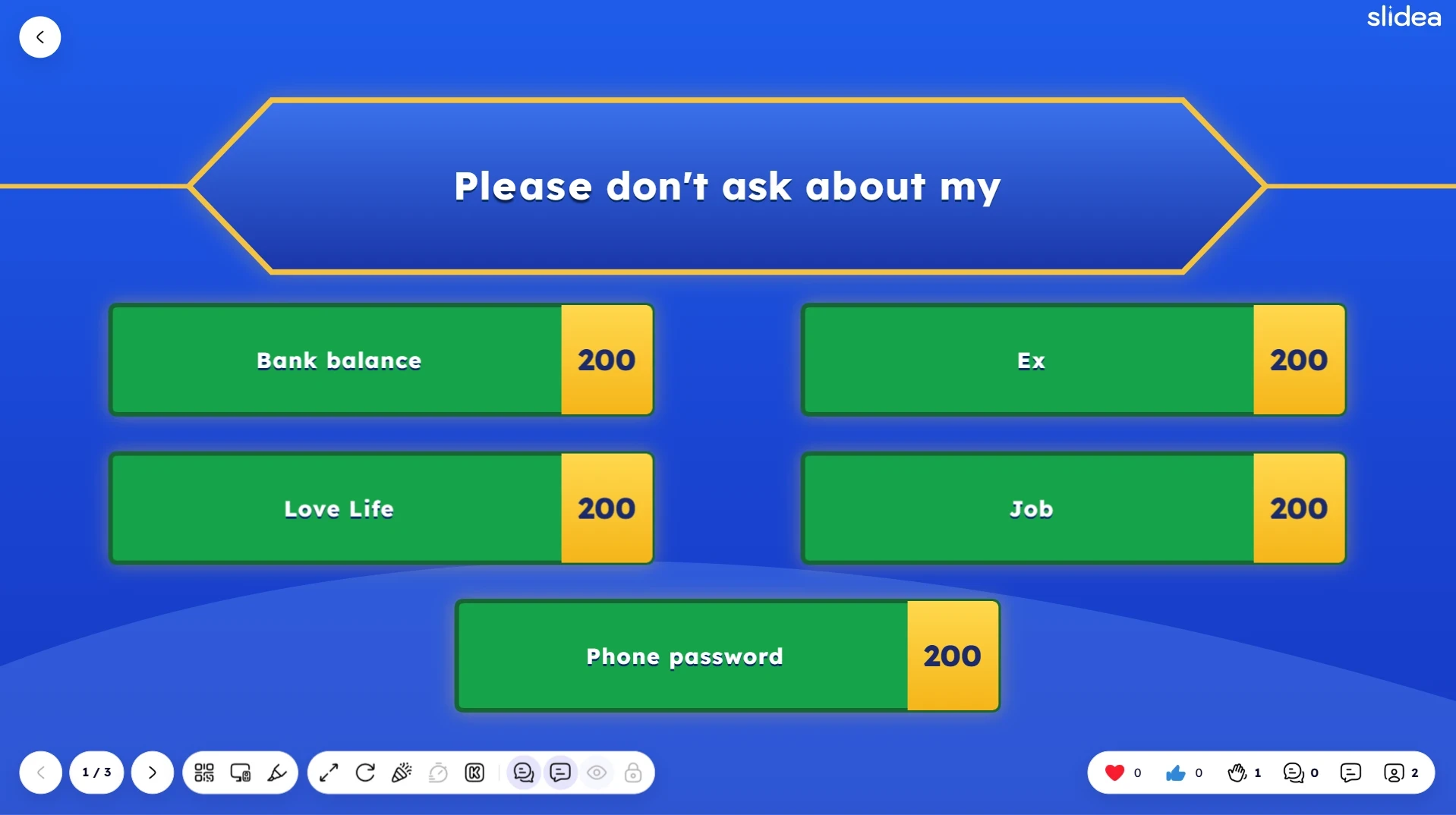
- 1Add your questions: Swap the sample questions for your own. Five to ten questions make a good game.
- 2Add the answers: Each question takes up to five answers. You choose them yourself, so there’s no survey. Every right answer scores points.
- 3Set the timer: Choose how many seconds each slide gives players. 15 to 20 seconds works for most groups.
- 4Make teams: Each team shares a phone and uses the team name as the player name.
- 5Play a round: Put the game on your TV, read the questions out loud and let the teams answer.
- 6Crown the winner: Add a drumroll… the podium shows the top three.
The Fast Money Round
In the TV show, Fast Money is the finale. We can play the finale similarly in Friendly Feud by making a bonus round: Add slides after your main questions, announce “bonus round” and set the timer for 20 seconds. Try these:
- Name something you bring on a road trip
- Name a job where you wear a uniform
- Name something sticky
How Do You Make a DIY Family Feud Game?
Make it yourself with the Friendly Feud game. Choose your own questions, add up to five answers to each, and put it on your TV. Players answer on their team’s phone, so you don’t need a poster board.
How to Play Family Feud at a Party?
Hosting a bigger game? Keep these tips in mind.
- ►Pick a host who’s good at reading the questions loudly while teams answer on their phones
- ►Add every answer you’d accept to the slide before the game
- ►Set a short timer for each slide to keep rounds quick
- ►Have a tiebreaker slide ready
- ►Give each team a fun name, so it shows up on the podium
Questions to Get You Started
Let each team guess up to five answers
FAQ
Can you play Family Feud without buying a game?
Yes, use Slidea’s free Friendly Feud game and template.
How is Slidea’s Friendly Feud different from the TV show?
Everyone answers on their phone and Slidea shows the winner.
Can you play Family Feud on Zoom?
Yes, use Slidea for Zoom so remote players join from their phones
How do you play Family Feud at home?
Use Slidea’s Friendly Feud game.




Leave a comment
Your email address will not be published. Required fields are marked *