Live polling tools that gets everyone involved

A free online poll maker built for live presentations. Ask a question, your audience votes from their phones, and results appear on screen in seconds.
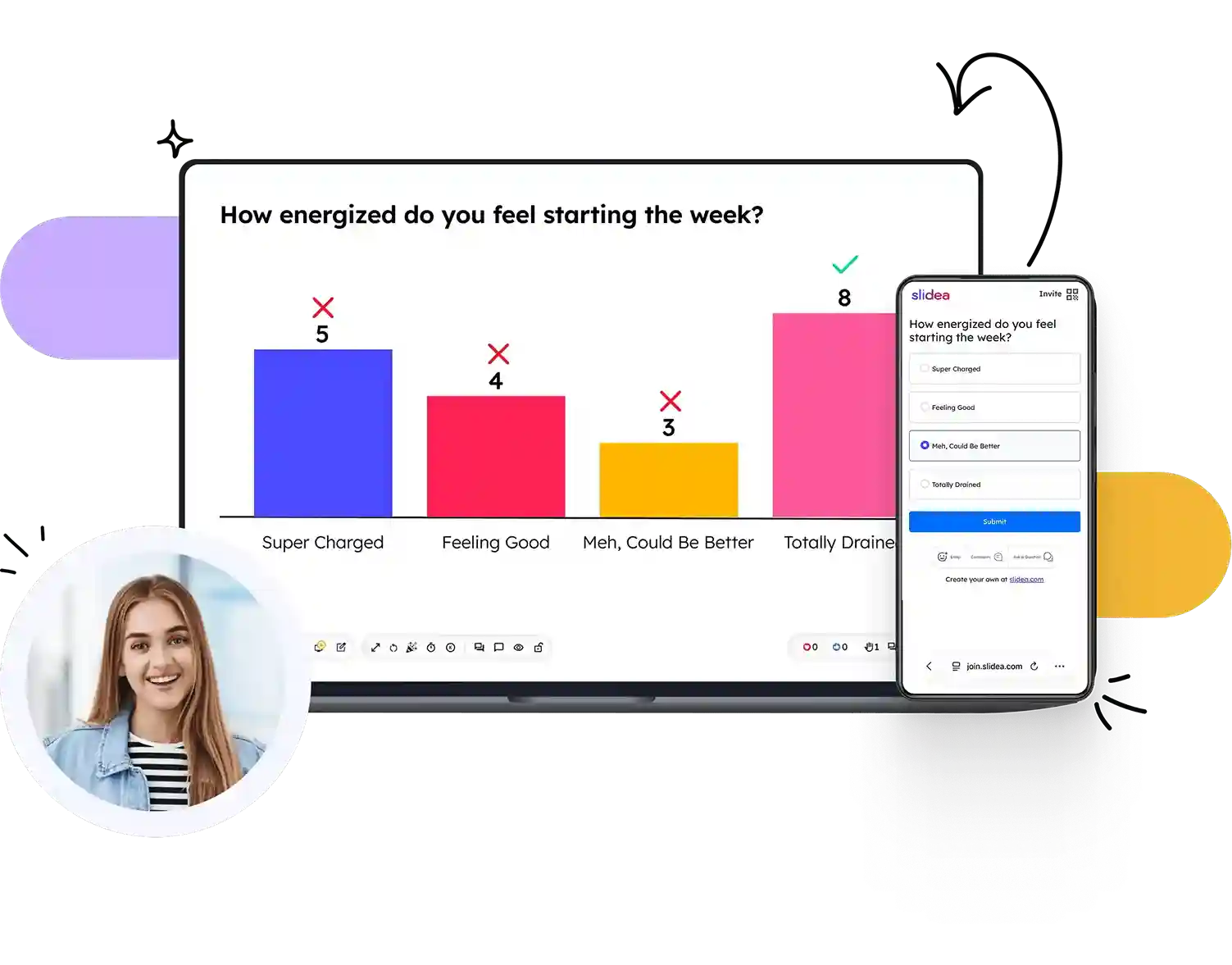
join.slidea.com/abcd1234
How energized do you feel starting the week?
24 responses · collecting live
10
4
7
3
Super Charged Feeling Good Meh, Could Be Better Totally Drained
24 responses · collecting live
1/8
😊 5❤️ 7😄 3😮 1👍 4 🖐 24👤 25
How energized do you feel starting the week?
Super Charged
Feeling Good
Meh, Could Be Better
Totally Drained
😊 Emoji 💬 Comments 🙋 Ask

Trusted by

Harvard University
Microsoft
IBM
Amazon
University of Cambridge
MIT
Stanford University
Accenture
University of Sunderland
IIM Calcutta
NHMRC – National Health and Medical Research Council
Lee University
Deloitte
U.S. Bank
Harvard University
Microsoft
IBM
Amazon
University of Cambridge
MIT
Stanford University
Accenture
University of Sunderland
IIM Calcutta
NHMRC – National Health and Medical Research Council
Lee University
Deloitte
U.S. Bank

One tool. Multiple ways to get a response.

Multiple Choice

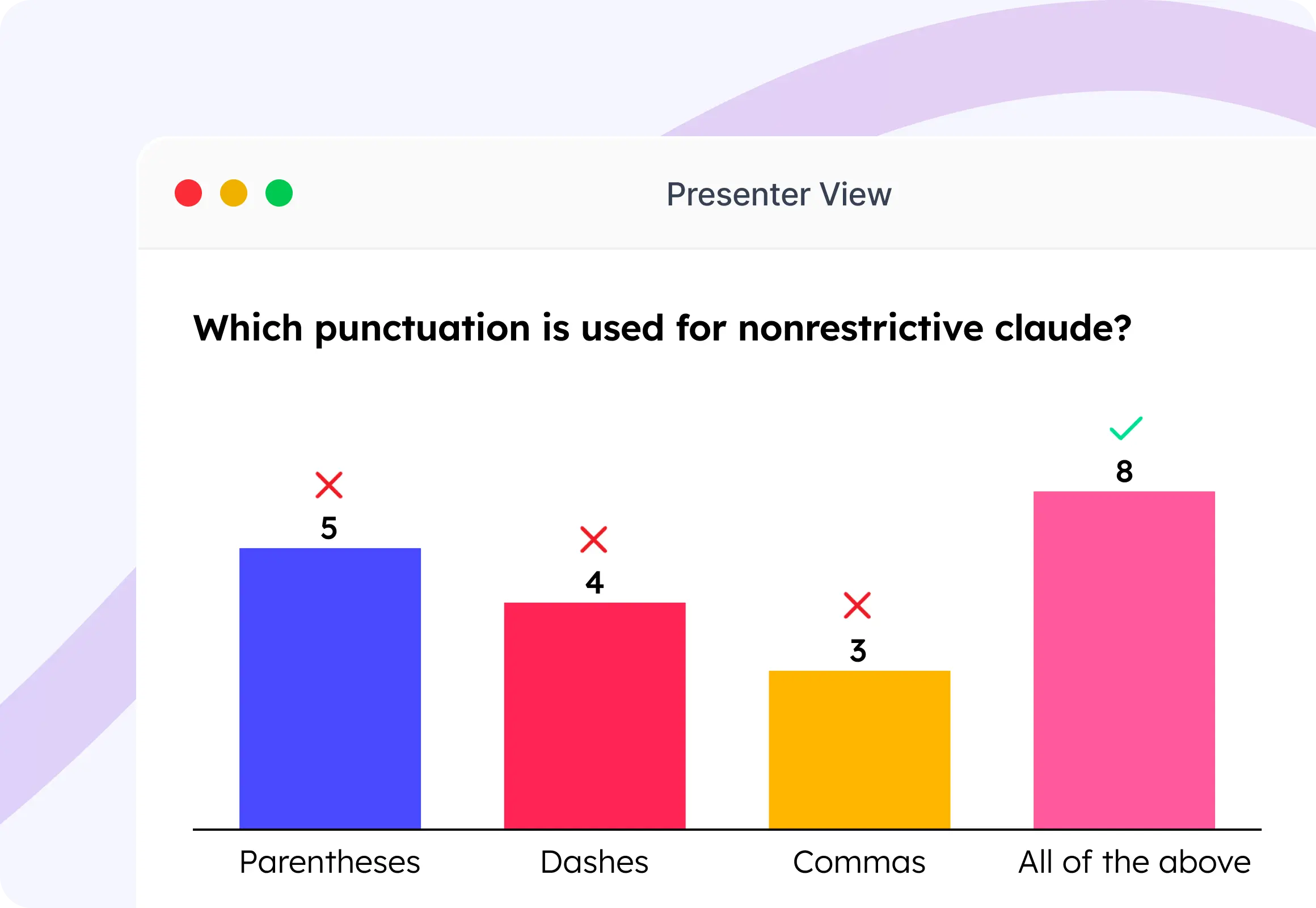
Your audience picks one answer from up to 5 options. Results update instantly as a live chart. Simple, fast, and great for any group size.

Learn more about Multiple Choice →
Presenter View
Which punctuation is used for nonrestrictive clauses?
5
4
3
8
Parentheses Dashes Commas All of the above
1/9
❤️ 5👍 3✋ 20

Word Cloud

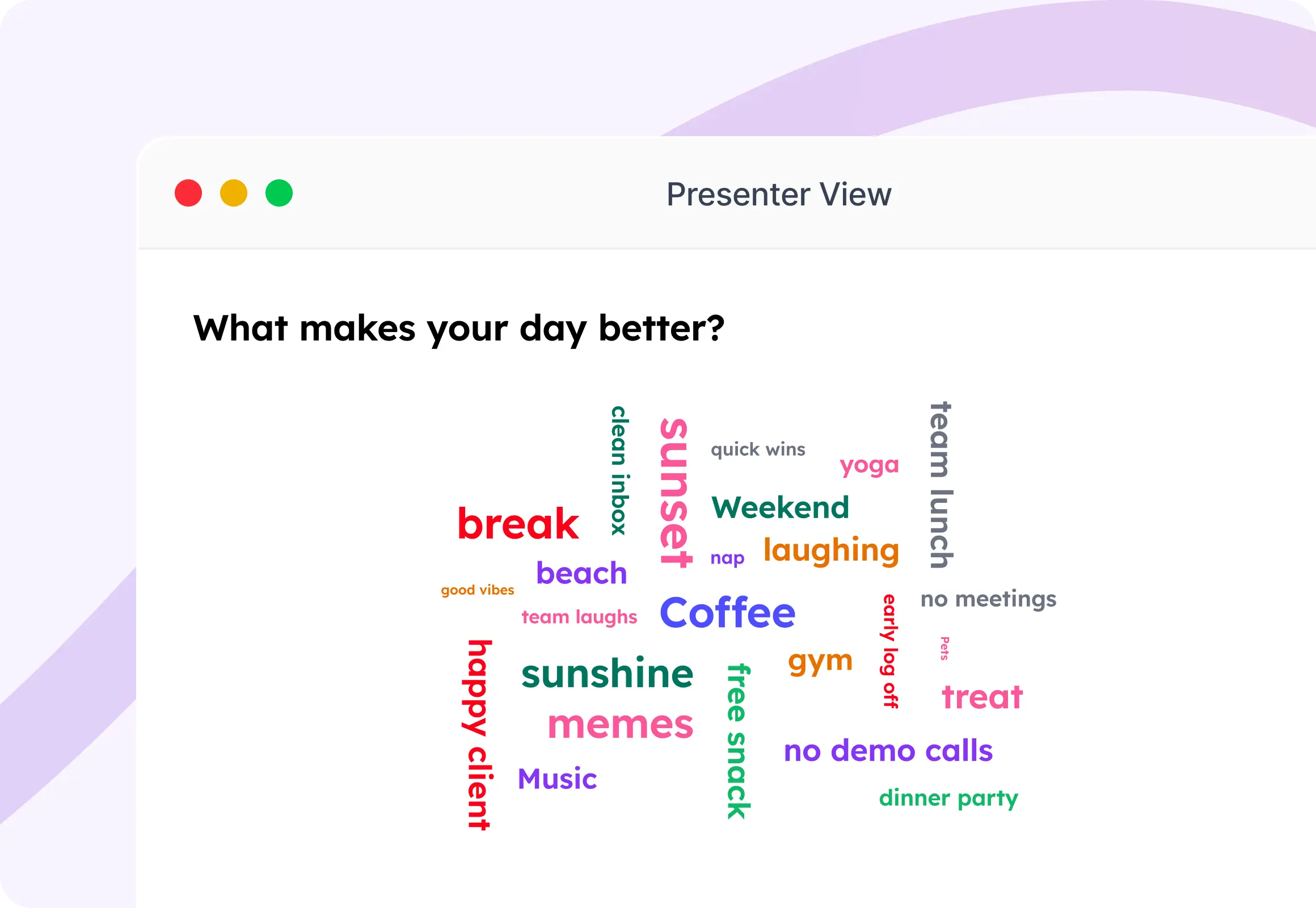
Everyone types a word or short phrase. The more people type the same word, the bigger it appears on screen. Perfect for team brainstorming.

Learn more about Word Cloud →
Presenter View
What makes your day better?
coffee music pets sunrise sunshine free snacks laughing nap break memes treat yoga sunset weekend good vibes team lunch dinner party early log off beach gym no meetings clean inbox no demo calls quick wins happy clients team laughs
2/9
❤️ 5👍 3✋ 20

Open Ended

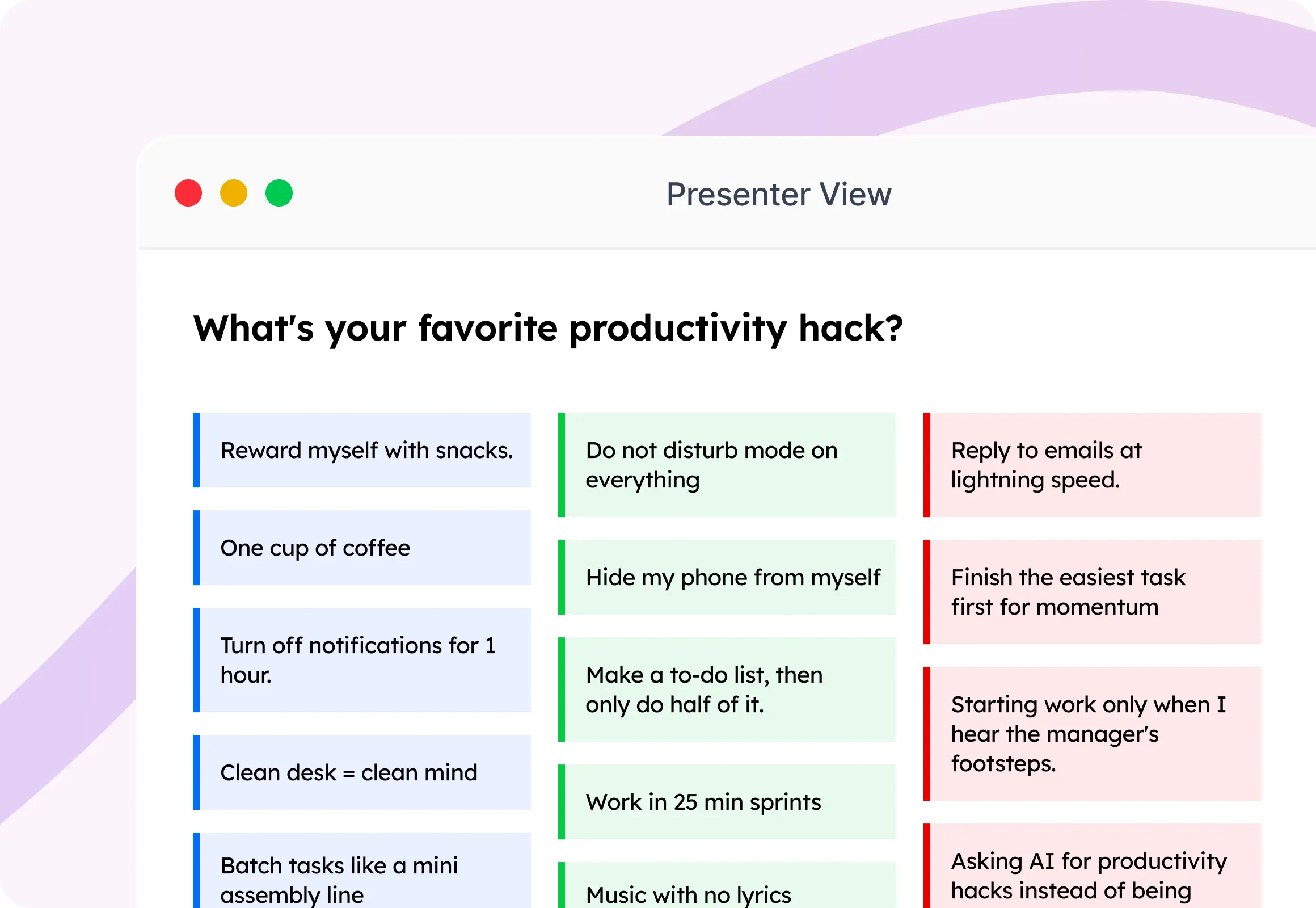
Let your audience type a full sentence — not just pick an option. Get real answers, genuine feedback, and ideas you wouldn't get from a multiple choice list.

Learn more about Open Ended →
Presenter View
What's your favorite productivity hack?
Reward myself with snacks.
One cup of coffee
Turn off notifications for 1 hour.
Clean desk = clean mind
Batch tasks like a mini assembly line
Do not disturb mode on everything
Hide my phone from myself
Make a to-do list, then only do half of it.
Work in 25 min sprints
Music with no lyrics
Reply to emails at lightning speed.
Finish the easiest task first for momentum
Starting work only when I hear the manager's footsteps.
Asking AI for productivity hacks instead of being productive.
3/9
❤️ 5👍 3✋ 20

Scales

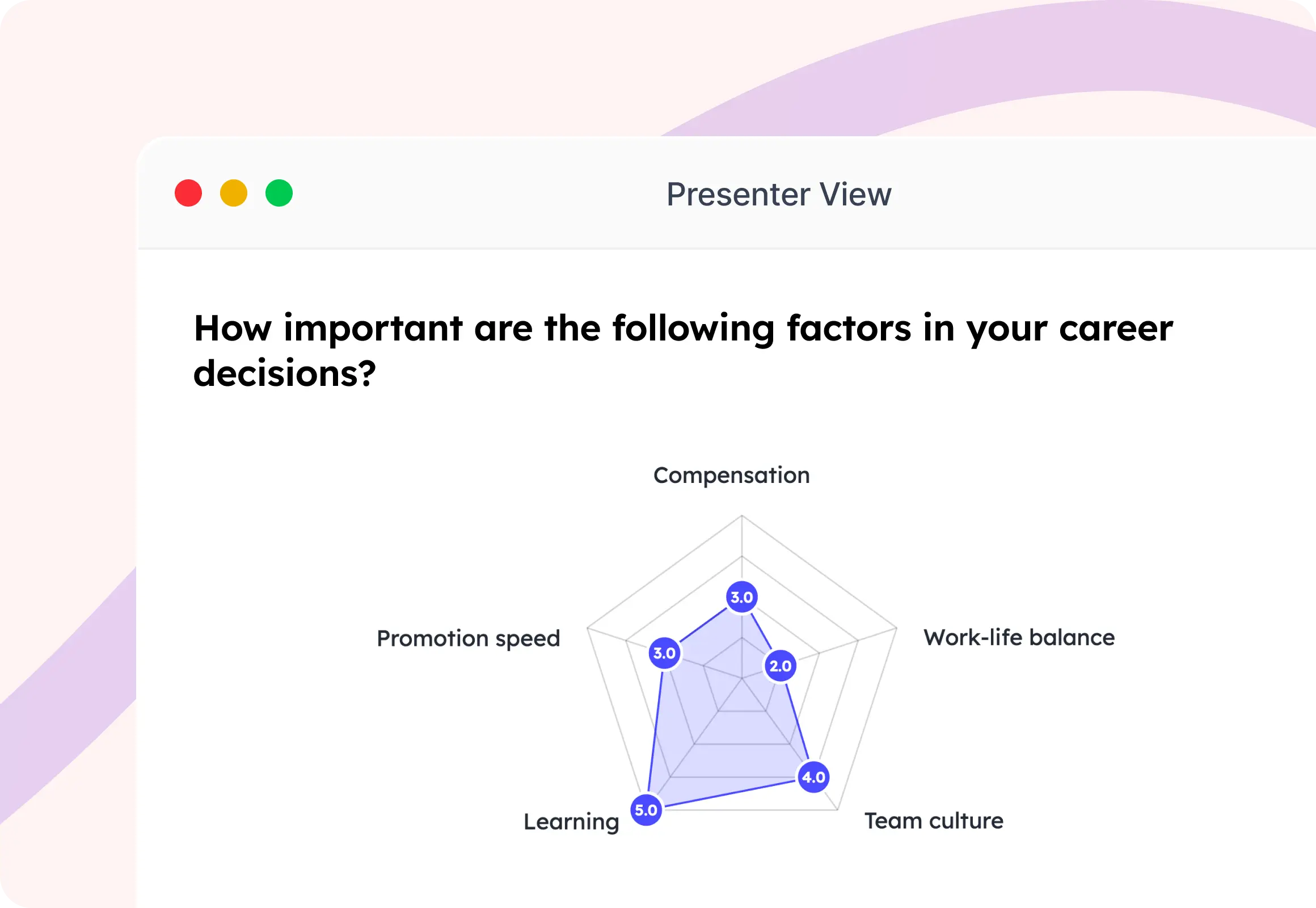
Ask your audience to rate something on a number scale. Great for gathering satisfaction scores and feedback live in your session.
Presenter View
How important are the following factors in your career decisions?
2.8 4.0 3.5 3.3 3.0 Compensation Work-life balance Team culture Learning Promotion speed
4/9
❤️ 5👍 3✋ 20

Ranking Poll

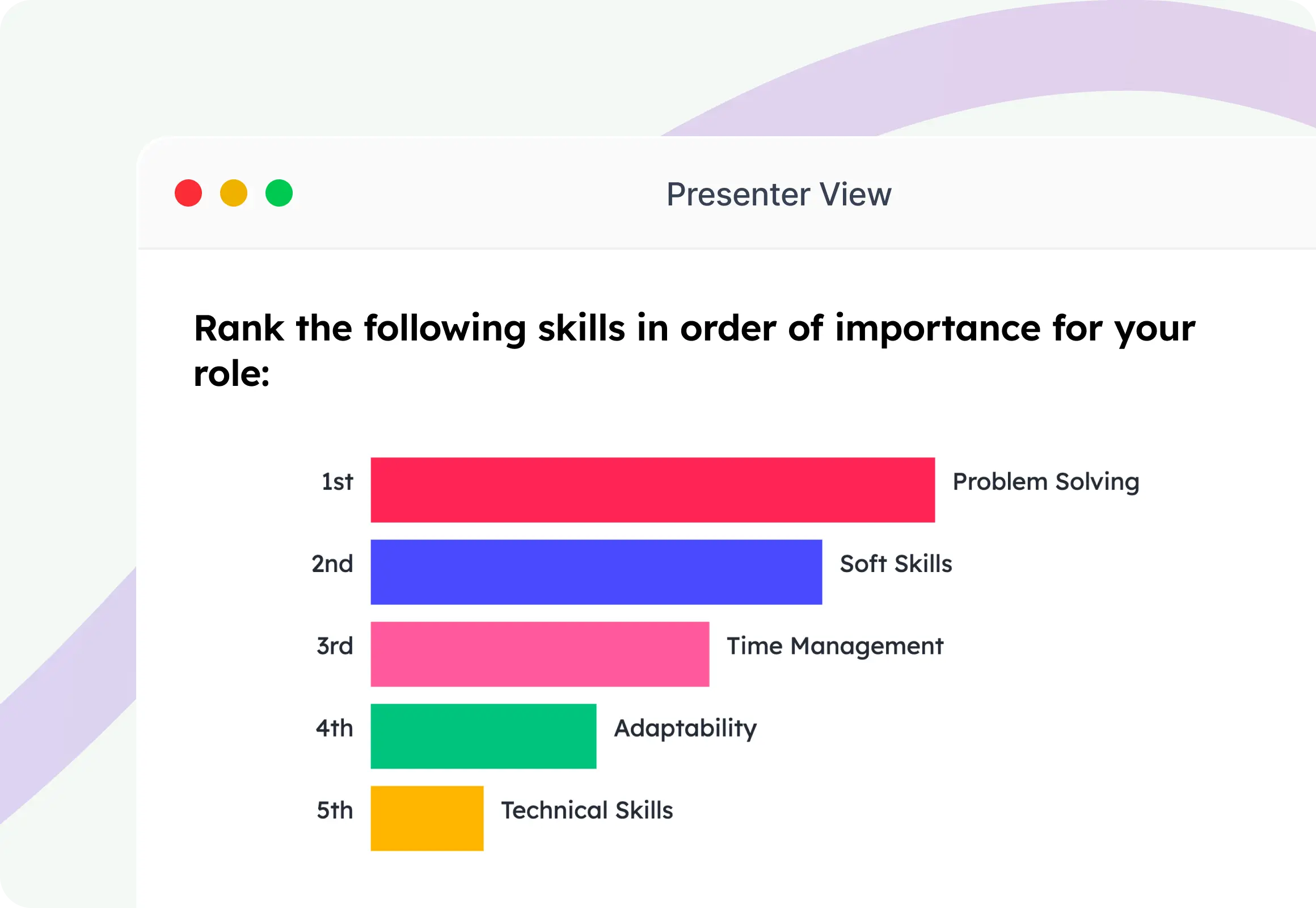
Your audience drags items into their preferred order. The combined rankings from all participants create a final group priority list — great for decisions and planning.
Presenter View
Rank the following skills in order of importance for your role:
1st
Soft Skills
2nd
Problem Solving
3rd
Technical Skills
4th
Time Management
5th
Adaptability
5/9
❤️ 5👍 3✋ 20

Guess the Number

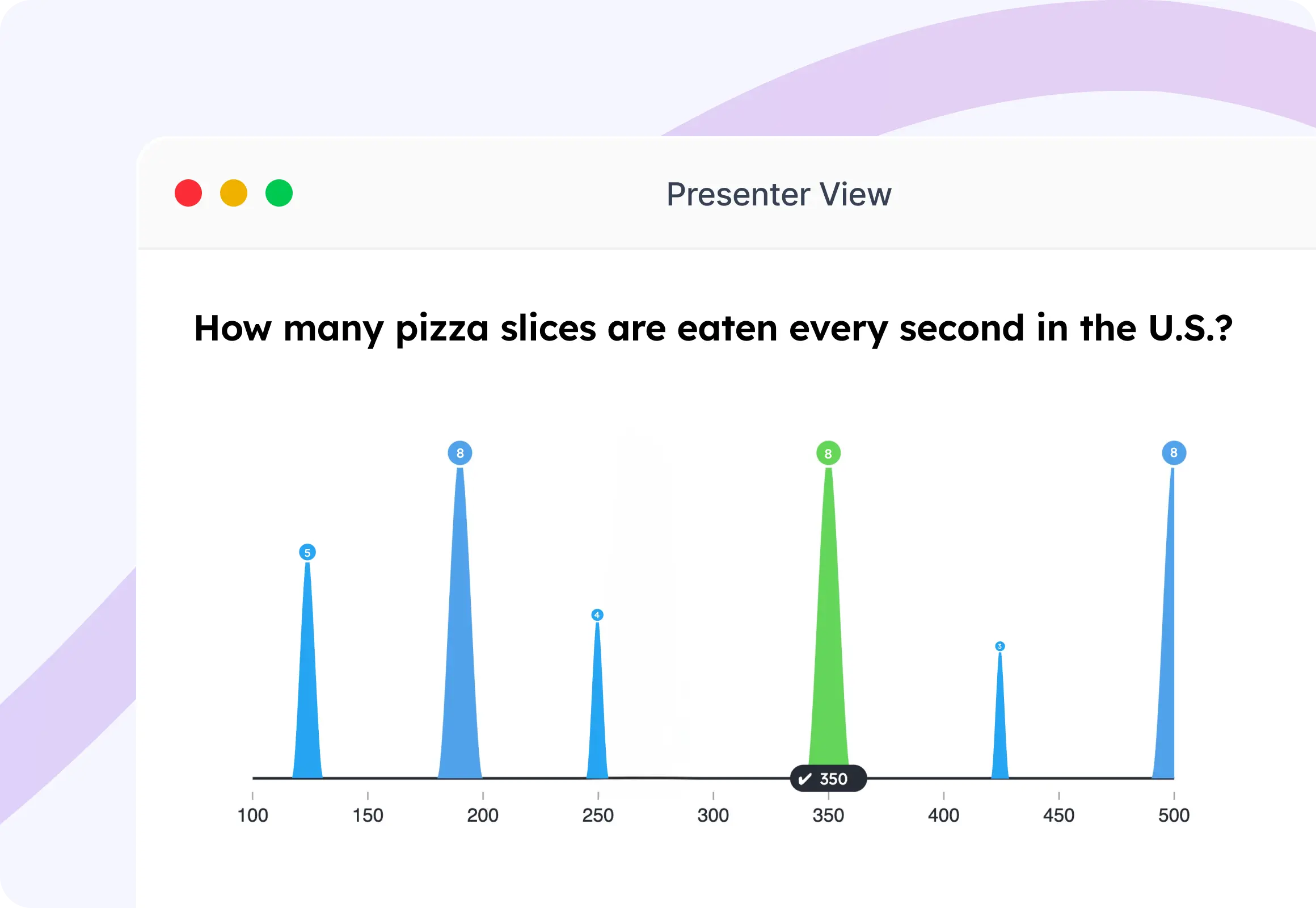
Give your audience a question with a numerical answer — and let them give in their best guess. See the distribution of guesses live, then reveal the correct answer.
Presenter View
How many pizza slices are eaten every second in the U.S.?
2
1
1
3
1
✓ 350
100150200250300350400450500
6/9
❤️ 5👍 3✋ 20

This or That

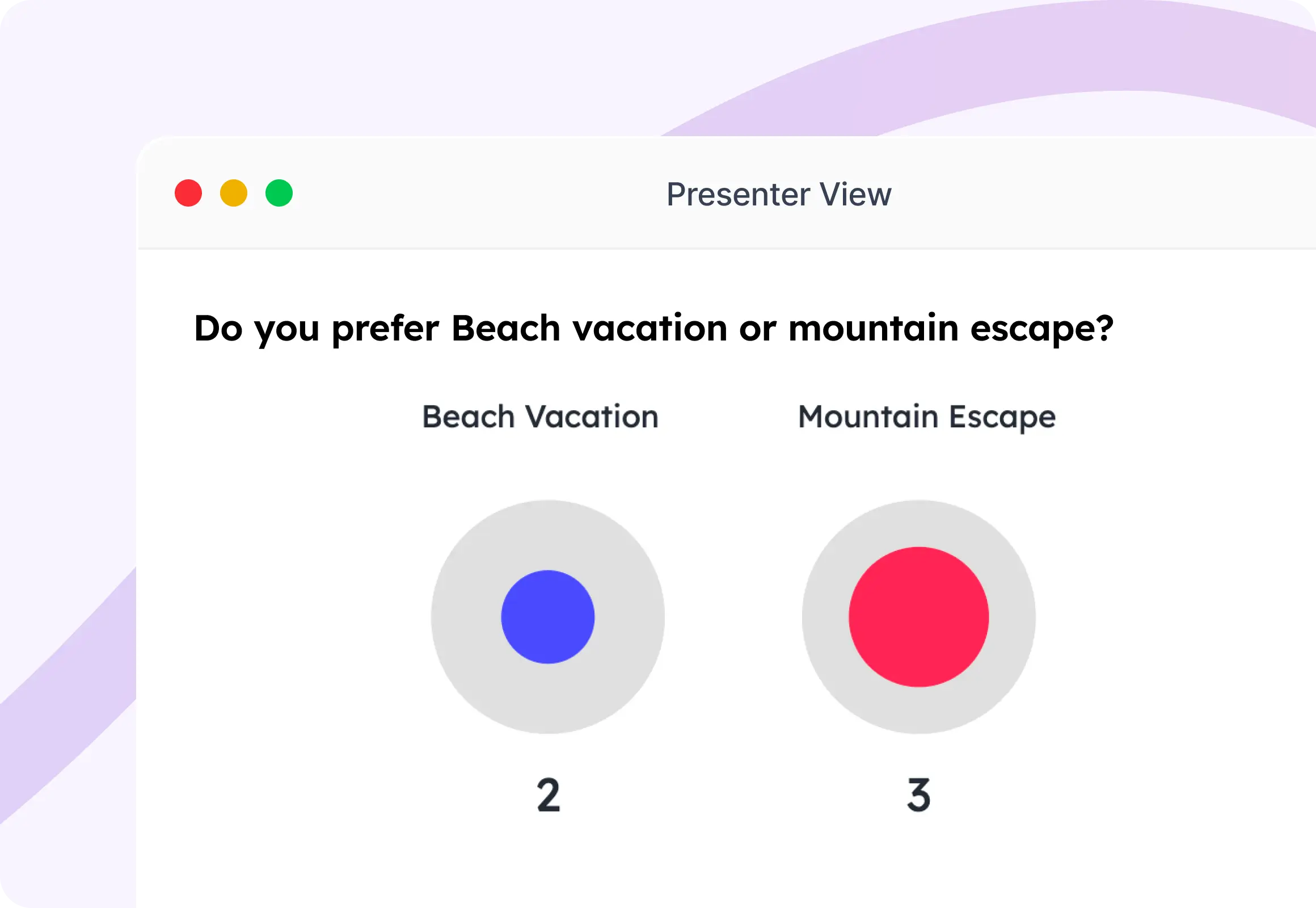
Present two options and let your audience pick a side. Watch the split update live as votes roll in. Simple, engaging, and perfect for preference polls and icebreakers.
Presenter View
Do you prefer Beach vacation or mountain escape?
Beach Vacation
38%
Mountain Escape
62%
7/9
❤️ 5👍 3✋ 20

Truth or Lie

Share mixed statements and let your audience vote on which is true and lie. Reveal the answer for a fun surprise moment. Brilliant for team-building and icebreakers.
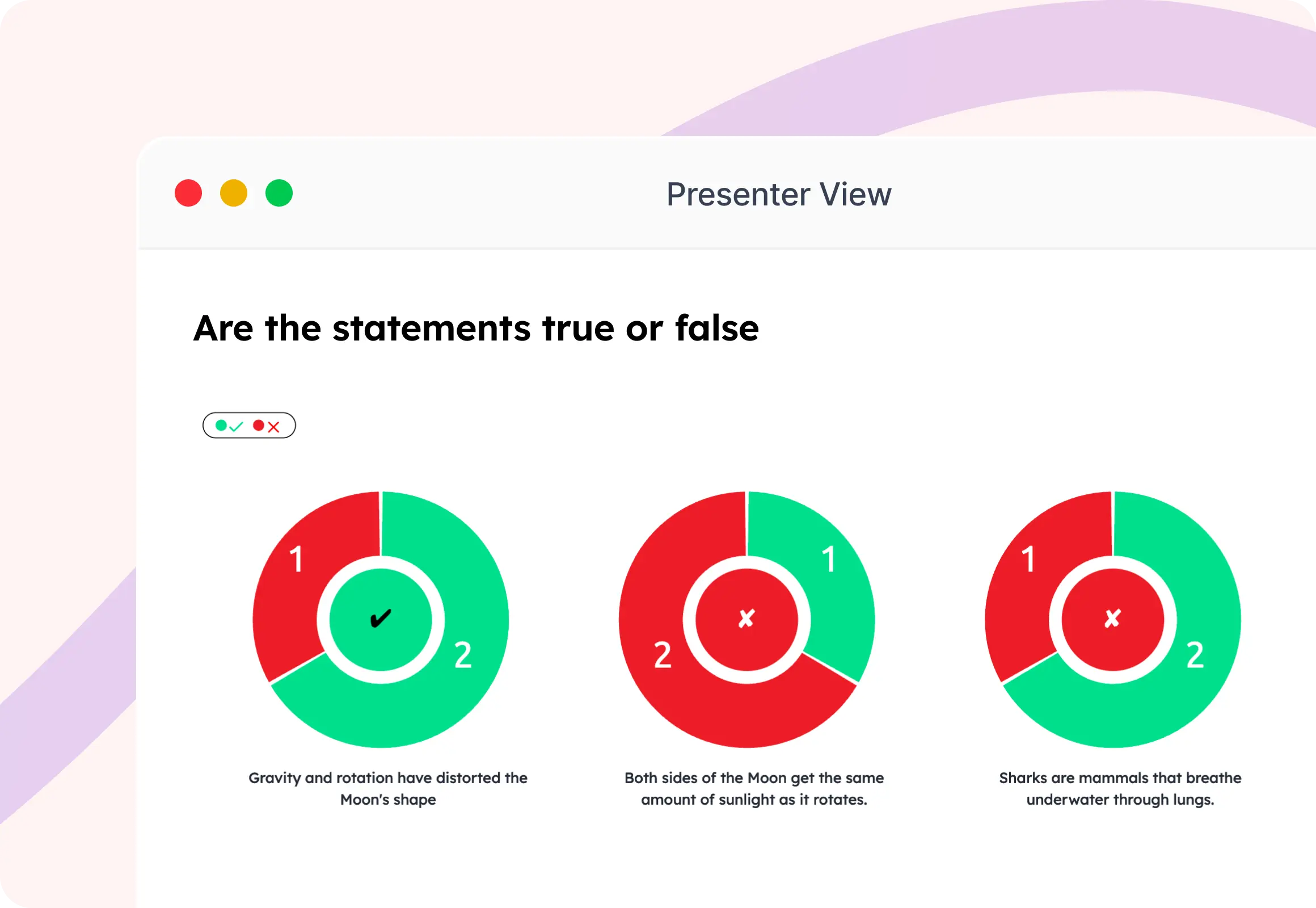
Presenter View
Are the statements true or false
2 3
Gravity and rotation have distorted the Moon's shape
3 2
Both sides of the Moon get the same amount of sunlight as it rotates.
8/9
❤️ 5👍 3✋ 20

Traffic Lights

A quick, visual sentiment check. Your audience picks a color. Get an instant read on the room.
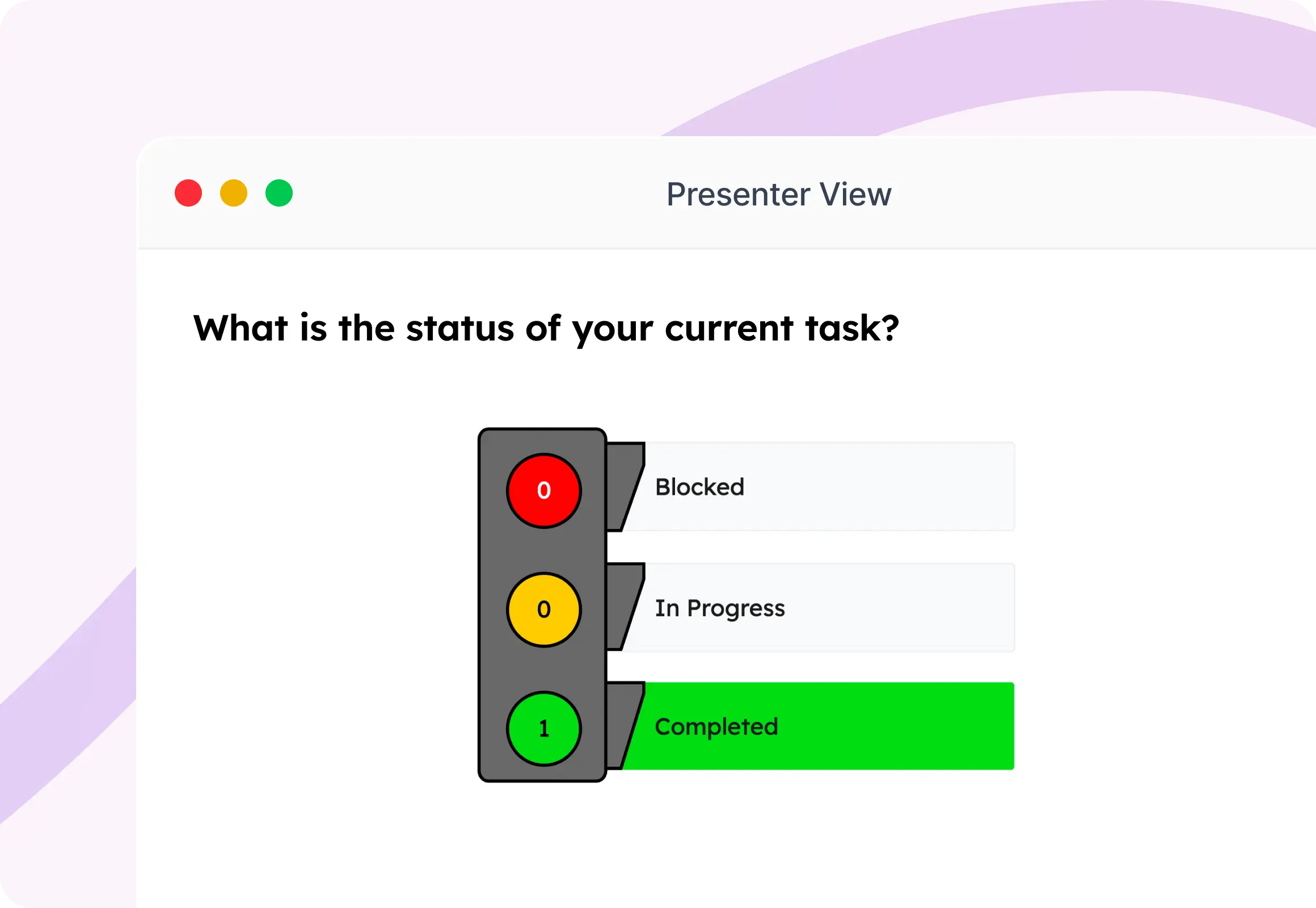
Presenter View
What is the status of your current task?
11%
22%
67%
Blocked
In Progress
Completed
9/9
❤️ 5👍 3✋ 20

Your polls are ready in less than a minute.

1

Pick your poll type

Choose from multiple choice, word cloud, rating, open text, and more.

2

Add your question

Type your question and options. Customize to match your brand.

3

Share the QR code

Your audience scans it and they're in. No app, no account needed.

4

Show the results live

Reveal results when you're ready or show them as they arrive in real-time.

Built for anyone who presents to a live audience.

Slidea gives every person in the room a voice.

Use Slidea alongside the apps you already use.

PowerPoint PowerPoint Zoom Zoom Google Slides Google Slides Microsoft Teams Microsoft Teams ChatGPT ChatGPT

Real results from real sessions.

★★★★★
"I run training sessions every week. Slidea polls keep my audience awake and give me instant feedback on what landed."
JM
Joan M.
L&D Manager
★★★★★
"We switched from Mentimeter to Slidea for our town halls. The word cloud and open text polls gave us deep insights."
DM
David M.
Head of Comms
★★★★★
"My students actually look forward to my sessions now. The interactivity changed how I teach."

TN
Thomas N.
High School Teacher

Turn your next presentation into a
two-way conversation.

Frequently Asked Questions

Q: What are live polls for presentations?

A: Live polls are real-time surveys you run during a presentation. Your audience responds from their phones and the results appear on your screen instantly — no delay, no paper, no waiting.

Q: What types of live polls can I create with Slidea?

A: Slidea supports multiple poll types: Multiple Choice, Word Cloud, Scales, Open Ended, Ranking, Guess the Number, Live QA, This or That, Truth or Lie and Traffic Lights. Each one is designed for a different kind of audience interaction.

Q: Does my audience need to download an app?

A: No. They scan a QR code or go to a link, and it opens in their browser. No download, no account, no friction. They're voting in seconds.

Q: How does Slidea work with PowerPoint and Google Slides?

A: Slidea integrates directly with PowerPoint and Google Slides. You can run polls from within your presentation without switching windows or apps.

Q: How many people can respond at the same time?

A: Slidea handles any audience size from a small team of 10 to a conference with 10,000 participants. Results update in real time for everyone.

Q: Can I use Slidea live polls for free?

A: Yes. The free plan lets you run polls with no credit card required. Paid plans unlock advanced features like branding, analytics, and extended question limits.

G2 Review us & get rewarded Claim
G2
G2 Review us & get rewarded Claim