


Interactive presentation tools now overlap heavily on the basics: polls, quizzes, word clouds, Q&A, surveys, and real-time results. The more important difference is how each platform limits its free plan.
One tool may cap participants per session. Another may pool participants across a month. A third may allow a large audience but restrict how many questions you can activate. That arithmetic matters more than a long feature list, because it determines whether the free plan will actually survive your presentation.
This guide compares 11 interactive presentation tools by the limits that matter in real sessions: audience size, question caps, monthly pools, PowerPoint workflow, and where a paid plan becomes necessary.
Updated September 24, 2026. Pricing, participant limits, and plan features were checked against the current official pricing or help pages of all 11 tools. Plans can change by region, account type, and billing cycle.
What "interactive presentation" actually means
There are two main kinds of presentation interactivity:
- Audience-response interactivity: live polls, quizzes, word clouds, Q&A, surveys, open-text questions, and other ways to collect responses from the room.
- Presentation-navigation interactivity: zooming, branching, and moving through content non-linearly instead of following a fixed slide order.
Most tools below focus mainly on audience response. Prezi still stands out for non-linear navigation, but in 2026 it also includes native live polls, quizzes, word clouds, and Q&A, so the two categories now overlap.
11 tools worth trying
1Slidea
Slidea is built around live live polls, quizzes, Q&A, word clouds, surveys, and open-ended questions. Its paid plans also add integrations with PowerPoint, Google Slides, and Zoom.
The current live pricing comparison lists the Free plan at up to 100 participants per presentation and 250 participants per month. Basic costs $6 per user/month when billed annually and raises those limits to 500 participants per presentation and 1,000 per month. Pro costs $10 per user/month when billed annually and lists unlimited participants.
Where it fits: teams, trainers, and educators who want several interaction types and may later want to run them through PowerPoint, Google Slides, or Zoom.
2Mentimeter
Mentimeter's free plan uses a monthly participant pool rather than a normal per-session cap. You can create unlimited presentations and use unlimited question, quiz, and content slides, with almost all question types available. Quick Form is a Pro-only exception.
The important number is 50 participants per month. However, Mentimeter does not remove people from a live presentation when that threshold is crossed. Its current help documentation says one presentation can continue with more than 50 participants; once the account hits the monthly limit, the presenter is blocked from starting another presentation until the counter resets or the account is upgraded. The same presentation can continue for up to eight hours after hitting the limit.
The counter resets monthly on the date the account was created. Paid Basic, Pro, and Enterprise accounts remove the monthly participant restriction for normal presentation use. Quiz-type slides have a 2,000-participant limit, while other slide types can support larger audiences. Mentimeter localizes pricing, so check its current pricing page for the amount shown in your region.
Where it fits: presenters who want a mature mix of polling and presentation features and are comfortable managing a monthly free-participant pool. Slidea's side-by-side comparison with Mentimeter breaks down how the free and paid tiers differ plan by plan.
3AhaSlides
AhaSlides uses a simpler per-session limit. The Free plan supports up to 50 participants and allows up to 5 quiz slides and 3 unscored slides per presentation. It also allows unlimited events and participants per month.
Essential costs $7.95 per month when billed yearly, supports up to 100 participants, and unlocks unlimited interactive slides. Pro costs $15.95 per month when billed yearly and supports up to 2,500 participants, with AI features, priority support, branding controls, and Q&A moderation.
Where it fits: presenters who want polling and gamified quizzes together and prefer a predictable limit that resets with each presentation instead of pooling across a month. The Slidea vs. AhaSlides comparison covers a fuller plan-by-plan breakdown.
4Kahoot!
Kahoot! is still strongly associated with scored quizzes, timers, points, and leaderboards. Its participant limit cannot be represented by one free-tier number because it depends on the account type.
Kahoot!'s official participant-limit page, updated September 23, 2026, lists Kahoot! Go at 10 participants for personal, higher-education, and student accounts, and 40 for K–12 teachers. Free business usage can be tighter: Kahoot!'s own FAQ says games created by free business users can be limited to 3 participants.
For business users, Kahoot! 360 Pro Start is currently $19 per month, billed as $228 annually per license, and supports up to 50 participants.
Where it fits: classrooms, training games, and informal sessions where competition and scoring are central. Always check the limit for your actual Kahoot! account category before an event. Slidea's comparison against Kahoot! covers the participant and pricing differences in more detail.
5Slido
Slido leans heavily into audience Q&A, polling, moderation, and meeting participation.
Its free Basic plan supports up to 100 participants per Slido. The current official community guidance confirms 3 polls plus 1 quiz per Slido. A quiz can contain multiple quiz questions, so "one quiz" does not mean "one quiz question."
The Engage plan supports up to 200 participants and adds unlimited polls and quizzes, surveys, and data exports. Slido offers annual and one-time purchase options, but its public pricing flow does not expose one stable price that can safely be quoted for every market, so check the live plan page before buying.
Slido also supports PowerPoint integration, allowing presenters to add and run Slido interactions from a PowerPoint workflow.
Where it fits: conferences, town halls, meetings, and training sessions where Q&A and moderation matter as much as polling.
6Wooclap
Wooclap is unusually generous on audience size. Its June 2026 official help documentation says events can be presented to up to 1,000 participants on its individual plans.
The trade-off on Starter is the question allowance. The free plan lets you present up to 5 active questions during a rolling 30-day usage period. A question becomes "active" when at least three unique participants respond to it in one event. The 30-day period starts when the first question becomes active and then resets after 30 days.
Basic removes the active-question limit. Current Wooclap pricing lists Business Basic at $13 per user/month and Business Pro at $25. Education Basic is $8 and Education Pro is $15.
Where it fits: presenters who need a large audience on a free plan but do not need many active questions every month, or teams willing to upgrade for unlimited questions.
7Vevox
Vevox's free Business plan supports up to 100 participants and includes unlimited basic multiple-choice polling, quizzing, and Q&A. It also includes Microsoft Teams and PowerPoint integrations.
Business Starter costs $11.95 per month, billed as $143.40 annually, and supports up to 250 participants. Business Pro has a list price of $24.95 per month and supports up to 1,500 participants; promotional pricing may temporarily reduce that figure. Vevox also offers lower education pricing.
Where it fits: PowerPoint-heavy presenters, trainers, and educators who want polling and Q&A close to their existing Microsoft workflow.
8Poll Everywhere
Poll Everywhere separates education and business plans, so the context matters.
On the current Education Free plan, the maximum class size is 40 and you can create unlimited questions. New accounts include a 30-day trial that raises the class-size limit to 700.
Education Lecture costs $9 per month, billed as $108 annually, for a 700-person class size. Educator is $16 per month, while Educator+ is $27 per month and raises the class-size limit to 2,000. PowerPoint integration is included across the education plans.
Where it fits: educators and presenters who already work in PowerPoint and want audience interaction inside an existing deck.
9ClassPoint
ClassPoint is PowerPoint-native by design. It adds interactive quizzes, gamification, annotation, and classroom tools directly to PowerPoint rather than asking the presenter to rebuild a deck elsewhere.
The free Basic plan supports a maximum class size of 25, 5 questions per PowerPoint file, and 3 saved classes. Pro costs $8 per month, billed as $96 annually, supports up to 200 participants, and removes the question cap. ClassPoint's main pricing page currently lists Premium as custom priced with support for up to 500 participants, plus features such as grouping and live Q&A.
Where it fits: teachers and trainers who want to stay inside PowerPoint and add interaction without changing presentation software.
10Pigeonhole Live
Pigeonhole Live focuses on structured Q&A, polls, chats, surveys, and moderated audience participation.
Its current Starter plan is free for up to 100 participants and includes unlimited Q&As, polls, chats, and surveys. That is substantially more generous than older descriptions that limited the free account to a handful of sessions.
Presenter currently starts at $13 per month for a 250-participant setup. The plan can be configured upward for presentation audiences of up to 1,000 participants, while larger event and enterprise options are available separately.
Where it fits: events, AMAs, internal communications, training, and meetings where structured Q&A and audience discussion are important.
11Prezi
Prezi is no longer only the zooming, non-linear alternative to traditional slide decks.
In 2026, Prezi added live audience-response features directly inside presentations, including live polls, quizzes, word clouds, Q&A, and viewer analytics. Audience members can join using a QR code, link, or short join code without downloading an app.
Prezi Basic is free and includes 500 AI credits. Standard costs $7 per month when billed annually. Plus costs $19 per month and adds unlimited Prezi AI, PowerPoint import, PDF export, offline access, recording, and other presenter features. Premium costs $29 per month and adds analytics and higher-level support features.
Where it fits: presenters who want non-linear visual storytelling and built-in audience interaction in the same presentation platform.
Quick comparison
| Tool | Free-Plan Headline Limit | Main Free-Plan Constraint | Paid Starting Point |
| Slidea | 100/presentation; 250/month | Per-session cap + monthly pool | $6/user/month annually |
| Mentimeter | 50 participants/month | Monthly participant pool | Localized paid pricing |
| AhaSlides | 50/presentation | 5 quiz + 3 unscored slides | $7.95/month annually |
| Kahoot! | 10–40 for personal/education | Varies by account type | Business: $19/month annually |
| Slido | 100 participants | 3 polls + 1 quiz per Slido | Engage: check live pricing |
| Wooclap | Up to 1,000 participants | 5 active questions/rolling 30 days | Business $13; Education $8/month |
| Vevox | 100 participants | Advanced poll types require paid | $11.95/month annually |
| Poll Everywhere | 40-person Education Free | 700-person trial lasts 30 days | Education $9/month annually |
| ClassPoint | 25/class | 5 questions/PPT | $8/month; $96/year |
| Pigeonhole Live | 100 participants | Audience-size limit | Presenter from $13/month |
| Prezi | Free Basic; 500 AI credits | Free-plan sharing/export limits | Standard $7/month annually |
How to choose the right interactive presentation tool
Start with the limit that can break your session rather than the feature that looks best in a demo.
1. Check your audience size
Wooclap supports up to 1,000 participants on its individual plans. Slidea's Free plan combines a 100-participant presentation limit with a 250-participant monthly limit. Slido, Vevox, and Pigeonhole Live support 100 on their free plans. AhaSlides supports 50 per presentation, Poll Everywhere supports 40 on its Education Free plan, and ClassPoint supports 25.
2. Identify the interaction you need
Slido and Pigeonhole Live lean toward Q&A and moderated participation. Kahoot! and ClassPoint lean toward gamified quizzes. Mentimeter, AhaSlides, Slidea, Wooclap, Vevox, Poll Everywhere, and Prezi cover broader mixes of polls, quizzes, word clouds, and other interaction types.
3. Compare how each free-plan limit works
A per-session cap resets for the next event. A monthly participant pool does not. A rolling question quota can be more restrictive than an audience cap if you present frequently. Never compare the numbers without comparing what those numbers measure.
4. Decide whether PowerPoint integration matters
ClassPoint is built around PowerPoint. Vevox, Slido, Poll Everywhere, and Slidea also support direct or closely integrated PowerPoint workflows. Mentimeter supports PowerPoint integration on paid plans, while Prezi can import PowerPoint content into the Prezi environment.
Frequently asked questions
Is there a genuinely free interactive presentation tool for a large audience?
Yes, but audience size is only one limit. Wooclap supports up to 1,000 participants, but Starter allows only 5 active questions in a rolling 30-day period. Pigeonhole Live, Slido, and Vevox support 100 participants on their free plans. Slidea supports 100 per presentation and 250 participants per month. Match both the audience limit and the usage limit to your event.
What is the difference between a per-session cap and a monthly pool?
A per-session cap limits how many people can join one presentation and resets for the next session. A monthly pool counts participants across presentations until the account resets. AhaSlides is mainly session-capped on Free. Mentimeter uses a monthly pool. Slidea combines a per-presentation cap with a monthly total.
Does Mentimeter really stop at 50 people?
Not in the middle of a live presentation. Mentimeter's current help page says a Free presentation can continue past 50 participants. Once the account has hit its 50-participant monthly limit, however, the presenter cannot start another presentation until the counter resets or the account is upgraded. The current presentation can continue for up to eight hours after reaching the limit.
Do participants need an app or an account?
For ordinary public sessions, these platforms generally allow participants to join through a browser using a link, QR code, short code, or game PIN. Some paid, institutional, or enterprise setups can add registration, verification, SSO, or other access controls, so check the host settings when zero-login participation is essential.
Which tools work with PowerPoint?
ClassPoint is PowerPoint-native. Vevox, Slido, Poll Everywhere, and Slidea also support strong PowerPoint workflows. Mentimeter includes PowerPoint integration on paid plans. Prezi imports PowerPoint content into Prezi rather than operating as a PowerPoint-native add-in.
Does Prezi now replace a separate polling tool?
It can for many presentations. Prezi now includes live polls, quizzes, word clouds, Q&A, and viewer analytics. A separate audience-response platform may still make sense when you specifically need the deeper moderation, gamification, reporting, participant controls, or enterprise features of a specialist tool.
Final takeaway
Do not choose an interactive presentation tool from a feature checklist alone. Check the unit behind every limit.
"50 participants per month," "100 participants per presentation," and "5 active questions in 30 days" describe three completely different restrictions. Once you know your expected audience size, how often you present, what type of interaction you actually need, and whether PowerPoint integration matters, the shortlist becomes much easier to narrow down.
For a narrower list that sticks to free-forever plans only, see Slidea's earlier roundup of the best free interactive presentation tools in 2026.
Want polls, quizzes, and Q&A in one deck?
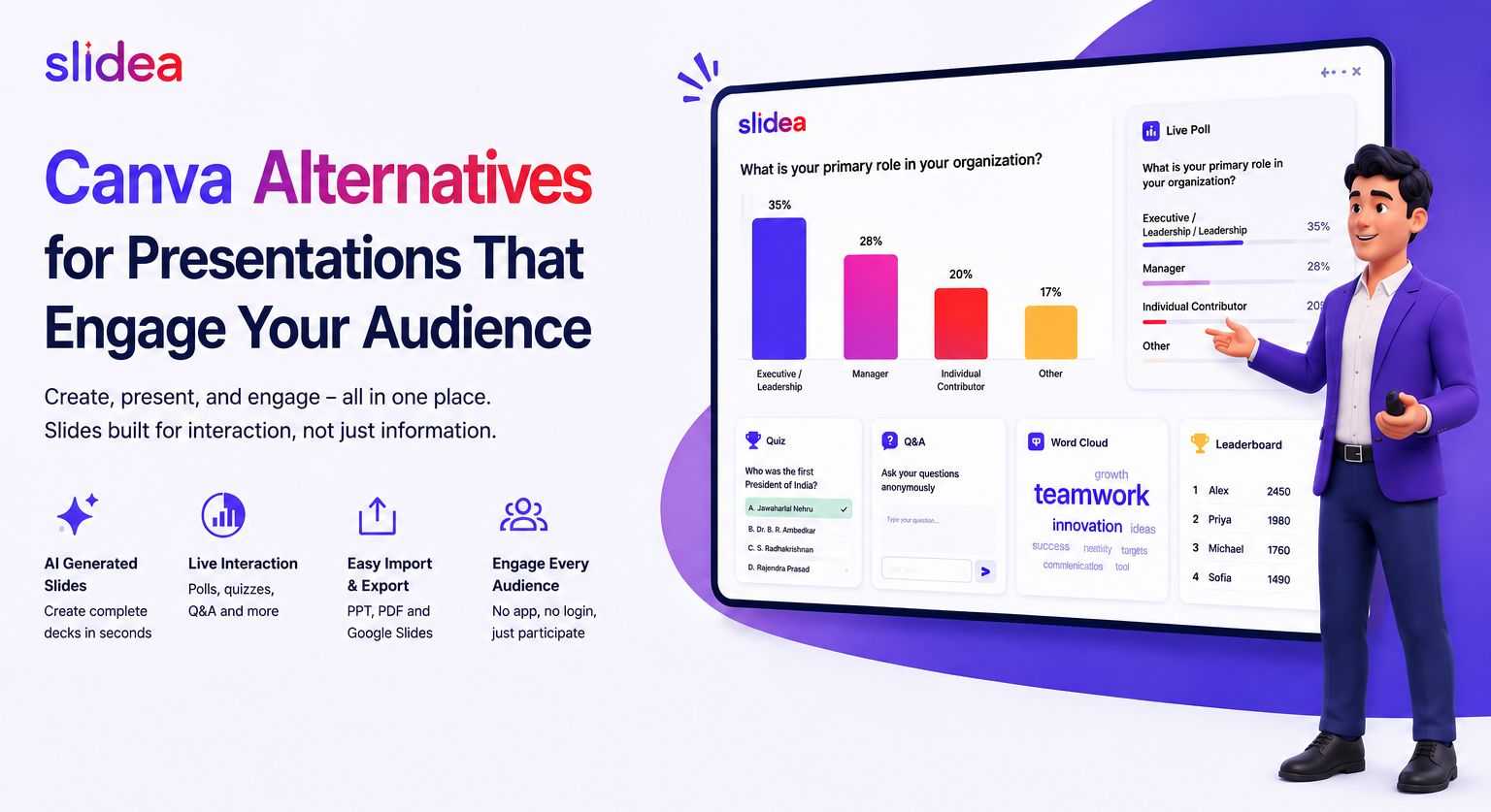
Slidea combines live interaction with a full presentation, no separate app for your audience to join, and works with PowerPoint, Google Slides, and Zoom.




Leave a Comment
Your email address will not be published. Required fields are marked *