


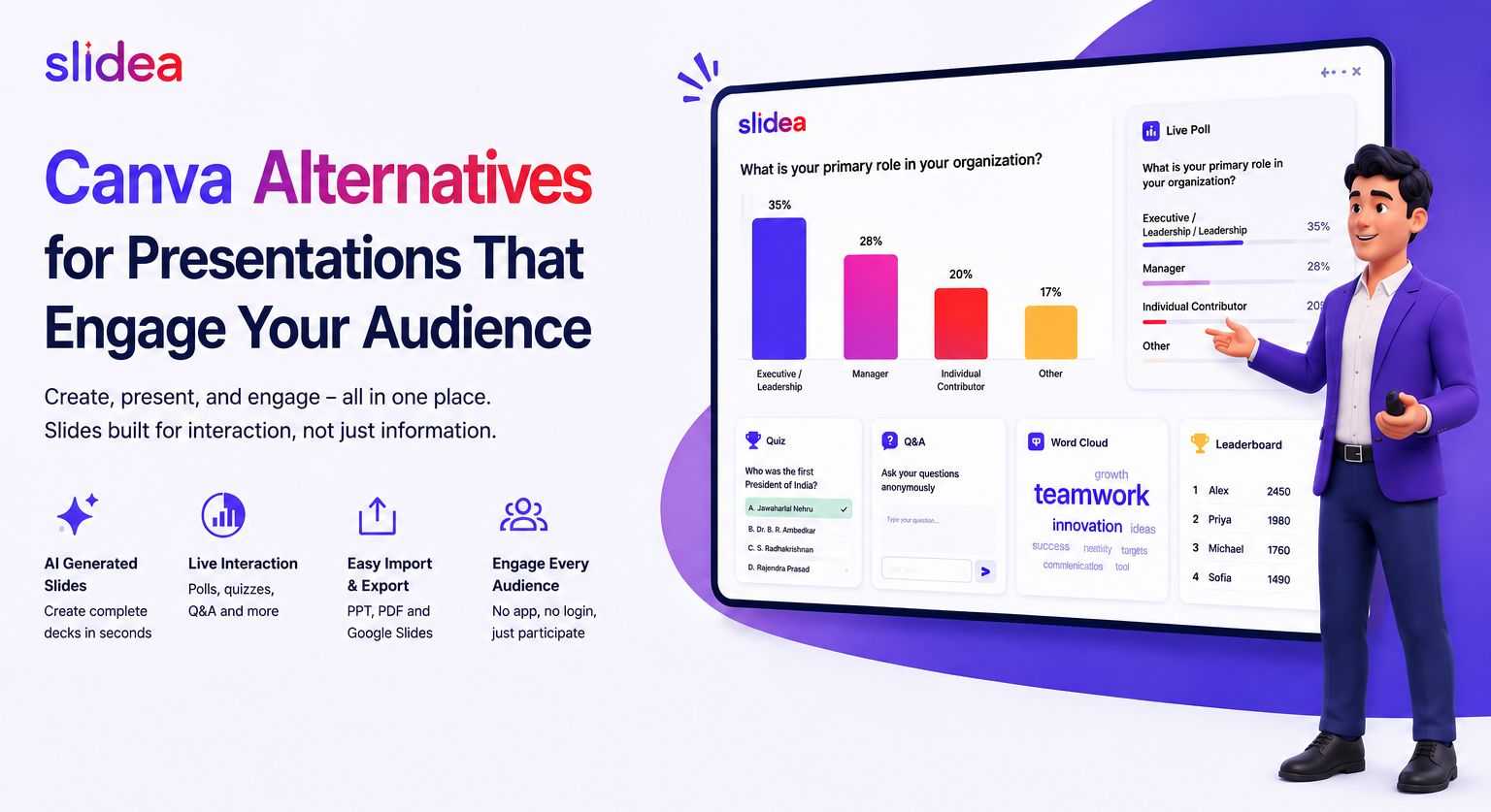
Canva is a genuinely good general design tool, which is exactly why it can feel like the wrong fit for one specific job: building a presentation you're actually going to stand up and deliver. Canva's presentation templates are built on the same engine as its social graphics and flyers, so you're designing a static, good-looking deck, then presenting it the same way people have presented since PowerPoint launched in 1990. Nothing responds to your audience while you're talking.
That gap is why "Canva alternatives" is such a common search among people specifically looking to build presentations, not posters. Below are the strongest options for that use case, including where Slidea fits differently from the rest.
What to Look For in a Canva Alternative for Presentations
Before comparing tools, it's worth being specific about what you actually need instead of Canva, since "alternative" covers a wide range of tools built for very different jobs:
- AI generation that understands structure. A tool that turns a prompt or outline into a properly sequenced deck, not just a folder of matching templates you assemble yourself.
- Real export flexibility. PowerPoint, PDF, and Google Slides compatibility, so you're not locked into one platform's viewer.
- Interactivity, if you're presenting live. Polls, quizzes, and Q&A turn a one-way deck into something the room actually participates in, something Canva doesn't offer at all.
- A free tier that's actually usable. Not a two-slide trial, enough room to build and run one real presentation before deciding to pay for anything.
Top Canva Alternatives for Presentations
Slidea. Purpose-built for presentations you'll actually deliver live. Generates a full deck from a text prompt, then layers in live polls, scored quizzes with a leaderboard, word clouds, and Q&A as part of the same output, not a separate tool bolted on afterward. Free plan, no credit card required.
Gamma. Strong AI generation and modern, polished templates, popular for pitch decks and one-way presentations. No built-in live audience interactivity.
Beautiful.ai / Plus AI. Good for teams that want AI-assisted design consistency inside PowerPoint or Google Slides specifically, though the deeper AI features tend to sit behind paid tiers.
Prezi. A genuinely different format: non-linear, zooming presentations instead of a slide-by-slide deck. Worth it if that visual style fits your content; a bigger shift if it doesn't.
Google Slides (plus AI add-ons). Free and familiar, with third-party AI plugins available, but you're stitching together generation, design, and interactivity from separate tools rather than getting them in one place.
Canva Alternatives for Presentations That Engage Your Audience
Canva is a good tool for design. But it may not be the best tool for one job: giving a live presentation. Canva's presentation templates use the same design tools as its posters and social media graphics. So you build a nice-looking deck, but then you present it the old way. Nothing on the screen reacts to your audience while you talk.
Think about the last presentation you sat through. How much of it do you actually remember? Most people forget a static slide deck within a day, because they were only watching, not doing anything. That is the real problem a lot of people are trying to fix when they search for a new tool.
That is why many people search for "Canva alternatives." They want a tool made for presenting, not just designing. Below are the best options, why people are switching, and where Slidea is different from the rest.
Common Reasons People Look for a Canva Alternative
You are not alone if Canva feels limiting for presentations. Here are the most common reasons people search for something else:
- The audience just watches. Canva decks are one-way. There is no built-in way for people to answer a question, vote, or ask something back during the session.
- Building slides still takes time. Canva gives you templates, but you still have to write the content and arrange each slide yourself. It does not build the full structure for you from an idea.
- Old files get stuck. Some people have older PowerPoint decks or reports they want to turn into something better, and Canva is not built to import and rebuild around existing documents.
- Free plan limits. Many of Canva's better design features sit behind a paid plan, which is frustrating if you only need to build a handful of presentations.
- No easy way to measure understanding. After a training session or a class, there is no built-in quiz or score to check if the material actually landed.
Top Canva Alternatives for Presentations
Slidea. Made for presentations you actually deliver live. It builds a full deck from a simple text prompt. Then it adds live polls, scored quizzes with a leaderboard, word clouds, and live Q&A, all in the same deck. The free plan needs no credit card.
Gamma. Strong AI slide design with modern templates. Good for pitch decks and one-way presentations. It does not have live polls or quizzes for your audience.
Beautiful.ai / Plus AI. Good if your team already uses PowerPoint or Google Slides and wants AI help with design. The best AI features often cost extra.
Prezi. A different style of presentation that zooms and moves instead of using flat slides. Great if that style fits your topic.
Google Slides with AI add-ons. Free and familiar to most people. You can add AI tools from other companies, but you will be using several different tools instead of just one.
If you only need a one-way presentation, most of these tools work well. If you need your audience to respond, vote, or ask questions live, Slidea is built for that.
Who Switches From Canva to Slidea
This kind of tool is not just for one type of user. A few common examples:
Teachers. Instead of clicking through slides while students quietly watch, a teacher can run a quiz mid-lesson and see results on screen right away.
Trainers and HR teams. A training session can end with a scored quiz instead of just a "any questions?" moment, so there is an actual record of what people learned.
Managers. A quick poll during a team meeting can settle a decision in seconds instead of a long back-and-forth discussion.
Event and webinar hosts. A live Q&A box lets attendees ask questions throughout the session, not just in the last five rushed minutes.
Move Your Old Canva Slides Into Slidea
You do not need to start over. Save your Canva presentation as a PowerPoint file. Then upload it into Slidea's AI tool as your source material. The AI will build a new deck using your existing content. After that, you can add polls, quizzes, or Q&A slides anywhere you like.
Where Slidea Beats Canva
Live audience input. Canva has no way for your audience to vote, answer a quiz, or ask questions live. Once you export a Canva deck, people can only watch it.
AI that builds the whole deck. Canva's AI helps with pictures and design inside a template. Slidea's AI writes and structures the actual slides for you, plus adds the interactive parts.
No app needed for your audience. People join your live Slidea session with just a link or a QR code. No download and no account needed.
Made for presenting, not just designing. Canva helps you make something look good. Slidea helps you run the actual live session well.
This does not mean Canva is a bad tool. It just does a different, bigger job than running a live, interactive presentation. That is the one specific job Slidea is built for.
A Few Tips for Switching Tools Smoothly
- Do not delete your old Canva files. Keep them as a backup while you get used to the new tool.
- Start with one small presentation first. Try Slidea on a short team update or a simple class lesson before moving your biggest deck over.
- Reuse your existing content. Upload your old PowerPoint file instead of writing everything again from scratch.
- Try one interactive slide at a time. Add a single poll or quiz question to your first deck, then add more once you see how your audience reacts.
Is Slidea Free to Use?
Yes. Slidea's free plan needs no credit card. It includes the AI slide generator, live polls and quizzes, Q&A, template designs, and PowerPoint import. You can build and run a real, live session for free, not just look at a demo.
FAQ
Is there a free Canva alternative made for presentations? Yes. Slidea's free plan works with just an email address, no credit card needed. It includes AI-made slides, live polls and quizzes, Q&A, and PowerPoint import.
Can I bring in a presentation I already made in Canva? Yes. Save it from Canva as a PowerPoint file. Then upload it into Slidea's AI tool. Slidea will build a new deck using that content instead of starting blank.
Does Canva have live polls or quizzes? No. Canva is a design tool for building the slides themselves. It does not have live polls, quizzes, or Q&A. This is the main reason people look for a different tool when they need to present live to a group.
Which tool is best: one for a one-way pitch, or one for a live class or meeting? For a one-way pitch or report, Gamma or Canva both work well. For anything live, like a classroom, training, or team meeting, a tool built for interaction, like Slidea, gives you a better result. Your audience can respond during the session, not just at the end.
Do I have to pay to try Slidea? No. You can sign up with just an email and start building your first deck for free, with no credit card required.
Will my audience need to download anything to join a live session? No. They just click a link or scan a QR code from their phone or computer. Nothing to install, and no account needed on their side.
Can I use Slidea for a large group, like a big class or a company-wide meeting? Yes, Slidea works for both small and large groups. If you expect a very large audience, it is worth checking Slidea's current pricing page, since higher participant limits are part of the paid plans.




Your email address will not be published. Required fields are marked *