


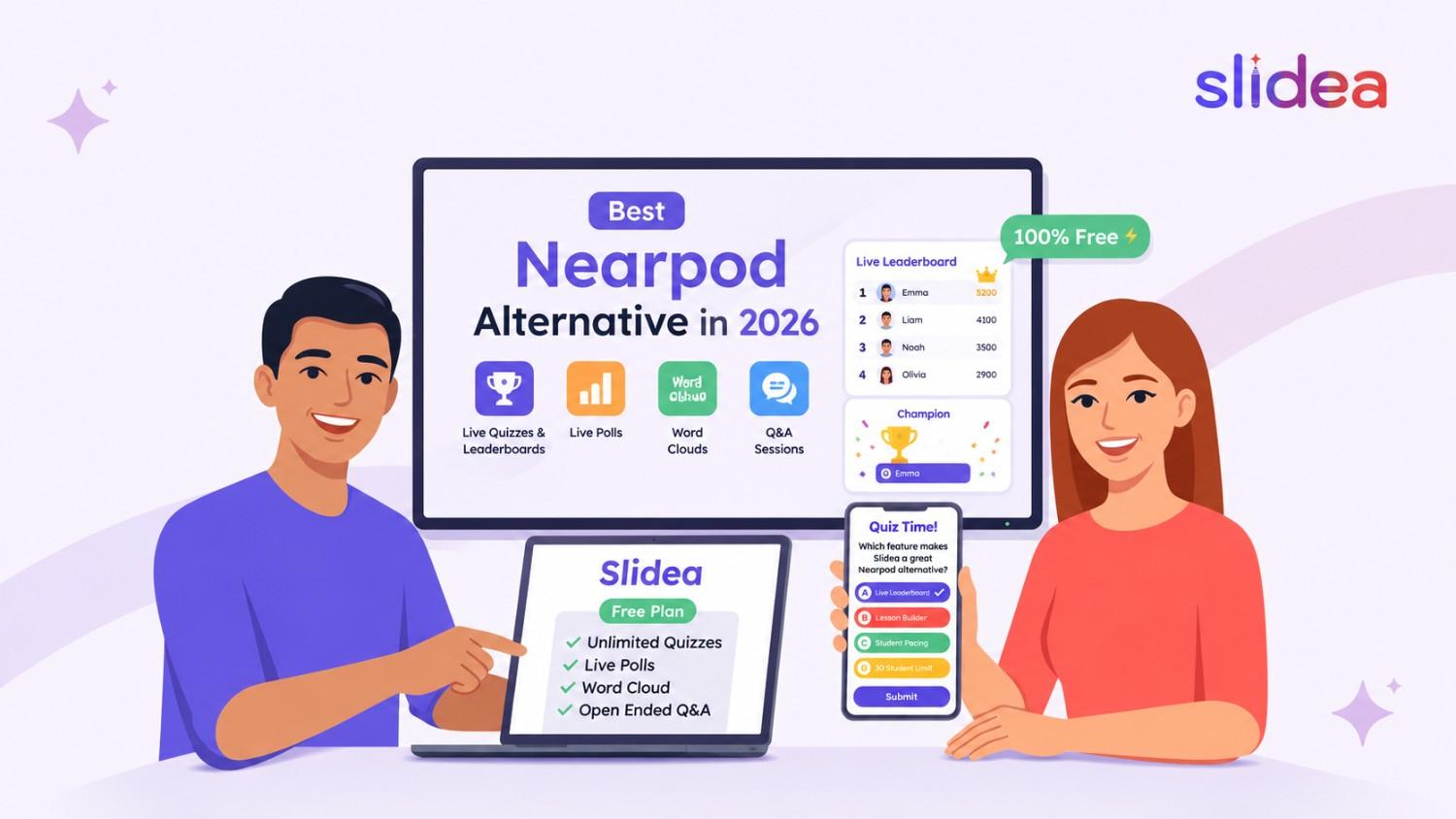
Looking for the best Nearpod alternative in 2026? Whether you’re teaching a classroom, running teacher training, or leading a virtual session, the right interactive presentation software can make lessons more engaging. While Nearpod is widely used for structured lesson delivery, many educators want faster quiz creation, larger free-plan limits, and live leaderboard features that keep students motivated from the first question to the last.
That’s where Slidea stands out — a modern interactive presentation tool built for real-time audience engagement, live quizzes, and instant classroom energy.
Why Teachers Search for Nearpod Alternatives
Teachers usually begin searching for a Nearpod alternative when they run into Nearpod pricing restrictions, Nearpod free plan limits, or simply need faster lesson creation. Common reasons include:
- Wanting larger class sizes than the free plan supports
- Needing more generous free-plan storage and features
- Looking for faster, lighter lesson creation without a full lesson-builder
- Wanting more engaging live quiz experiences with real-time competition
While Nearpod remains a strong classroom platform for structured, standards-aligned lessons, many educators searching for apps like Nearpod or websites like Nearpod are really looking for something lighter — a tool that gets a live quiz or poll running in minutes rather than requiring a full lesson build.
Top Nearpod Alternatives in 2026
Before diving into Slidea specifically, here’s a quick overview of how the main Nearpod competitors compare:
| Tool | Best For |
|---|---|
| Slidea | Live quizzes, leaderboards & audience engagement |
| Mentimeter | Live polls and presentation-based interaction |
| Kahoot! | Gamified, competitive quizzes |
| AhaSlides | All-in-one presentations and quizzes |
| Poll Everywhere | Meeting and lecture polling |
| Wooclap | University-level collaborative learning |
| Quizizz | Homework and self-paced assessment |
Each of these has a different strength. If your priority is live, competitive quizzes with real-time scoring and a leaderboard, Slidea is built specifically for that use case.
What is Slidea?
Slidea is a free interactive presentation maker that helps you create engaging sessions using:
- Live quizzes with leaderboards and Champion reveal
- Live polls
- Word clouds
- Rating scales and ranking questions
- This or That
- Guess the Number
- Open-ended Q&A
- Brainstorming activities
Whether you’re hosting a classroom, training session, or webinar, Slidea helps you connect with your audience instantly — no lesson-builder required.
Why Slidea is the Best Nearpod Alternative
Larger Free Plan Slidea’s free plan is built for full classes, without the tight student and storage caps that often push Nearpod users to search for alternatives.
Live Leaderboard & Champion Reveal Every quiz question updates the leaderboard instantly, and the final slide reveals a Champion with a celebratory moment — a format Nearpod doesn’t offer.
Fast Setup, No Lesson-Builder Needed Go from a blank slide to a live, scored quiz in minutes, without building a full structured lesson first.
More Interactive Slide Types Beyond quizzes and polls, Slidea includes word clouds, ranking, rating scales, This or That, Guess the Number, and a spinner wheel — giving teachers more variety in a single tool.
Works Anywhere Perfect for classrooms, online classes, hybrid learning, corporate training, and teacher training sessions.
Why Live Leaderboards Increase Student Engagement
A live leaderboard changes how students experience a quiz. Instead of answering once and moving on, they’re actively invested in every question because their ranking can shift immediately. This drives:
- Friendly competition — students want to climb the rankings, not just answer correctly
- Better participation — even quieter students engage more when there’s a visible, live stake in each round
- Faster responses — speed-based scoring encourages quick thinking instead of passive waiting
- Classroom excitement — rankings shifting after every question keeps energy high throughout the lesson
- Motivation — the Champion reveal at the end gives students something to work toward, not just a quiz to get through
This is one of the clearest structural differences between Slidea and Nearpod, which doesn’t include a live leaderboard or scoring reveal at all.
Slidea vs Nearpod: Full Feature Comparison
| Feature | Slidea | Nearpod |
|---|---|---|
| Live Quiz | ✅ | ✅ |
| Live Leaderboard | ✅ | ❌ |
| Champion Reveal | ✅ | ❌ |
| Live Polls | ✅ | ✅ |
| Word Cloud | ✅ | ❌ |
| Open Ended Questions | ✅ | ✅ |
| Ranking Questions | ✅ | ❌ |
| Rating Scale | ✅ | Limited |
| Guess the Number | ✅ | ❌ |
| This or That | ✅ | ❌ |
| Brainstorming | ✅ | ❌ |
| QR Code Join | ✅ | ✅ |
| Presentation Code Join | ✅ | Limited |
| Mobile Friendly | ✅ | ✅ |
| Audience-Paced Mode | ✅ | ✅ |
| Teacher-Paced Mode | ✅ | ✅ |
| PowerPoint Import | ✅ | ✅ |
| Google Slides Integration | ✅ | Limited |
| Timer-Based Questions | ✅ | Limited |
| AI Presentation Creation | ✅ | Limited |
| Analytics & Reports | ✅ | ✅ |
Feature availability is based on each platform’s current published capabilities as of 2026. Always check each provider’s official pricing page for the most up-to-date plan details, as free-tier limits change periodically.
How to Switch from Nearpod to Slidea
Switching from Nearpod is easy:
- Create a free account — no credit card required to get started.
- Create your first presentation — start from a blank deck or import an existing PowerPoint or Google Slides file.
- Add interactive slides — insert quiz, poll, word cloud, or Q&A slides wherever you want audience input.
- Share the QR code or presentation code — students join instantly from any device, no account needed.
- Present and watch the leaderboard update live — scores and rankings update automatically after every question.
Most teachers can build and run their first Slidea quiz in under 10 minutes.
Who Should Use Slidea?
Slidea is perfect for:
- K-12 and higher education classrooms
- Corporate and employee training teams
- Remote and hybrid teaching
- Students running study groups
- Teacher training and professional development sessions
Use Cases
Classroom Reviews Turn end-of-lesson checks into live, scored quizzes with a leaderboard.
Quick Formative Checks Run a fast poll or word cloud without building a full Nearpod-style lesson.
Higher Education Lectures Use anonymous polling and Q&A to keep large lecture halls engaged.
Corporate Training Run interactive quizzes and feedback polls during employee onboarding or workshops.
Why Trust This Comparison?
This comparison is based on:
- A side-by-side review of publicly documented features from both platforms
- Hands-on use of Slidea’s live quiz, leaderboard, and polling tools
- Consideration of real classroom and training use cases, not just feature checklists
- Ongoing updates as both platforms evolve through 2026
We aim to compare fairly, but as the maker of Slidea, we recommend testing both platforms yourself before making a final decision — your classroom’s specific needs are the best judge.
Pro Tips for Better Engagement
- Keep quizzes to 5–10 questions so the leaderboard has time to build tension
- Use word clouds for quick opinion or warm-up prompts
- Add a countdown timer to keep the pace energetic
- Save the Champion reveal for the very last question
- Mix quiz rounds with a poll or word cloud to change the pace mid-lesson
Conclusion
If you’re looking for the best Nearpod alternative, Slidea is a fast, easy-to-use option built specifically for live engagement. It offers live quizzes with leaderboards, polls, word clouds, and a wider range of interactive slide types, without the setup time or free-plan limits that come with Nearpod.
Start creating engaging, competitive quiz sessions today with Slidea and give your students a reason to stay focused until the very last question.
FAQs
Q1. What is the best Nearpod alternative in 2026?
Slidea is one of the best Nearpod alternatives in 2026 for fast, interactive classroom quizzes. It offers live quizzes with leaderboards, polls, word clouds, Q&A, and real-time engagement tools for teachers, trainers, and students.
Q2. Why choose Slidea over Nearpod?
Slidea combines fast setup with a live leaderboard and Champion Board reveal, features Nearpod doesn’t offer. It’s designed for teachers who want competitive, high-energy quizzes without building a full structured lesson first.
Q3. Can Slidea create live quizzes like Nearpod?
Yes. Slidea lets you create live quizzes, polls, word clouds, and Q&A sessions. Unlike Nearpod, Slidea also includes a real-time leaderboard and automatic Champion reveal at the end of every quiz.
Q4. Is Slidea a free Nearpod alternative?
Yes. Slidea offers a free plan designed to support full classes, making it a strong choice for teachers who want to run quizzes without hitting tight participant limits.
Q5. Which is better: Slidea or Nearpod?
Both platforms support classroom engagement, but they serve different needs. Nearpod is better for full, structured lesson delivery with student-paced options. Slidea is better for fast, competitive quizzes with a live leaderboard and Champion reveal.
Q6. Does Slidea support online, hybrid, and in-person classes?
Yes. Slidea works seamlessly for virtual classrooms, hybrid learning, and in-person lessons. Students can join from any device using a QR code or presentation code, with no account required.
Q7. Who should use a Nearpod alternative like Slidea?
Slidea is ideal for K-12 teachers, higher education instructors, corporate trainers, and students who want fast, competitive quizzes rather than a full lesson-building workflow.
Q8. What features should I look for in a Nearpod alternative?
Look for live quizzes, a real-time leaderboard, polls, word clouds, QR code joining, and a free plan that fits your class size. Slidea includes all of these in one interactive presentation platform.
Q9. Can I import PowerPoint into Slidea?
Yes. Slidea supports importing existing PowerPoint presentations, so you can add interactive slides to a deck you’ve already built.
Q10. Does Slidea work on mobile devices?
Yes. Both presenters and participants can use Slidea on mobile devices, tablets, and laptops through any web browser.
Q11. Can students join without creating an account?
Yes. Students join instantly using a QR code or presentation code — no account, app download, or email address required.
Q12. Is Slidea suitable for higher education?
Yes. Slidea works well for university lectures, seminars, and study groups, in addition to K-12 classrooms.
Q13. Can I use Slidea for corporate training?
Yes. Slidea is used for employee training, onboarding sessions, and workshops in addition to classroom settings.
Q14. Which platform is easier for beginners?
Slidea is generally considered easier for first-time users since quizzes and polls can be set up without building a full lesson flow, unlike Nearpod’s more structured lesson-building process.




Leave a Comment
Your email address will not be published. Required fields are marked *