


The Instruction slide type in Slidea helps presenters guide participants on how to join a live presentation. It clearly displays joining steps using a link, access code, and QR code so audiences can connect easily from any device.
This slide is typically used at the beginning of a session to make sure participants understand how to join before interaction begins.
How to Add an Instruction Slide
You can add an Instruction slide using the following steps:
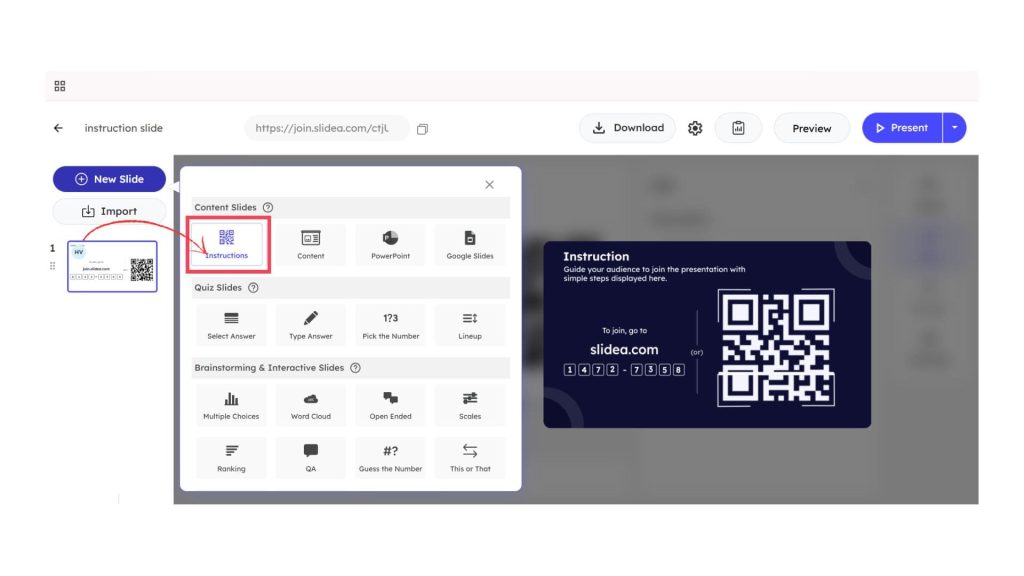
- From the left panel, click New Slide and select Instructions from the slide type list.
- Once added, the slide automatically generates the joining details.
What the Instruction Slide Displays
After inserting the slide, the following elements are shown:
- A join URL displayed as join.slidea.com
- A unique numeric access code for participants
- A scannable QR code for quick mobile access
Participants can join the session either by entering the code on the website or by scanning the QR code.
Editing the Instruction Description
The Instruction slide includes a Description field located in the Content panel on the right side of the editor.
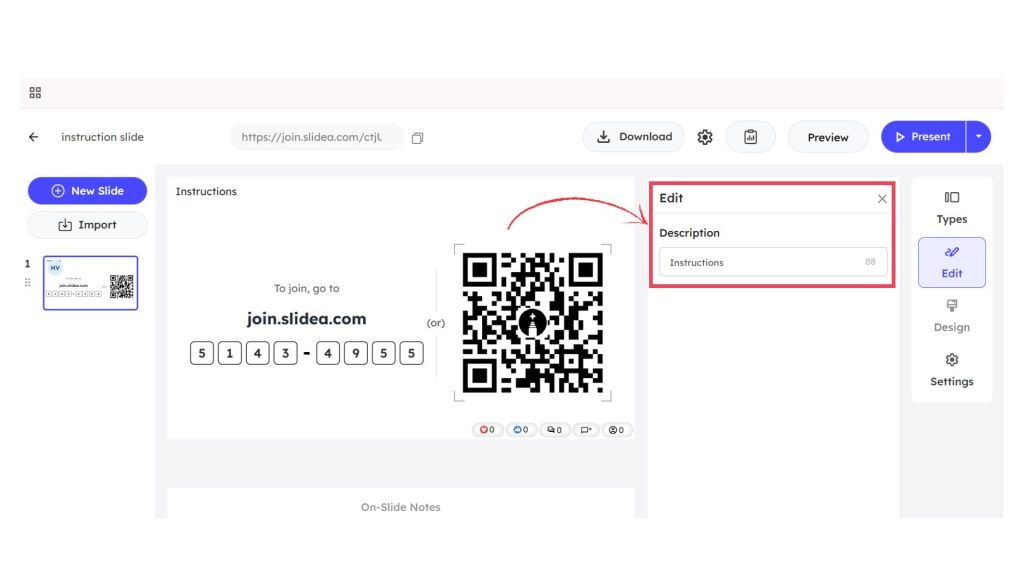
This field allows presenters to add or edit a short instruction message that appears directly on the slide. Updating the description helps clearly guide participants on how to join and reinforces the joining steps shown on the screen.
How Participants Join the Presentation
Participants can join the presentation by:
- Clicking on the join link
- Entering the access code
- Scanning the QR code using a mobile device
Use Cases of This Slide Type
This slide type is useful when:
- Participants need clear instructions to join a session
- Live interaction starts at the beginning of a presentation
- Remote or hybrid audiences join from multiple devices
- A fast and simple joining process is required


Leave a Comment
Your email address will not be published. Required fields are marked *