



Books have the power to take students anywhere, from magical worlds to real-life adventures. But keeping students excited about reading in today’s digital world can feel challenging.
That’s where creativity and technology come together. By using interactive learning software, teachers can turn simple reading activities into engaging classroom experiences. Instead of just reading quietly, students can participate, vote, share ideas, and even compete in fun challenges.
In this blog, you’ll discover 10 interactive World Book Day activities that bring stories to life and boost students' engagement in a simple, effective way.
Why World Book Day Activities Need to Be Interactive
Telling students that reading is important does not make them want to read. Giving them an experience that feels exciting, social, and a little competitive, that does.
Interactive activities work because they involve doing, not just listening. When a student has to defend their favorite book character in a live class poll, type a one-word book review that shows up in a word cloud on the big screen, or race to answer a book quiz question before their classmates, they are engaged. And engaged students learn more, remember more, and leave class with something to talk about.
World Book Day is the perfect occasion to create those moments. The activities below are built around that idea.
Interactive World Book Day Activities for Classrooms
Activity 1 - Book Character Live Poll
Ask every student to vote for their favorite book character of all time. Run a live poll on screen, so results appear in real time. Watch the class react when their favorite wins or when someone completely unexpected tops the chart. Follow up with a quick class discussion about why certain characters resonated more than others.
Why it works: It gives every student a voice immediately and creates a natural talking point that leads directly into a deeper conversation about storytelling.
Activity 2 - One Word Book Review Word Cloud
Ask every student to type one word that describes the last book they read. A word cloud builds live on the big screen, words like "thrilling," "boring," "magical," and "confusing" float up and grow bigger as more students agree.
Why it works: It is quick, visual, and honest. Students who would never write a full review find it easy to contribute one word, and the result is a shared snapshot of the whole class's reading life.
Activity 3 - Book Quiz
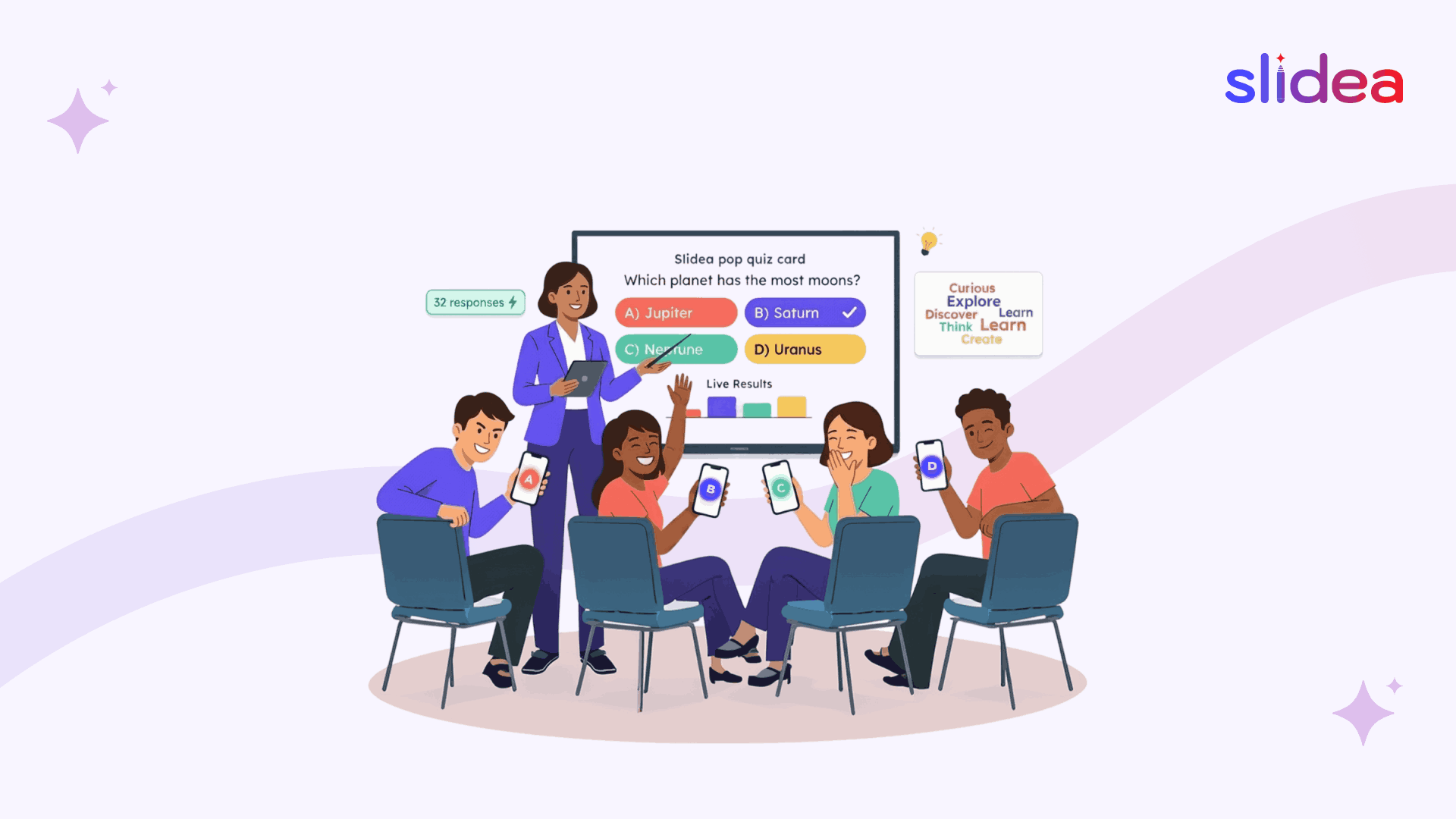
Build a short quiz around books the class has read together. Run it live using interactive quiz software so every student answers from their own device at the same time. Scores update in real time and the leaderboard keeps the energy competitive and fun. Include questions about plot, characters, themes, and the author's background.
Why it works: Retrieval practice through quizzing is one of the most effective learning techniques. A live quiz format makes it feel like a game rather than a test, which is exactly the energy World Book Day calls for.
Activity 4 - Guess the Book
Give clues about a famous book one at a time and ask students to type the name of it. The student who identifies the book with the fewest clues wins. Use this for classic books, picture books, or books from the school reading list.
Why it works: It rewards close reading and broad book knowledge. Students who have read widely across different genres tend to do well, which is a great motivator for reading more.
Activity 5 - Book Genre Ranking
Give students a list of book genres, fantasy, mystery, science fiction, historical fiction, graphic novels, and ask them to arrange them in order from their most to least favorite. Compare the class results on screen and discuss what the rankings reveal about the group's reading preferences.
Why it works: Rankings create conversation. When students see that the class ranked mystery higher than fantasy they want to know why, and that curiosity leads to book recommendations flying around the room organically.
Activity 6 - Author Spotlight Quiz
Pick three or four authors, mix classic writers with contemporary ones, and ask students factual questions about their lives and books. Use a type answer format so students have to recall information rather than recognize it from a list.
Why it works: Most students know book titles but know very little about the humans who wrote them. Author spotlight quizzes humanize books and make students curious to read more from writers they find interesting.
Activity 7 - This or That
Put two options on screen and let students pick one. "Harry Potter or The Hunger Games?" "Print book or e-book?" "Reading alone or being read to?" "Fiction or non-fiction?" Each This or That round takes ten seconds and always produces a reaction. Follow each one with a discussion about the results.
Why it works: This or That questions are low pressure and universally accessible. Every student has an opinion, and these questions make it easy to share one without any preparation.
Activity 8 - Open Ended
Ask every student to type their answer to this question: "If you could change one thing about the last book you read, what would it be?" All responses show on screen together. Read them out, discuss the most interesting ones, and let students build on each other's ideas.
Why it works: This activity develops critical thinking about narrative, students have to think about what they wanted from the story versus what they got. It is also a great creative writing prompt disguised as a discussion activity.
Activity 9 - Book Character Dress-Up Voting
Students come to class dressed as their favorite book character, a World Book Day tradition in many schools. Run a live vote to find the most creative costume, the most recognizable character, and the most surprising choice. Keep it fun and celebratory rather than competitive.
Why it works: Combining a beloved World Book Day tradition with a live digital vote makes the activity more inclusive. Students who did not dress up still get to participate as voters and judges.
Activity 10 - Q&A
Have one student or the teacher role-play as a famous book author. The rest of the class submits questions anonymously through Q&A slides. The "author" answers in character. Rotate the role so multiple students get to be the author across different sessions.
Why it works: Role-play builds empathy and perspective. Submitting questions anonymously removes the pressure of speaking in front of the class, so more students participate and the questions tend to be more thoughtful and creative.
Final Thoughts
World Book Day becomes more meaningful when students actively take part in the experience instead of just observing. Interactive activities bring energy into the classroom and make reading feel exciting and social.
With interactive learning software, teachers can turn simple book-based ideas into engaging sessions filled with quizzes, live polls, and creative discussions. Students stay involved, share their ideas freely, and connect better with stories and each other.
A little interactivity can transform the way students see books, from something they have to read into something they truly enjoy.
FAQs
Q1. What are good World Book Day activities for primary school students?
Simple, visual activities work best for younger students, like a live poll, a word cloud, and a This or That book edition. These are quick to run, need no preparation from students, and get the whole class involved immediately.
Q2. How do you make World Book Day more interactive for older students?
Older students respond well to competitive and creative activities, like a timed book quiz with a live leaderboard, an author spotlight type-answer round, or an open-ended question about what they would change in a book. These push critical thinking and reward students who read widely.
Q3. Can these World Book Day activities be used for virtual or online classrooms?
Yes. All ten activities in this list work just as well for virtual lessons and hybrid learning. Slidea lets students join from any device by scanning a QR code, entering the number code or clicking the session link and participating in real time from anywhere.
Q4. Do students need to create an account to use Slidea in class?
No. Students join a Slidea session by scanning a QR code displayed on the classroom screen. There is no app to download and no account needed. The teacher sets up the session and students are within seconds, making it quick and easy to use even in a single class period.




Your email address will not be published. Required fields are marked *