


Some interactive slides allow participants to compare and prioritize items during a presentation. In Slidea, the Ranking slide allows participants to arrange items based on their preference or importance.
Participants can rank the items provided by the presenter directly from their devices. This slide type is useful for collecting opinions, prioritizing options, allocating points and understanding audience preferences.
How Ranking Responses Work
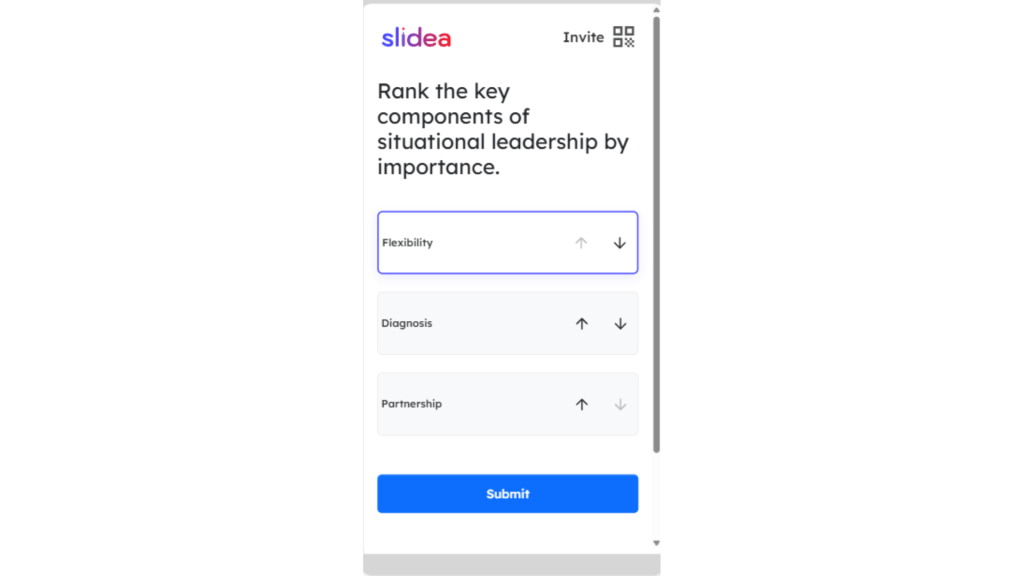
When participants open a Ranking slide, they will see a list of items that need to be ranked.
Participants can arrange these items in their preferred order before submitting their response.
They can:
- Move items up or down using the arrow buttons
- Drag and drop the option box to change its position
Both methods allow participants to easily reorder the list until the ranking matches their preference.
Once they are satisfied with the order, they can click Submit to send their response.
Ranking slides are commonly used for:
- Prioritizing ideas
- Ranking preferences
- Evaluating options during discussions
This slide helps presenters quickly understand which options the audience values the most.


Leave a Comment
Your email address will not be published. Required fields are marked *