










Slidea for Seminars

Interactive Tool for Seminars That Turns Ideas Into Action

Whether it’s a small seminar or a packed auditorium, Slidea turns every session into a two-way exchange of ideas.

Get Started for Free
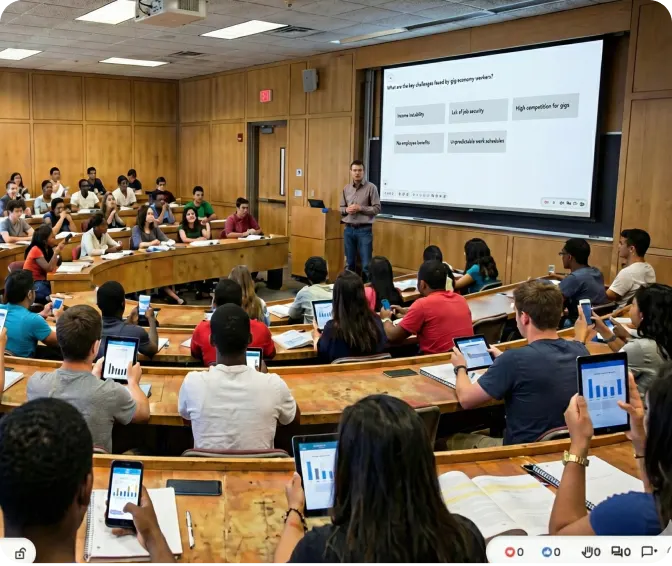
Interactive lecture hall with students using Slidea

Trusted by

How Slidea Helps with Assessments

Start the Conversation

Use open-ended prompts, word clouds, or live Q&A to kick off discussions and invite input from participants.

Gauge Participant Understanding

Check knowledge levels or gather opinions instantly using polls, multiple choice questions, or rating scales.

Capture Diverse Perspectives

Collect responses from every attendee—even the quiet ones—with anonymous and accessible input tools.

Reflect & Recap

Use quizzes or summary slides at the end to reinforce key takeaways and ensure your seminar closes with clarity.

Interactive classroom with Slidea

Why Seminar Hosts Use Slidea

Two-way conversation

Encourages participation from everyone, not just the loudest voices.

Instant feedback

Helps you facilitate discussions with real-time data and visual prompts.

Anonymous response

Makes your academic seminars feel more collaborative, not just informational.

Mid-lecture engagement

Supports structured and unstructured formats—from panel Q&As to solo sessions.

Mid-lecture engagement

Simplifies post-session feedback collection and audience reflection.

Easy to Use for Seminar Sessions

Integrate With Your Existing Slides

Explore all Integrations
PowerPoint

PowerPoint

Zoom

Zoom

Google Slides

Google Slides

Microsoft Teams

Microsoft Teams

Microsoft Teams

Webex

Microsoft Teams

ChatGPT

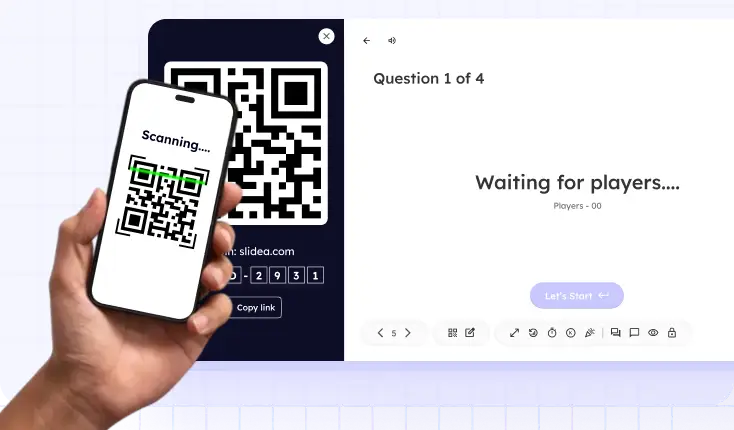
Student scanning QR code to access assessment

Instant Access for Students

Students can respond via link or QR code—no login or app needed.

AI That Enhances Every Seminar Session

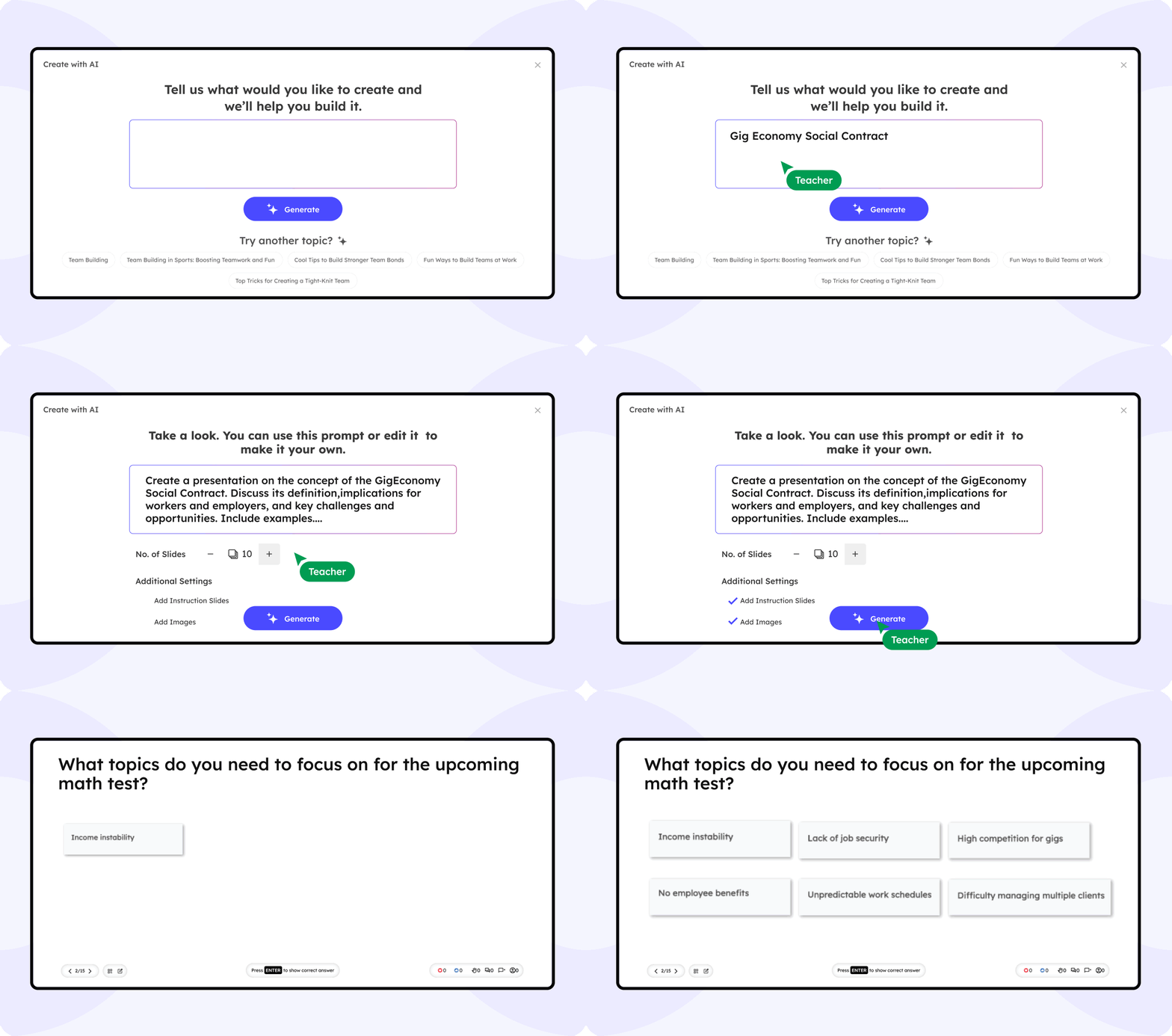
Slidea’s built-in AI helps you prepare smarter, present clearer, and involve your audience with precision. From crafting questions to capturing insights, AI supports every part of your seminar.

Auto-generate discussion prompts, polls, and Q&A based on your topic

Suggests the best slide types to match your session flow

Summarize key takeaways for instant audience reflection

Slidea AI Interface

What Educators Are Saying

Slidea helped me turn my seminar into a true dialogue. Students are engaged more than ever before.

NS

Dr. Maya K.

University Guest Speaker

From polls to live questions, Slidea made it easy to involve the audience throughout our student-led seminar.

DR

Liam D.

Seminar Coordinator

I used to lose half the class during long lectures. With Slidea, even the quietest students are 'talking' to me through the live polls.

DR

Sarah M.

Teacher

My students actually ask for 'quiz time' now. It’s the first time I've seen them this excited about a review session.

DR

Mr. Henderson

Teacher

I don't have time to learn complicated new tech. Slidea plugs right into my PowerPoint, so I didn't have to change a single thing about how I teach.

DR

James T.

School Teacher

Blogs

Ready to Make Your Seminar More Engaging?

Spark conversations, gather insights, and involve every attendee with ease.

Book a free demo

Frequently Asked
Questions

Find answers to common questions about using Slidea in seminars.

Contact us

Absolutely. Slidea is designed to support both structured presentations and open-format academic conversations.

No. They can join instantly via a shared link or QR code—no apps, no logins.

You can collect audience questions live, run polls, and even let attendees vote on which questions should be answered first.

Yes. Slidea lets you run post-session polls or surveys to understand what resonated most and what could improve.

Definitely. Whether in-person or remote, participants can respond in real time on any device.

Yes. You can filter, approve, and display selected questions to keep discussions focused and respectful.