










Slidea for hybrid learning

Interactive Learning for Every Hybrid Classroom

Engage online and in-person students together with interactive Learning tools—no one left out.

Get Started for Free
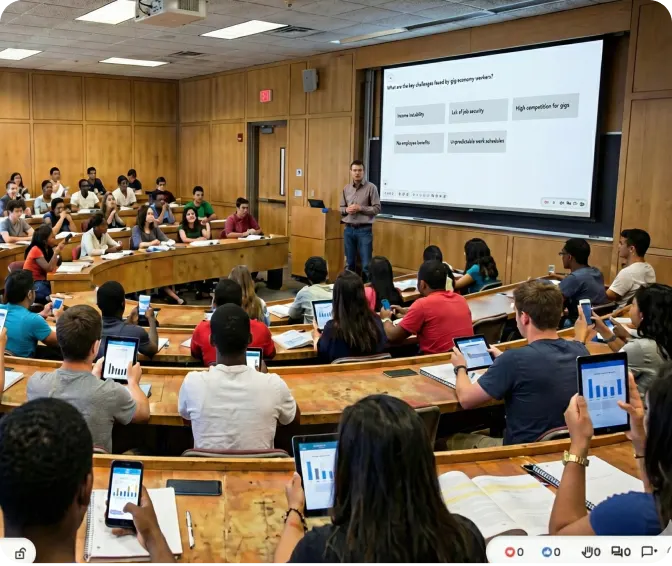
Interactive lecture hall with students using Slidea

Trusted by

Why Use Slidea in Hybrid Learning?

Include Every Student

Bridge the gap between remote and in-room learners with the same interactive tools—so no one feels left out.

See Real-Time Input

Capture feedback from both screens and seats simultaneously. Know what all students think right away.

Encourage Honest Sharing

Allow anonymous responses for shy or muted students online, and let in-person learners share without waiting their turn.

Adapt on the Fly

Use feedback from every participant—pause, re-explain, or dive deeper depending on live responses from both groups.

Interactive classroom with Slidea

Key Features for Hybrid Learning

Two-way conversation

Perfect for quick checks to see if both groups understand.

Instant feedback

Track understanding and keep everyone engaged in real time.

Anonymous response

Gather ideas from the entire class, no matter where they log in.

Mid-lecture engagement

Use upvotes to highlight the most relevant queries.

Integrate with your teaching tools

Explore all Integrations
PowerPoint

PowerPoint

Zoom

Zoom

Google Slides

Google Slides

Microsoft Teams

Microsoft Teams

Microsoft Teams

Webex

Microsoft Teams

ChatGPT

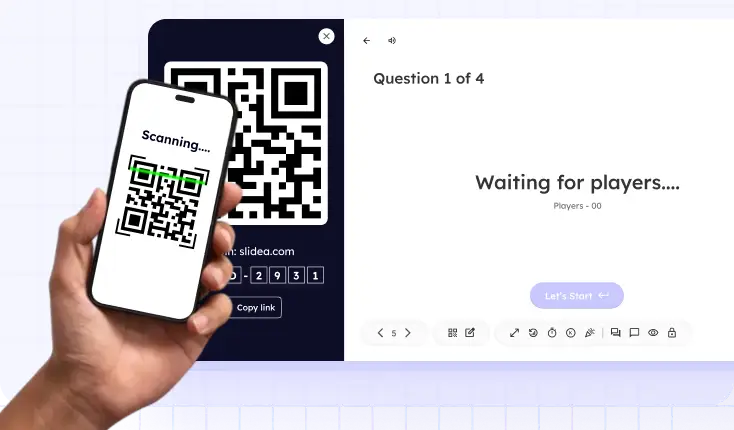
Student scanning QR code to access assessment

Instant access for hybrid students

Students can join instantly via link or QR code with no login or app installation required.

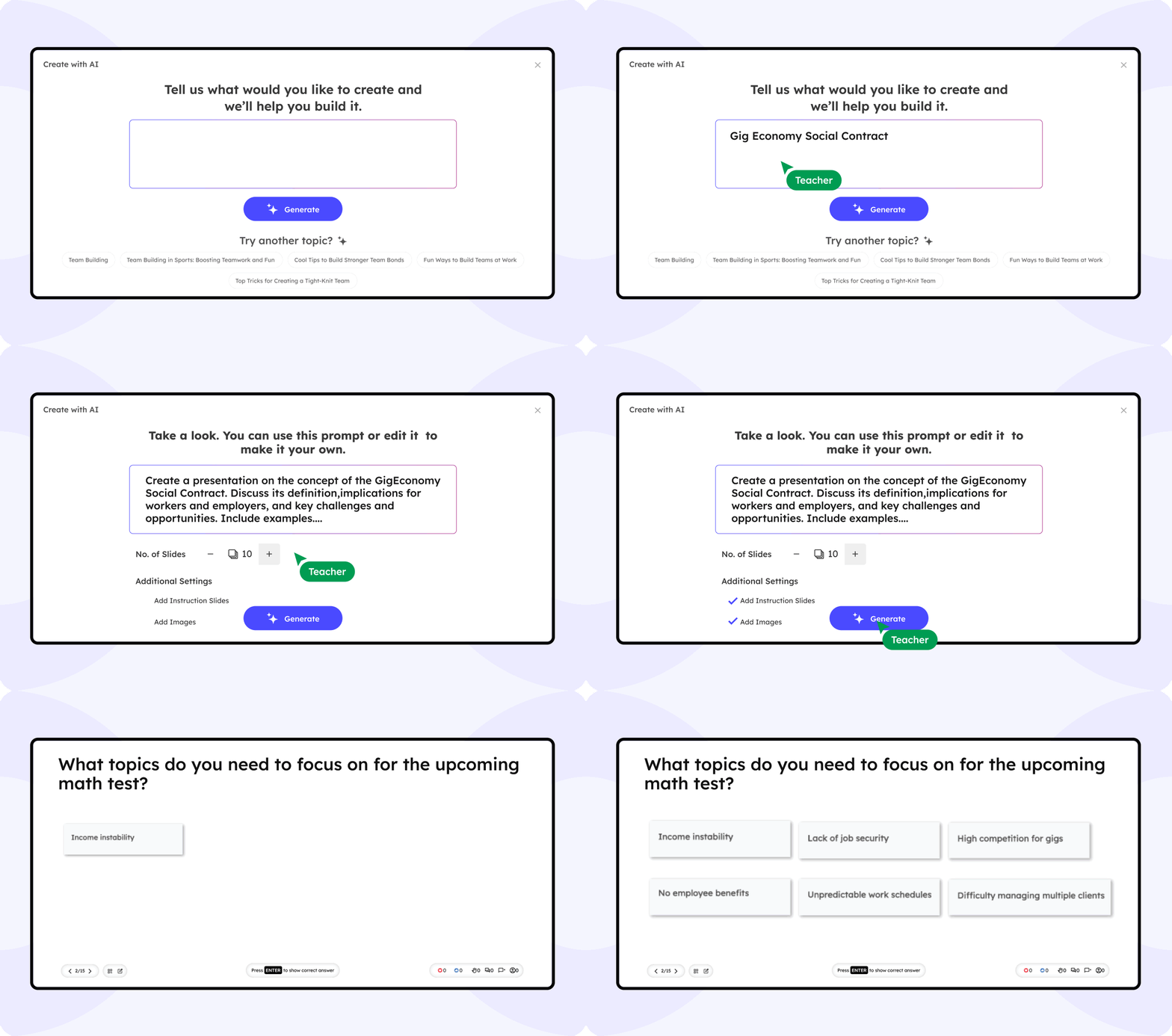
AI That Elevates Every Hybrid Classroom

Slidea’s AI ensures equal engagement for both in-room and remote students. It suggests interactive polls, word clouds, or quizzes.

Recommend interactivity based on live engagement data

Includes live polls, Q&A, and images automatically in the slides

Review the generated slides before presenting

Slidea AI Interface

What the educators are saying

Slidea helped me bridge the gap between my in-class and online students. Everyone feels included now, no matter where they are.

NS

Liam P.

High School Teacher

Before Slidea, my remote students often zoned out. Now with live polls and quizzes, they’re just as active as the ones in the room.

DR

Samantha D.

College Lecturer

I run training sessions across time zones. Slidea makes it seamless to keep both in-person and virtual learners engaged.

DR

Carlos M.

Corporate Trainer

Hybrid teaching used to be chaotic. Slidea brought structure and interaction to my lessons, both online and offline.

DR

Priya V.

University Professor

What I love most is how easy it is to bring everyone into the conversation, whether they’re on Zoom or in front of me.

DR

Rachel K.

Language Instructor

Blogs

Ready to Transform Your Hybrid Classroom?

Create a unified, interactive learning environment no matter where your students are.

Book a free demo

Frequently Asked
Questions

Find answers to common questions about using Slidea in Hybrid Learning.

Contact us

Yes, everyone joins using the same link or QR code regardless of location. Responses appear in one unified screen for easy monitoring.

Slidea is lightweight and works well on low bandwidth. If a connection falters, their answers sync as soon as they reconnect.

All responses—remote and in-room—merge into a single results view. You'll get real-time insights from every student in one place.

Slidea doesn't record video, but you can export interactive data and chat logs. Pair it with your usual lecture recording tool to capture both video and results.

Yes—save any poll or quiz as a template and load it into future sessions with one click. Templates let you maintain consistency without rebuilding your activities each time.

Slidea uses end-to-end encryption for all responses and dashboard traffic. This keeps every student's input confidential, whether they're on campus or at home.