













Slidea for study groups

Make study groups more fun and interactive

Turn study sessions into interactive games with quizzes and polls—boosting group learning and fun.

Get Started for Free
Interactive lecture hall with students using Slidea

Trusted by

Why Use Slidea for Study Groups?

Foster Collaboration

Enable group members to answer questions, share ideas, and discuss in real time—whether you’re in the same room or connecting remotely.

Ignite Friendly Competition

Turn topics into live quiz battles with points and a leaderboard—motivating everyone to stay engaged and do their best.

Reinforce Learning Together

Use polls and quick quizzes to review material, identify weak spots, and guide group discussions before exams.

Encourage All Voices

Anonymous polls and open-ended prompts let even the shyest members contribute without hesitation.

Interactive classroom with Slidea

Key Features for Study Groups

Two-way conversation

See points and watch the leaderboard light up as members compete.

Instant feedback

Use the visual to guide group summaries or highlight popular topics.

Anonymous response

Ideal for essay outlines, problem-solving steps, or debate topics.

Mid-lecture engagement

Let your friends ask questions during your study sessions.

Integrate with Your Tools

Explore all Integrations
PowerPoint

PowerPoint

Zoom

Zoom

Google Slides

Google Slides

Microsoft Teams

Microsoft Teams

Microsoft Teams

Webex

Microsoft Teams

ChatGPT

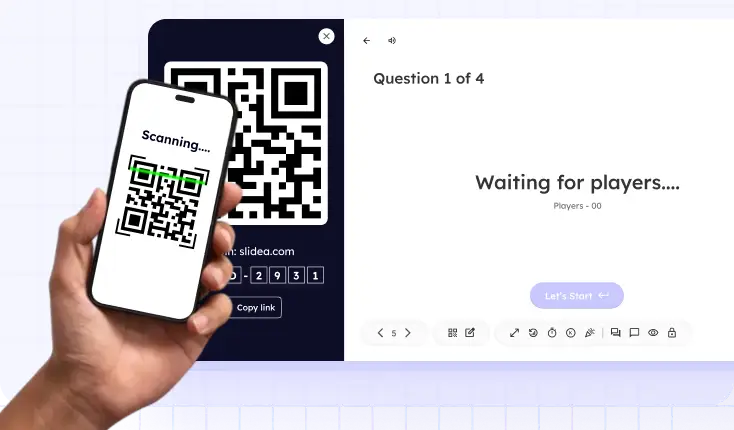
Student scanning QR code to access assessment

Connect Students Instantly

Drive real-time participation by sharing a direct link or QR code for immediate access to your presentation.

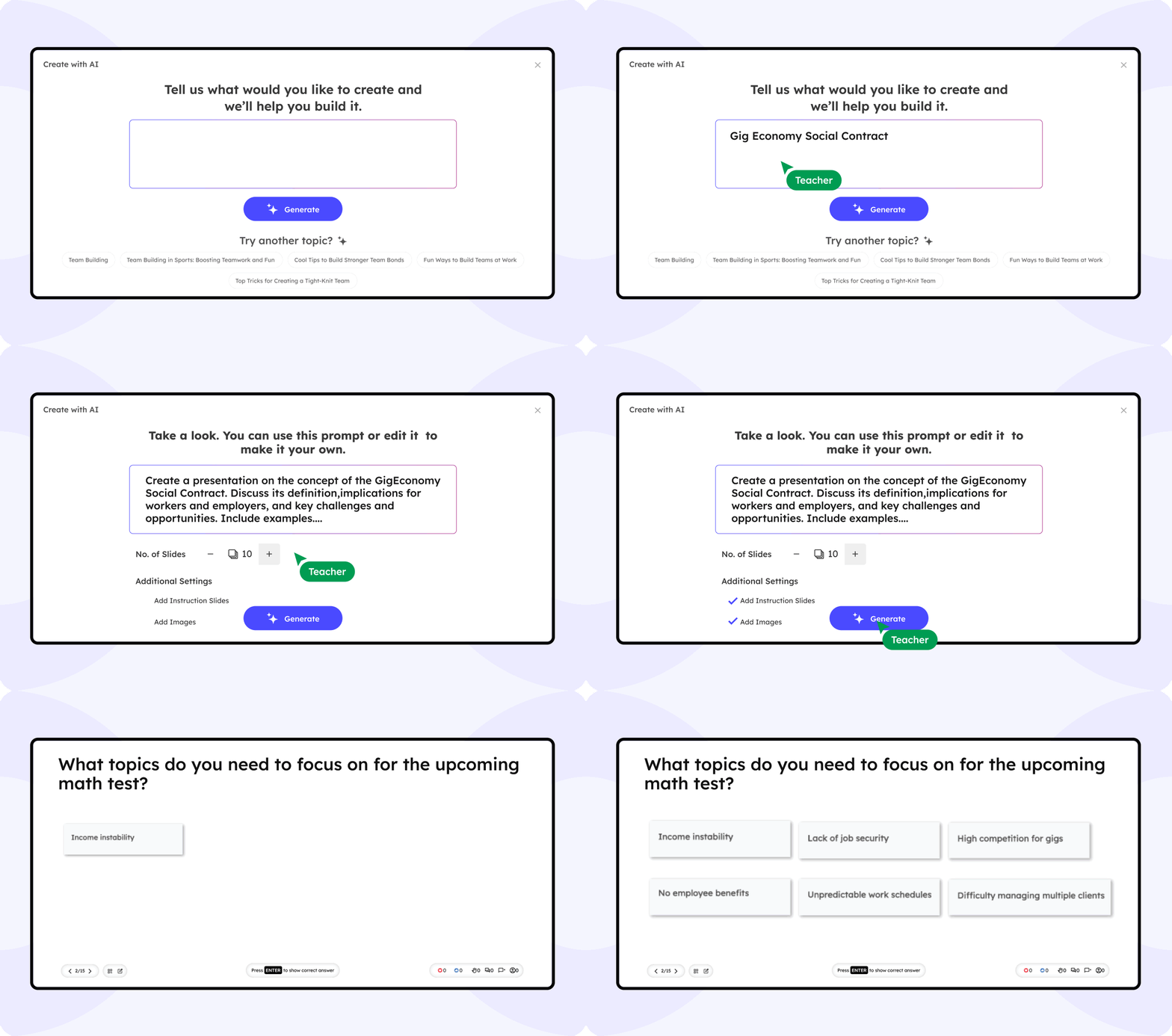
AI That Fuels Smarter Group Learning

Slidea’s built-in AI helps study groups generate questions, review key topics, and keep sessions focused. It’s like having a study assistant that understands what your group needs.

Generate group questions from any topic or document

Suggests polls, and quizzes to guide discussion

Summarize complex topics for quick review

Slidea AI Interface

What students are saying

Slidea helped keep our study group on track. We stayed engaged and actually had fun reviewing for exams.

NS

Alex Rivera

College Sophomore

Our sessions used to drag, but now with live quizzes and polls, everyone’s more involved and alert.

DR

Jamie Lin

High School Senior

It’s way easier to explain tough topics using Slidea. Sharing slides with interactivity just makes sense.

DR

Tariq Mason

Graduate Student

We use Slidea to break down chapters together. The real-time feedback shows what we’ve actually understood.

DR

Priya Desai

Study Group Leader

I never thought study sessions could feel this productive and fun. Slidea made that possible.

DR

Megan Schultz

Nursing Student

Blogs

Ready to Level Up Your Study Group?

Book a free demo

Frequently Asked
Questions

Find answers to common questions about using Slidea for study groups.

Contact us

Yes, you can assign co-hosts with equal privileges to launch polls and quizzes. They can control your session with Remote access.

The session dashboard shows individual scores. Use this data to spot who needs more practice or to balance team roles.

Yes, you can export session data as Excel. All members see overall performance with/without revealing individual identities.

Only members with the session code or link can join; no outsiders can access. You control who receives the link, ensuring a closed group environment.

Yes, Slidea works with Zoom and PowerPoint, and you can share links there. Members can join directly from there—no additional login or app required.