










Slidea for Universities

An interactive presentation tool for college & universities

College fests, lectures, and workshops shouldn’t feel like monologues. Slidea lets you break the silence, and own the room.

Get Started for Free
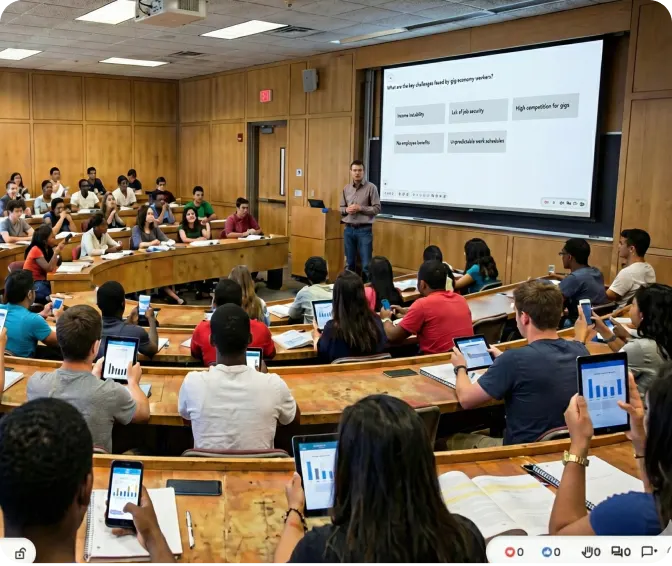
Interactive lecture hall with students using Slidea

Trusted by

Why use Slidea in college?

Pocket Control

Your phone is the only remote you need: slides, polls, quizzes in one tap.

Instant Entry

No installs, no sign-ups—students join via QR or code in seconds.

Silence Slayer

Live polls and Q&As turn quiet rooms into buzzing forums.

Data in Real Time

See reactions and results as they happen—then refine on the fly.

Anywhere, Anytime

Lecture hall, student union, or club room—Slidea works everywhere.

Interactive classroom with Slidea

Key Features for Higher Education

Two-way conversation

 Ask subject-specific questions and display results instantly.

Instant feedback

 Track responses in real time to identify topics needing explanation.

Mid-lecture engagement

Collect ideas, research topics, or discussion points from the entire class.

Mid-lecture engagement

Let your students submit and upvote questions during live sessions.

Works with Your Favorite Tools

Explore all Integrations
PowerPoint

PowerPoint

Zoom

Zoom

Google Slides

Google Slides

Microsoft Teams

Microsoft Teams

Microsoft Teams

Webex

Microsoft Teams

ChatGPT

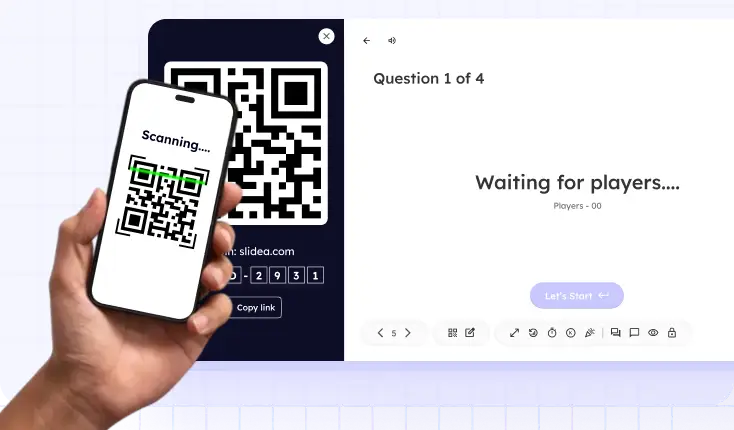
Student scanning QR code to access assessment

Instant Student Connectivity

Engagement is seamless—students join via link or QR code without the hassle of a login.

AI That Elevates Every Universities & Colleges

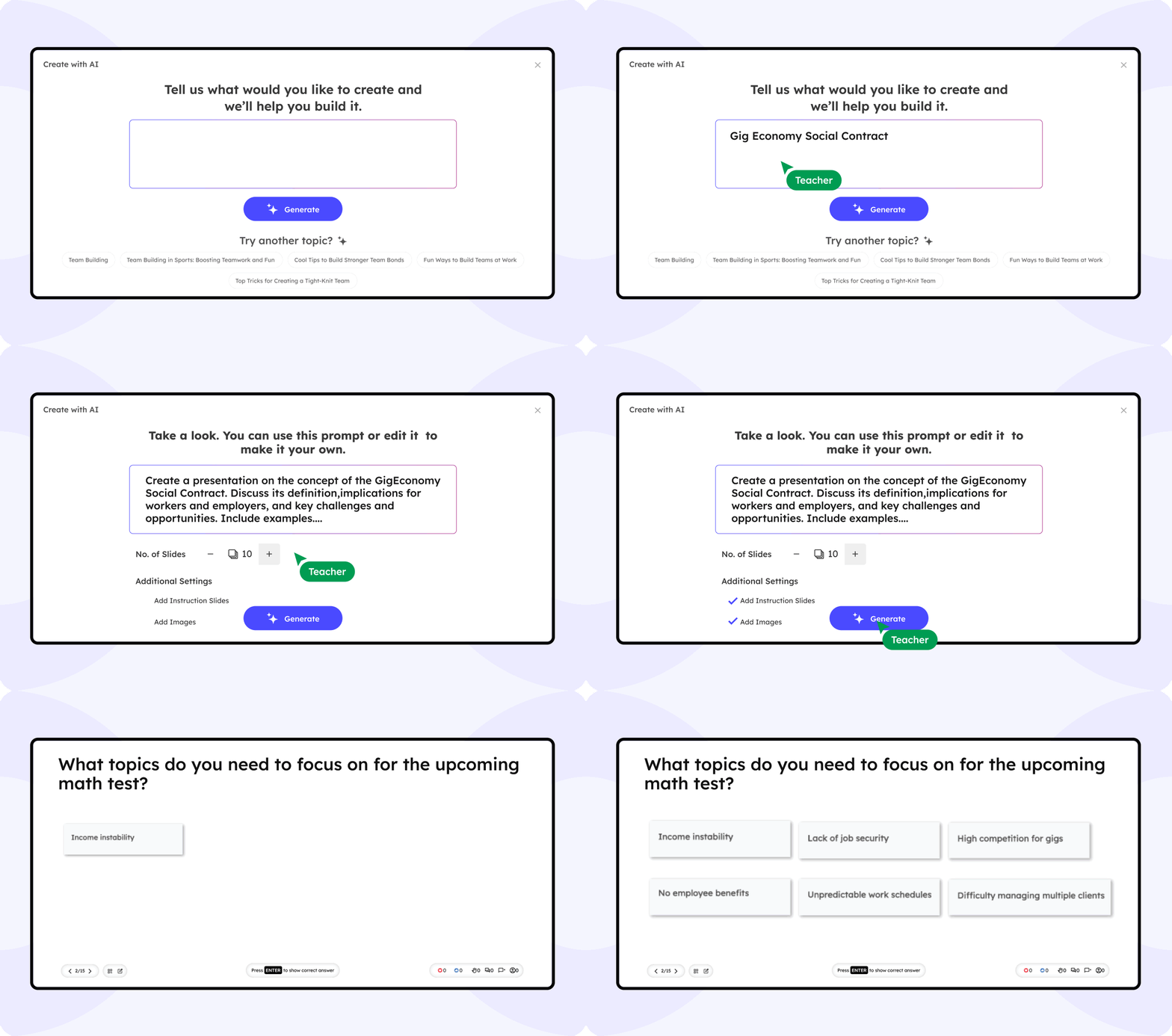
Slidea’s AI maps your institution’s learning objectives to interactive elements across courses. It suggests questions for campus-wide initiatives—surveys, workshops, based on analysis.

Align polls and quizzes with accreditation and curriculum standards

Surface emerging student needs by analyzing open-ended feedback

Recommend optimal questions for campus-wide surveys and events

Slidea AI Interface

What the educators are saying

Slidea changed how I lecture. My students are finally engaging with asking questions, voting, and reacting. It’s a total game-changer.

NS

Dr. Jonathan Lee

Professor of Psychology

Our department started using Slidea for large lectures, and the difference is obvious. Better attention, more feedback, and even fun.

DR

Emily R.

Teaching Assistant, Economics

I teach hybrid classes, and Slidea keeps both my in-person and online students equally involved. That’s rare.

DR

Prof. Amina Yusuf

Computer Science

Slidea made it easier to test knowledge on the spot. I can now adjust my lectures in real-time based on student responses.

DR

Tom Nguyen

Lecturer, Business Studies

Students tell me they actually look forward to class now. Slidea makes participation natural and interactive.

DR

Dr. Sarah O’Connor

Communications Faculty

Blogs

Ready to Transform Your Next Session?

Book a free demo

Frequently Asked
Questions

Find answers to common questions about using Slidea for university-wide solutions.

Contact us

No—everyone joins instantly via their web browser. Just scan the QR code or enter the session code and they're in.

Absolutely—your smartphone becomes the full remote. Control slides, polls, quizzes, and pacing with a single tap.

There's no hard cap. Slidea scales from small classrooms to 10,000+ seat auditoriums. All responses stream in real time.

Yes—our free tier includes everything you need for basic interactive sessions. Perfect for club meets and small workshops.

Totally—upload your logo, choose color themes, and set custom backgrounds so every event feels on-brand.

We offer 24/7 email support plus a comprehensive Help Center with how-to guides, video tutorials, and troubleshooting tips.