











Slidea for classroom lessons

Make interesting and interactive classroom lessons

Make lessons two-way with live questions, word clouds and quiz, keeping every student engaged.

Get Started for Free
Interactive lecture hall with students using Slidea

Trusted by

Why Use Slidea in Classrooms?

Ask While You Teach

Use live polls, ratings, and questions to understand what students are thinking—right in the moment.

Let Everyone Share

Gather student ideas using word clouds and text inputs—no need for them to speak out loud.

Know What They Get

Use quick quizzes or scales to see if students are following, without waiting till the end.

Adapt in Real Time

Based on student feedback, pause, repeat, or dive deeper into any topic—on the spot.

Interactive classroom with Slidea

Key Features for Classroom Lessons

Two-way conversation

Boost focus with a quick check-in or opinion.

Instant feedback

Make lessons interactive with fun quizzes.

Anonymous response

Visualize students' ideas in seconds.

Mid-lecture engagement

Let students post questions during class.

Mid-lecture engagement

Focus on which lesson matters most.

Integrate with your teaching tools

Explore all Integrations
PowerPoint

PowerPoint

Zoom

Zoom

Google Slides

Google Slides

Microsoft Teams

Microsoft Teams

Microsoft Teams

Webex

Microsoft Teams

ChatGPT

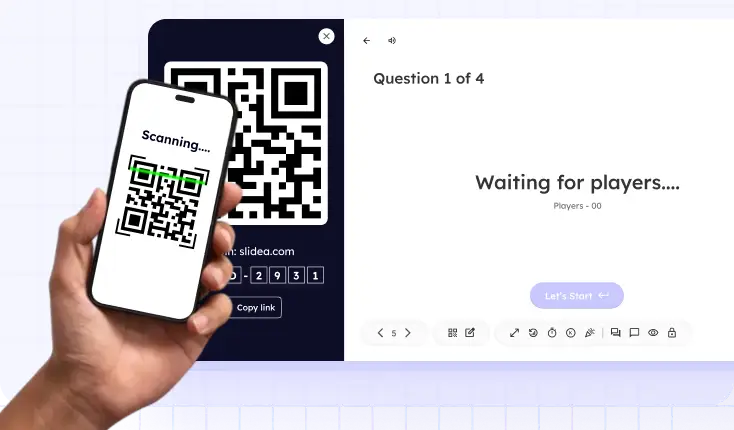
Student scanning QR code to access assessment

Zero-Friction Entry for Students

No apps or accounts are needed; students simply use a QR code or link to participate.

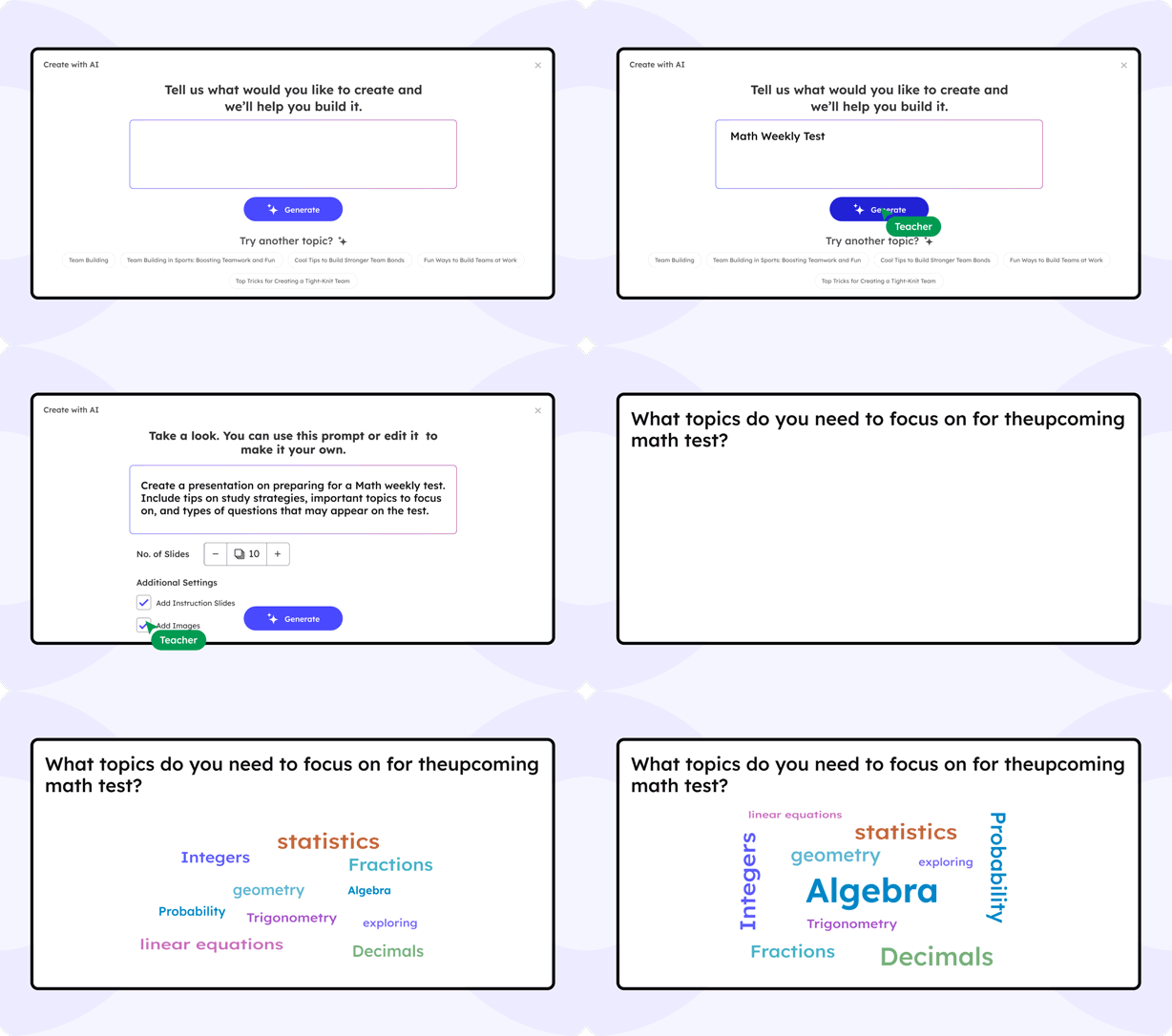
AI That Elevates Every Classroom Lesson

Slidea’s AI helps you craft and deliver engaging lessons without extra prep. It analyzes your slides to suggest polls, quizzes, and discussion prompts.

Generate live poll and quiz questions from your lesson content

Adapt question difficulty in real time based on class performance

Get smart suggestions based on your topic

Slidea AI Interface

What teachers are saying

I used to struggle keeping my 7th graders engaged. With Slidea, they’re now excited to answer questions and join in.

NS

Alex B

Middle School Teacher

Slidea’s live quizzes have turned review sessions into something my students actually enjoy. I didn’t expect that kind of shift.

DR

Jasmine C.

High School English Teacher

I love how simple it is to use Slidea. I’m not super techy, but it’s made my lessons way more interactive without the stress.

DR

Tom R.

4th Grade Teacher

I noticed more participation, and fewer blank stares. Slidea’s been a small change with a big impact.

DR

Meghan S

High School History Teacher

My classroom feels different in the best way. Kids are involved, they’re curious, and they’re having fun learning again.

DR

Dana M.

Elementary School Teacher

Blogs

Ready to Make Ideas Part of Your Lesson?

Book a free demo

Frequently Asked
Questions

Find answers to common questions about using Slidea in for Classroom Lessons.

Contact us

Yes! Slidea works with tools like PowerPoint and Google Slides. Just add a link or QR code—no need to rebuild your slides.

Yes! You can switch between polls, quizzes, and normal slides anytime during the lesson. It keeps the flow dynamic and lets you adapt based on class engagement.

Slidea shows live response counts and patterns instantly. You'll know who's engaged—no guessing or waiting till the test.

Yes, you can filter responses or turn off open text inputs. You stay in full control of what gets displayed during class.

Not at all! It's designed for one-click use within your slides. You can move between teaching and interaction without interruption.

Absolutely. No logins required for students, and no data stored. It's secure, anonymous, and approved by many schools and educators.